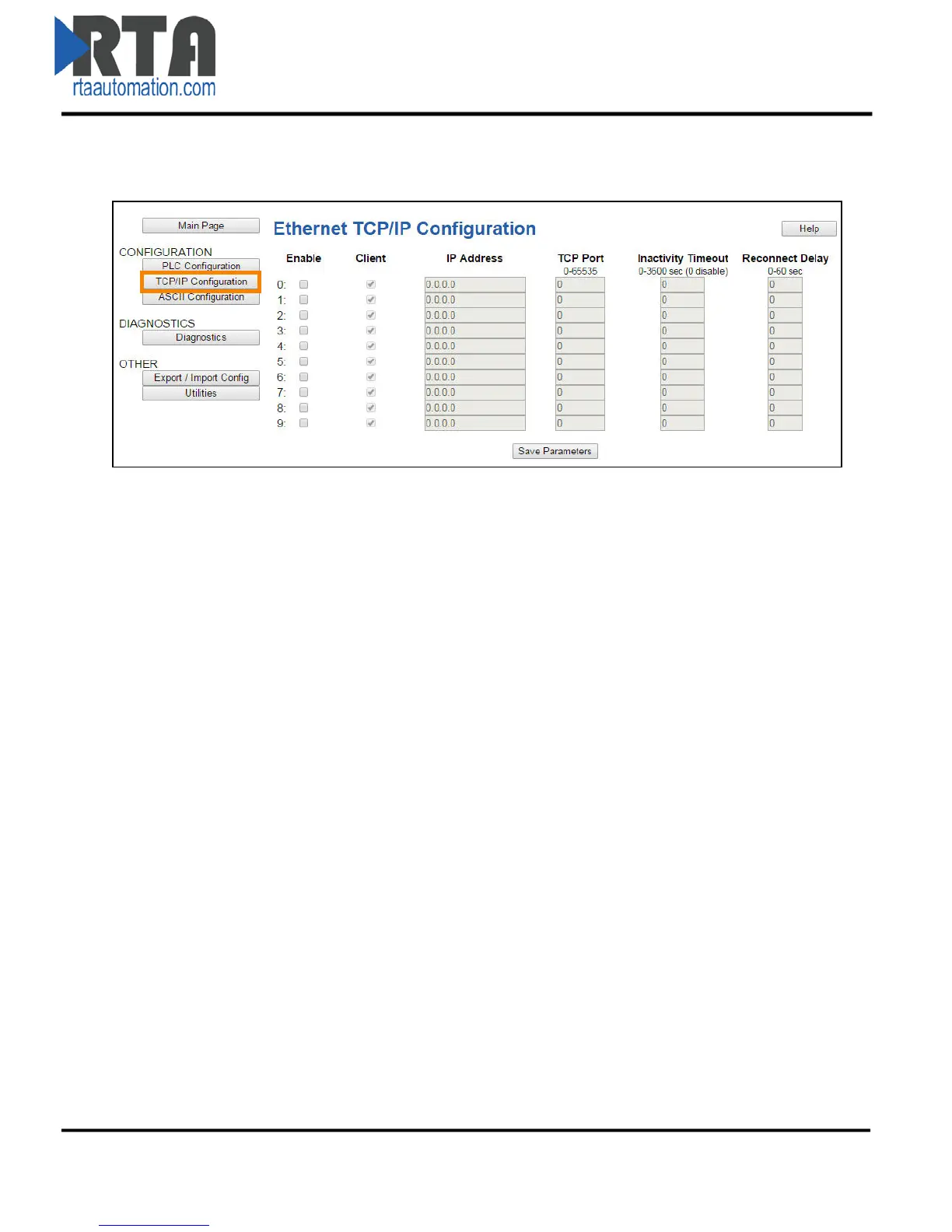
Server TCP/IP Communication Setup
1) From any page, click the TCP/IP Configuration button under the CONFIGURATION section.
If a Client Device is Connecting to the Gateway Acting as a Server
2) Enable: Check this box to enable any of the 10 possible ports.
a. The numbers are used internally to identify the various connections for the ASCII
Configuration section.
2) Client: Uncheck the Client checkbox if the gateway is being connected by a Client TCP/IP device.
3) IP Address: Enter the IP address of the Client that the gateway will accept a TCP/IP connection
from.
a. Enter 0.0.0.0 if you want the gateway to listen for any IP Address to make the
Connection.
b. The combination of the IP Address and TCP/IP Port must match the device exactly in
order for the device to open a connection to the gateway.
4) TCP Port: Enter the TCP/IP Port Number on which the Client is communicating.
a. The combination of the IP Address and TCP/IP Port must match the device exactly in
order for the device to open a connection to the gateway.
5) Inactivity Timeout: Enter the amount of time in seconds that the gateway will wait idly before
closing the connection.
6) Reconnect Delay: This feature is disabled if the gateway is a Server.
Real Time Automation, Inc. 15 1-800-249-1612



 To Next Page