48
Installing the Access Point
Step 1: Preconfigure the Access Point
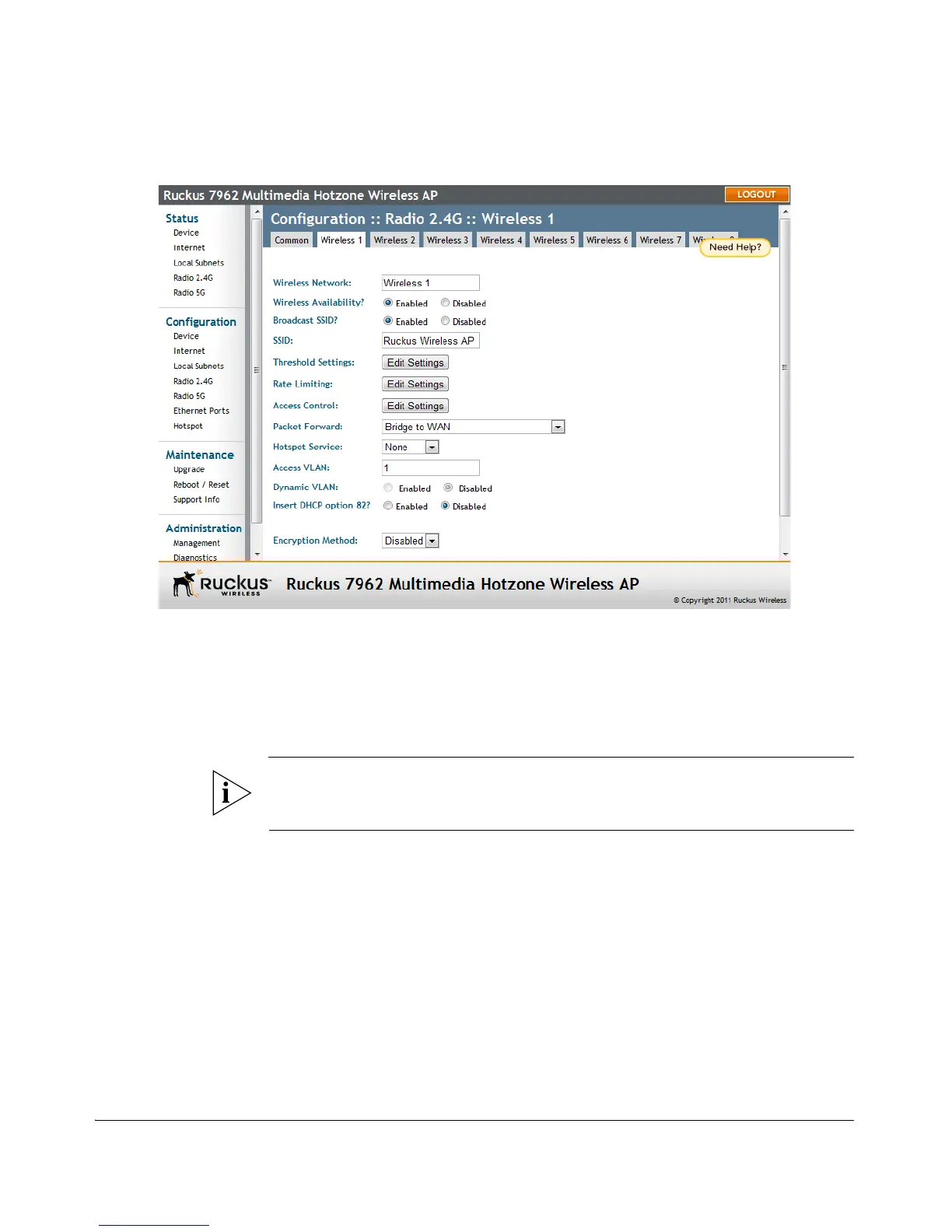
Figure 29. The Configuration > Wireless > Wireless 1 tab
(Optional) Set the FlexMaster Server Address
If you have a FlexMaster server installed on the network and you intend to use
FlexMaster to manage the Access Point, you can set the FlexMaster server address
at this point. Before starting this procedure, make sure you obtain the correct
FlexMaster server URL.
NOTE: In addition to setting the FlexMaster server URL manually on the Access Point,
you can also use DHCP Option 43 or DNS to point the Access Point to the FlexMaster
server. For more information, refer to the FlexMaster User Guide.
1. On the menu, click Administration > Management.
2. Scroll down the page to the TR069 / SNMP Management Choice section.
3. Verify that the Auto option is selected.
4. In FlexMaster Server URL, type the URL of the FlexMaster server on the network.
You can use either http or https to connect to the URL and include either the
host name or IP address of the FlexMaster server in the URL. The following are
examples of valid FlexMaster server URLs:
http://flexmaster/intune/server
https://flexmaster/intune/server
http://192.168.20.1/intune/server












 To Next Page