KT332N Cutting &engraving control system user manual V1.1
“AUX.AIR”: For controlling air blowing
“FAST/SLOW”: Used to set the fast and slow speed of the keys.
When user presses the arrow key (manual move) directly, it will be slow; when you press and
hold the “FAST/SLOW” key, now press arrow key, high speed will be loaded.
Note: Press and hold “FAST/SLOW” key and then press the Esc key will execute a return origin
point action.
8.2 Main interface function
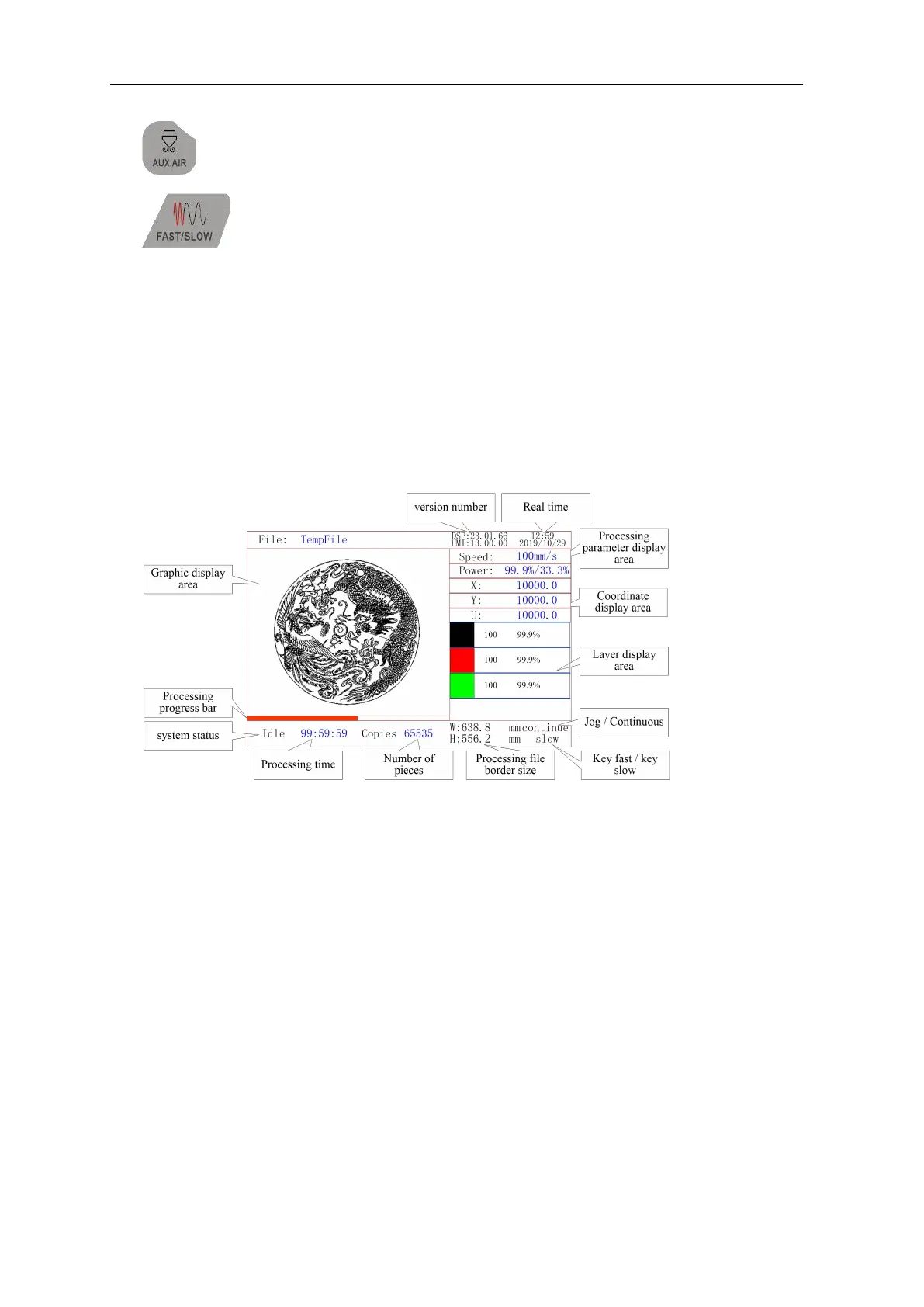
When the system is reset after power on, the main interface will be displayed. As shown below:
Graphic display area:This area is used to trace the processed file image during file
preview display and processing.
Processing parameter display area:Display the file number, speed and maximum
power of the current processing file.
Coordinate display area:Display the coordinate value of the current position of the
laser head
Layer parameter area:Display the layer parameters of the current processing file or the
layer parameters of the preview file. The parameters from left to right are: layer color,
layer speed, and layer maximum power.
Working status area:Used to display the current working status of the system, which
are idle, paused, completed, running. The processing time is displayed on the right.
Processing progress bar:Display the current processing progress
Number of pieces:Display the processed quantity of the current processing file.
Frame size of processing file:The range of the processing file is displayed.
Version number:Program version number for panel and motherboard.
System time:Display the current system time



 To Next Page