Chapter
1
Operation
Procedures
[Cycle Indication]
Indication
Cycle type
Setting possible Setting
Factory
setting
range
pitch value
CY-1
Wet
cycle
for
the metal plate
1 to 50 rotations
Every 1
2 rotations
printing mode rotation
CY-2
Inking cycle 1 to
10
rotations
Every 1
2 rotations
rotation
CY-3
Blanket cleaning cycle
20 to
65
rotations
Every 5
20 rotations
rotations
CY-4
Wet cycle for the polyester plate
1 to 50 rotations
Every 1
10 rotations
or paper master printing mode
rotation
11~rz~~~~w~~:~-
0 to 50 rotations
Every 1
10 rotations
CY-5
Wet cycle for mounting the paper
rotation
master
[Cycle setting procedures]
CYCLE
SET
(1)
(3)
(2)
IC
~
I
11~1
:=:,
======~sl
~~~~!'t)
~ ~
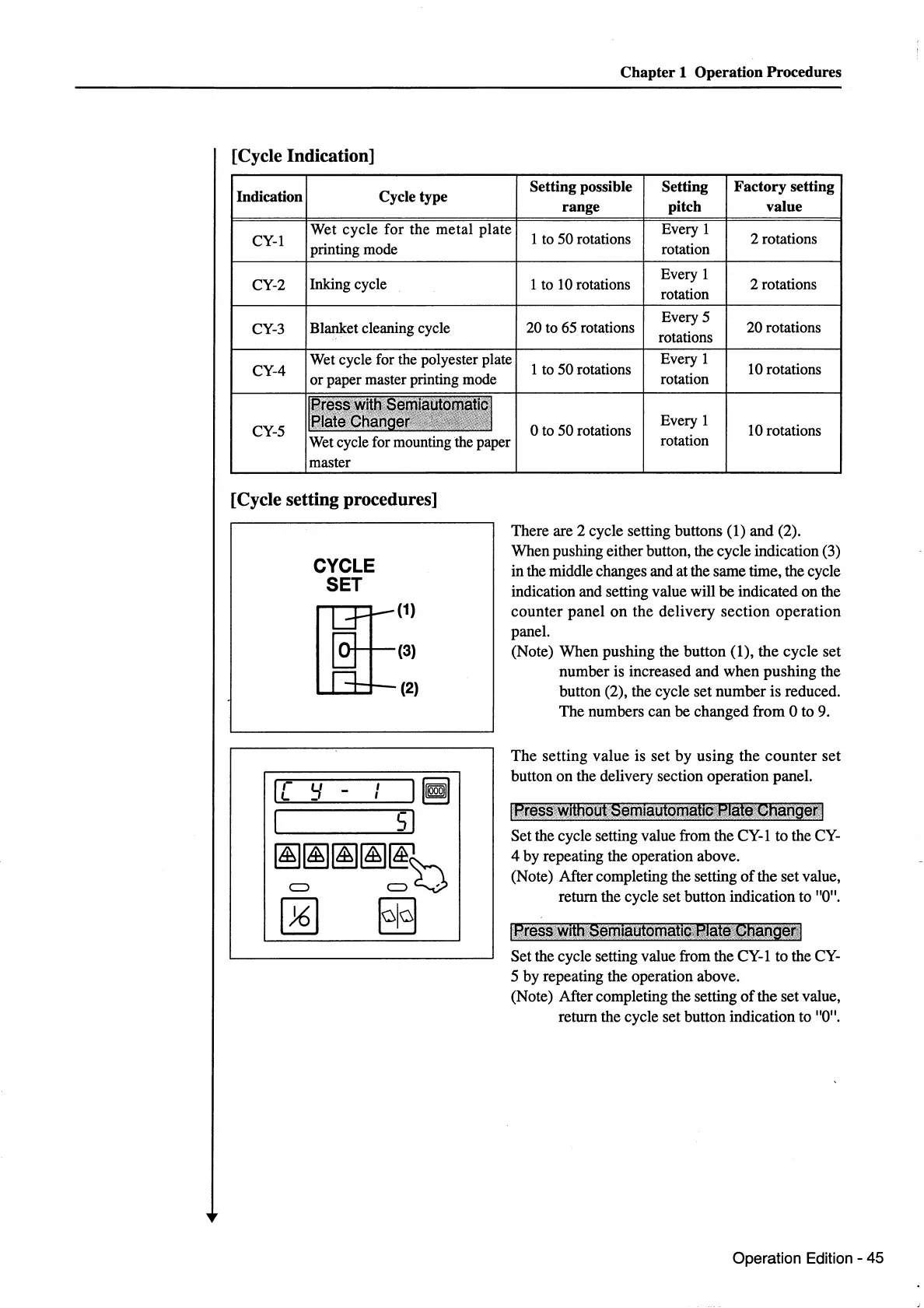
There are 2 cycle setting buttons (1)
and
(2).
When pushing either button, the cycle indication (3)
in the middle changes and at the same time, the cycle
indication and setting value will
be
indicated
on
the
counter
panel
on
the
delivery
section
operation
panel.
(Note)
When
pushing the
button
(1),
the
cycle set
number
is increased
and
when
pushing
the
button (2), the cycle set
number
is reduced.
The numbers can
be
changed from 0 to 9.
The
setting
value
is
set
by
using
the
counter
set
button
on
the delivery section operation panel.
IPresscwithout;Serniautom~tto::,fflat~'~hanQet:l
Set the cycle setting value from the CY-1 to the CY-
4
by
repeating the operation above.
(Note) After completing the setting
of
the set value,
return the cycle set button indication to "0".
l~r~ss:wifh:,S~ml~utomatiQ~BI.~t~~.~haog~~~l
Set the cycle setting value from the CY-1 to the CY-
5
by
repeating the operation above.
(Note) After completing the setting
of
the set value,
return the cycle set button indication to "0".
Operation
Edition -
45



 To Next Page