Chapter 4 Replacing the Supplies
4. Replacing the Water Control Wiper
A CAUTION
Stop the
press
before setting. Failure to follow this instruction
may
result in an injury.
1)
Mounting
(1) (2)
Maintenance Edition - 42
When the water control wiper wears out, the printing quality may
not
be
stable due to the over supply
of
dampening solution.
Replace it with a new one.
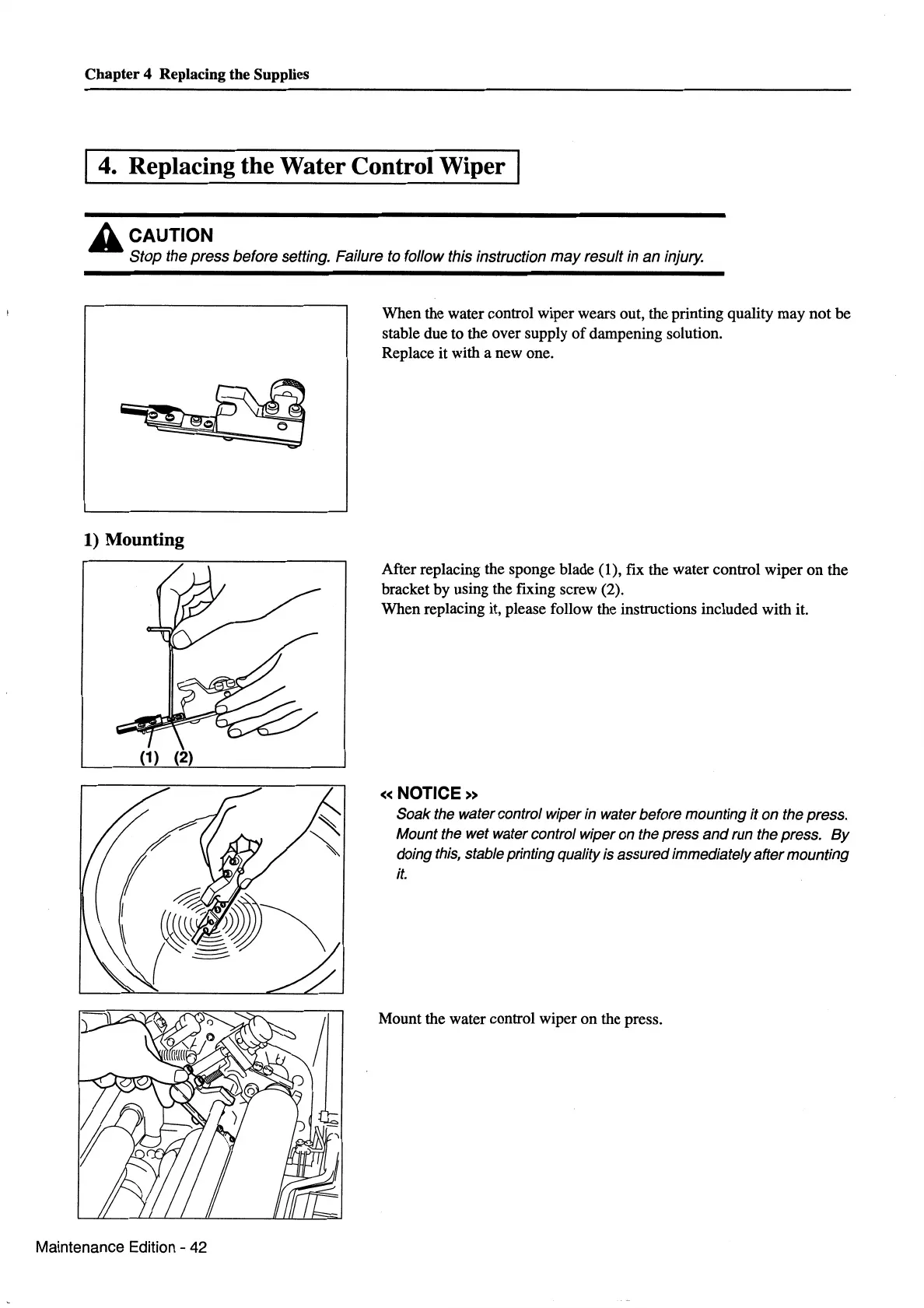
After replacing the sponge blade (1), fix the water control wiper
on
the
bracket by using the fixing screw (2).
When replacing it, please follow the instructions included with it.
«NOTICE»
Soak the water control wiper in water before mounting it on the press.
Mount the wet water control wiper on the press
and
run the press.
By
doing
this,
stable printing quality is assured immediately after mounting
it.
Mount the water control wiper on the press.



 To Next Page