Chapter 1 Operation Procedures
15. Adjustment
of
the Image Position
Operation Edition - 48
<Diagonal image adjustment by moving the paper>
<Adjustment to
the~
direction>
+
+:
NOPS
+
+
Leading edge
Adjustment
-=
~:::::===~-t=-=
...
=-t+
volume
........
\
......
~\--
'i
t
\ \ (±)direction
\ \
\ -
~
\...
__
...
-
0direction
,,~~----4-----~·
I
I
..........
......
......
.,..,:---4-
/
I'
......
I I
I I
~.......,
.'
....
,
'-..J
Adjustment
volume
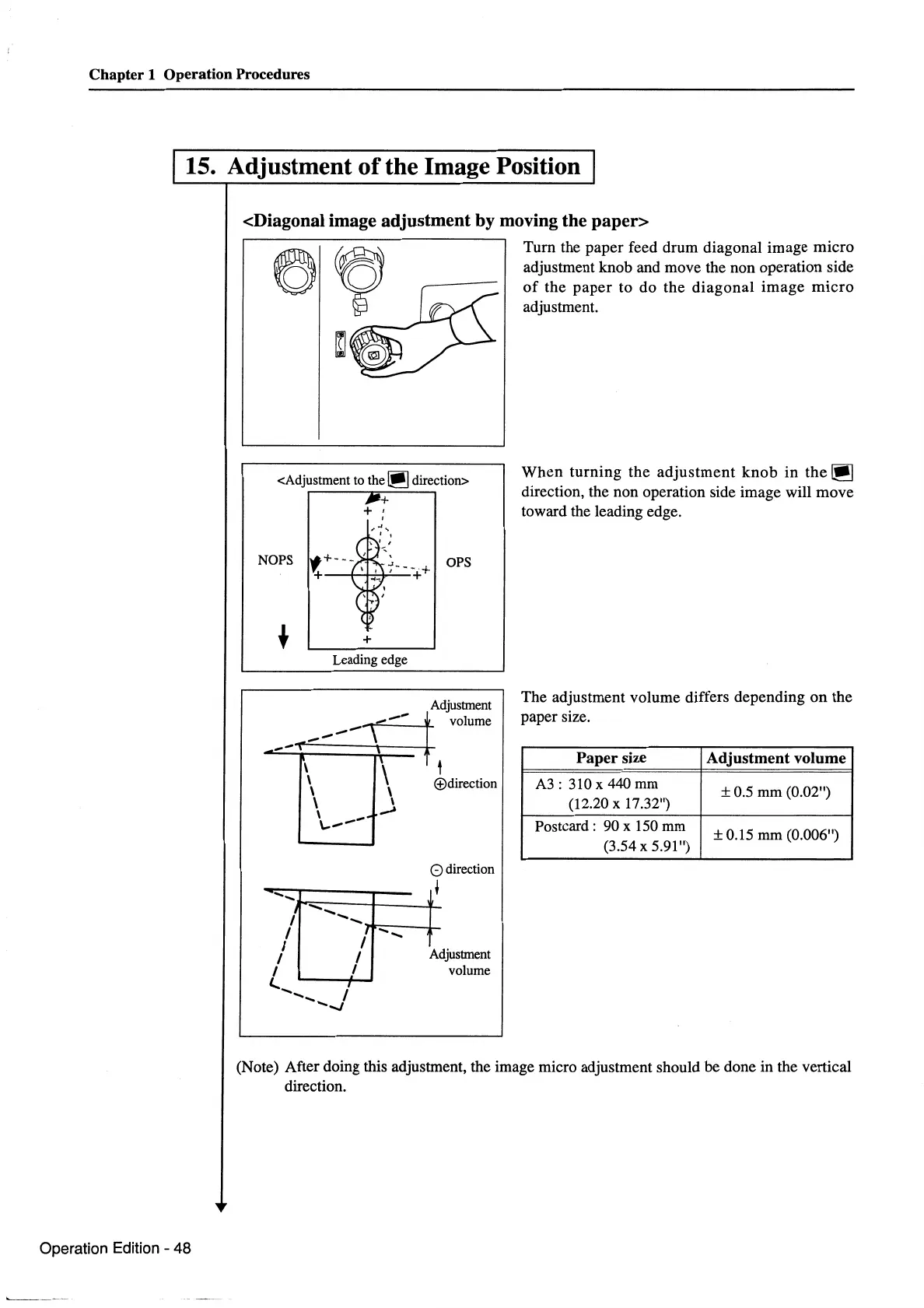
Turn the paper feed drum diagonal image micro
adjustment knob and move the non operation side
of
the
paper
to do the
diagonal
image
micro
adjustment.
When
turning
the
adjustment
knob
in
the~
direction, the non operation side image will move
toward the leading edge.
The adjustment volume differs depending
on
the
paper size.
Paper size
A3:
310
x
440
mm
(12.20 X 17.32")
Postcard: 90 x
150
mm
(3.54 X 5.91")
Adjustment volume
± 0.5 mm (0.02")
± 0.15
mm
(0.006")
(Note) After doing this adjustment, the image micro adjustment should be done in the vertical
direction.



 To Next Page