Chapter 1 Operation Procedures
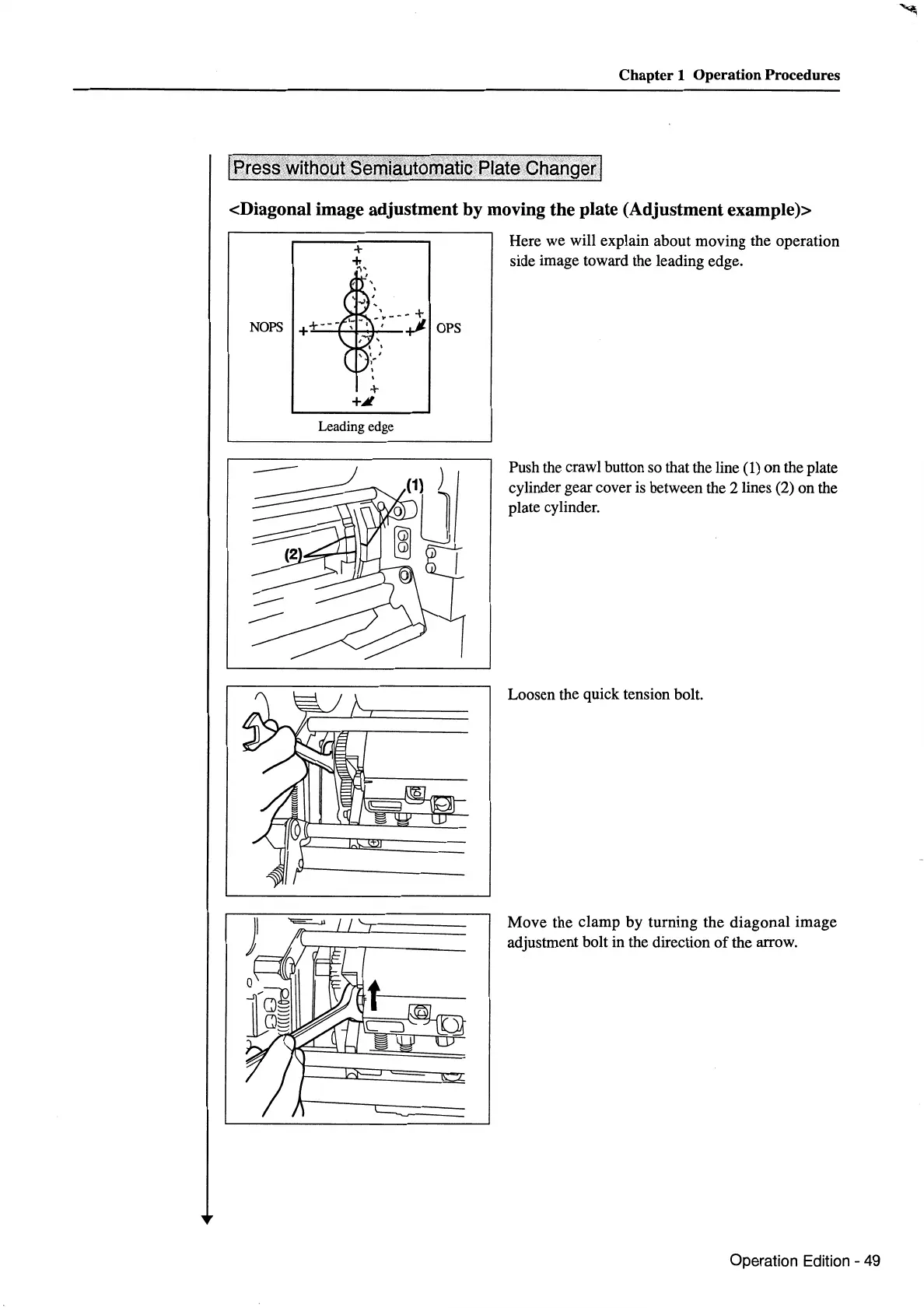
<Diagonal image adjustment by moving the plate (Adjustment example)>
NOPS
+
+i
Leading edge
OPS
Here we will explain about moving the operation
side image toward the leading edge.
Push the crawl button so that the line
(1) on the plate
cylinder gear cover is between the
2lines
(2) on the
plate cylinder.
Loosen the quick tension bolt.
Move the clamp
by
turning the diagonal image
adjustment bolt in the direction
of
the arrow.
Operation Edition - 49



 To Next Page