Chapter 3 Printing Practice
fJ1t:~~~,witft,serhiautom~ti~gt~tej;cfta,o6EiFI
3-4 Mounting and Removing a Plate (Manually)
1) Mounting a plate
Operation Edition - 7 4
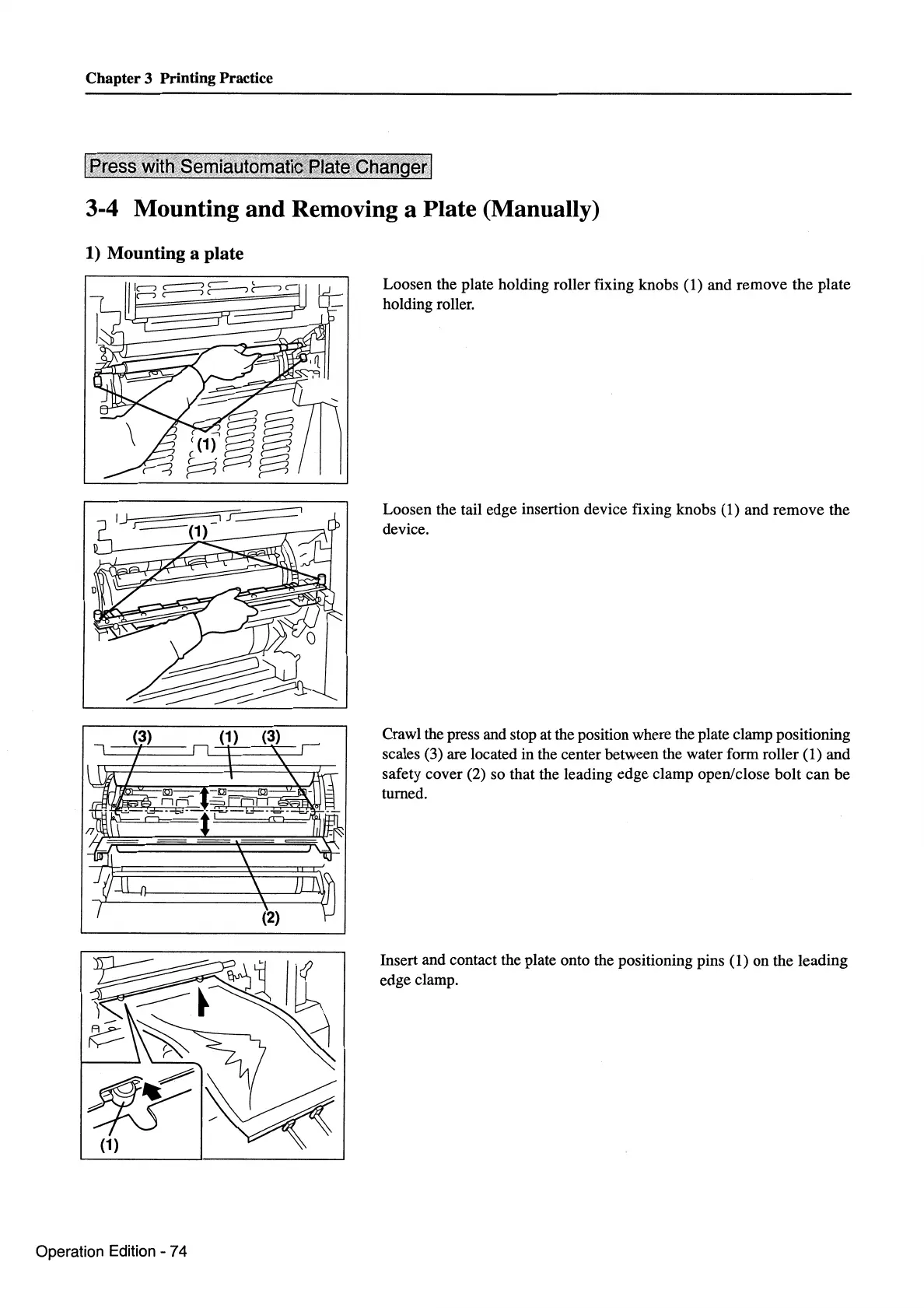
Loosen the plate holding roller fixing knobs (1) and remove the plate
holding roller.
Loosen the tail edge insertion device fixing knobs (1) and remove the
device.
Crawl the press and stop at the position where the plate clamp positioning
scales (3) are located in the center between the water form roller (1) and
safety cover (2) so that the leading edge clamp open/close bolt can be
turned.
Insert and contact the plate onto the positioning pins
(1) on the leading
edge clamp.



 To Next Page