Chapter 1 RYOBI PCS-F
1-4 Operation Procedures
(Reference)
When
the following operation process is indicated in the message display, the contents
are
explained
in
the I
1.
Please refer to this.
1.
Setting the Ink Fountain Key (Manually)
The
ink fountain
key
opening volume setting data
can
be saved
on
a floppy disk.
F
o8E
IDA
2 3
4
"'
5
6
7
Dl
!!c!s
D
D
D
D
D D
888
UNIT
K L M
= = =
01
@orne
rn
rn
rn
rn
rn
rn
rn
888
0 2
ALL
0 C
N
0 a
7 8 9
~D
'<1
B
SPJ
SP4
SPO
0 4
4 5 6
m
SP1
SP2
I
II§Jo
lj§JaEJ/
1
c?A
w~c
II
BU<
O[LOcK]
G
p
..
0
..
I.
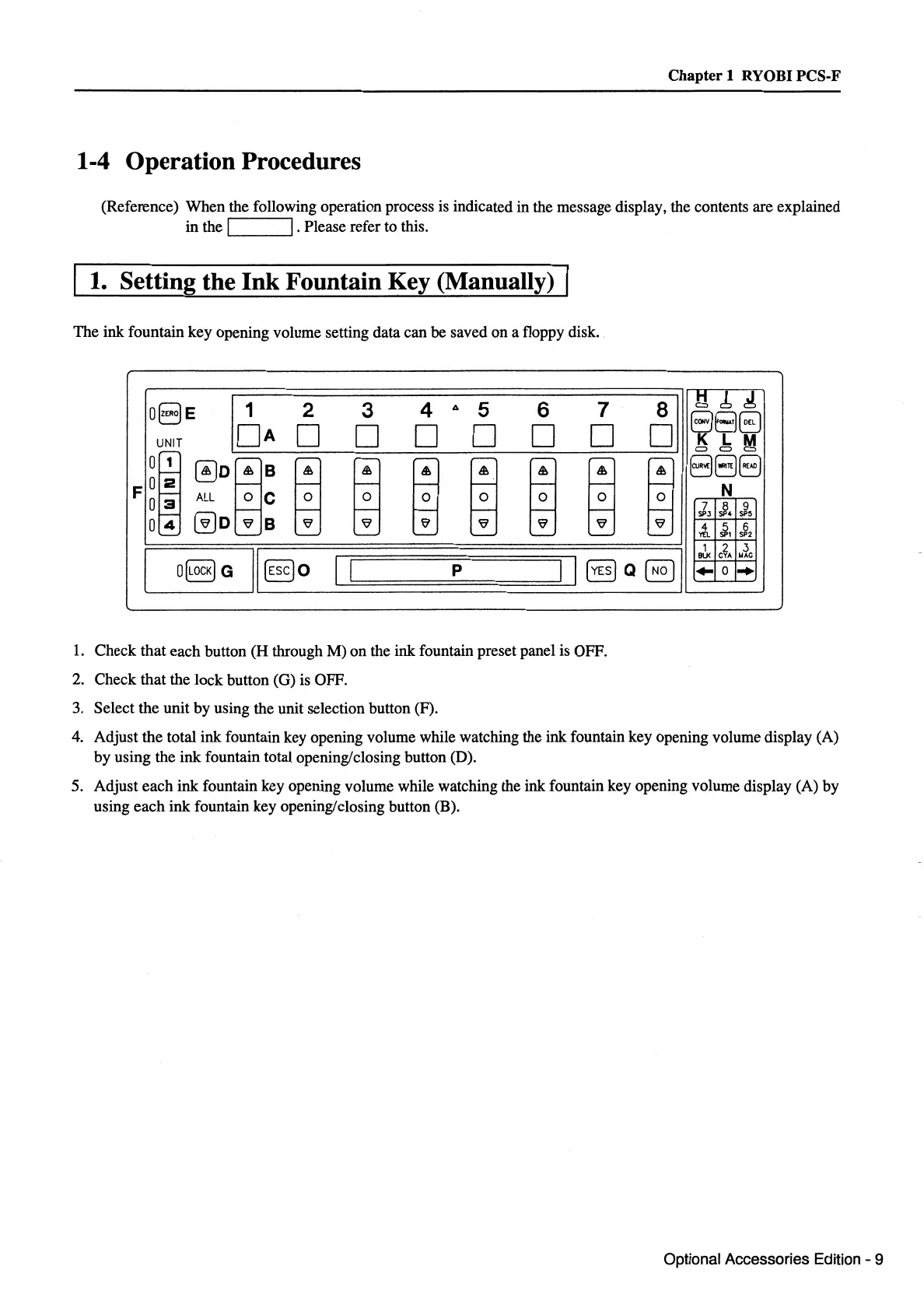
Check
that
each
button
(H
through
M)
on
the ink fountain preset panel is OFF.
2.
Check
that
the
lock
button (G) is OFF.
3. Select the
unit
by
using the unit selection button (F).
4.
Adjust
the
total ink fountain key opening volume while watching the ink fountain
key
opening volume display (A)
by
using
the
ink
fountain total opening/closing button (D).
5.
Adjust
each
ink
fountain
key
opening volume while watching the ink fountain key opening volume display (A)
by
using
each
ink
fountain
key
opening/closing button (B).
Optional Accessories Edition - 9



 To Next Page