Periodic Inspection
«NOTICE»
Check each section periodically
to
keep the press
in
top operating condition.
1. Checking the Roller
Pressure
I
The roller pressure has a great influence on the printing results and ink roller cleaning. Check the pressure at a mini-
mum
of
once every 3 months.
1) Checking
and
adjustment
of
the ink form roller pressure
A WARNING
1.
Never
touch the rotating parts when doing the crawl operation.
2. Close the cover opened after finishing the inspection.
Failure to follow these instructions
may
result in a serious injury.
Checking the roller pressure
---------------------------,
CYCLE
SET
UNIT
Maintenance Edition - 1 0
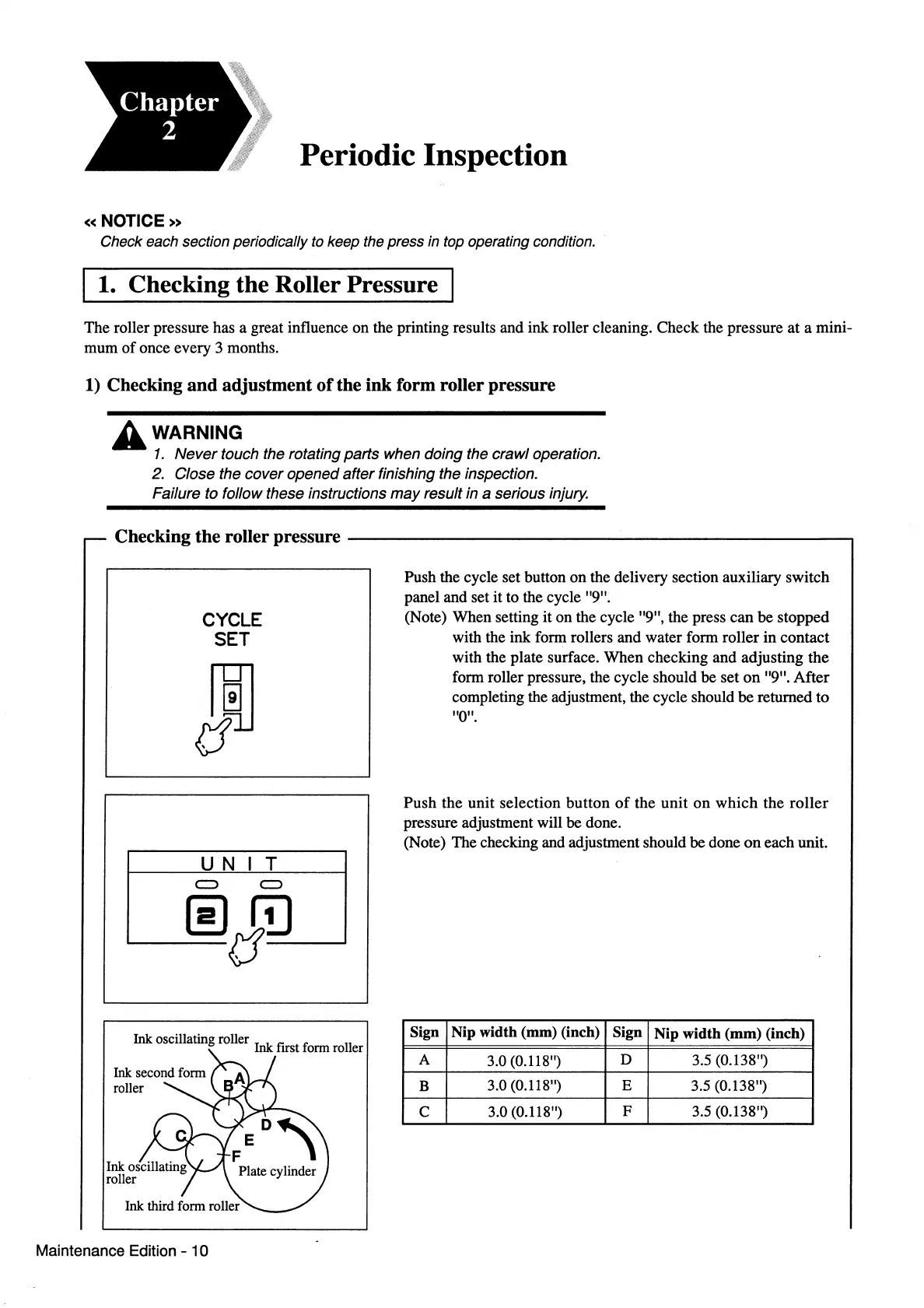
Push the cycle set button on the delivery section auxiliary switch
panel and set it to the cycle "9".
(Note) When setting it on the cycle "9", the press can be stopped
with the ink form rollers and water form roller in contact
with the plate surface. When checking and adjusting the
form roller pressure, the cycle should be set
on
"9". After
completing the adjustment, the cycle should be returned to
"0".
Push the unit selection button
of
the unit on which the
roller
pressure adjustment will be done.
(Note) The checking and adjustment should be done
on
each unit.
Sign Nip width (mm) (inch) Sign
Nip
width
(mm)
(inch)
A
3.0 (0.118")
D
3.5 (0.138")
B
3.0 (0.118")
E 3.5 (0.138")
c
3.0 (0.118")
F 3.5 (0.138")



 To Next Page