Chapter
1 Operation Procedures
Operation Edition - 50
each side from
the standard
position
Standard position
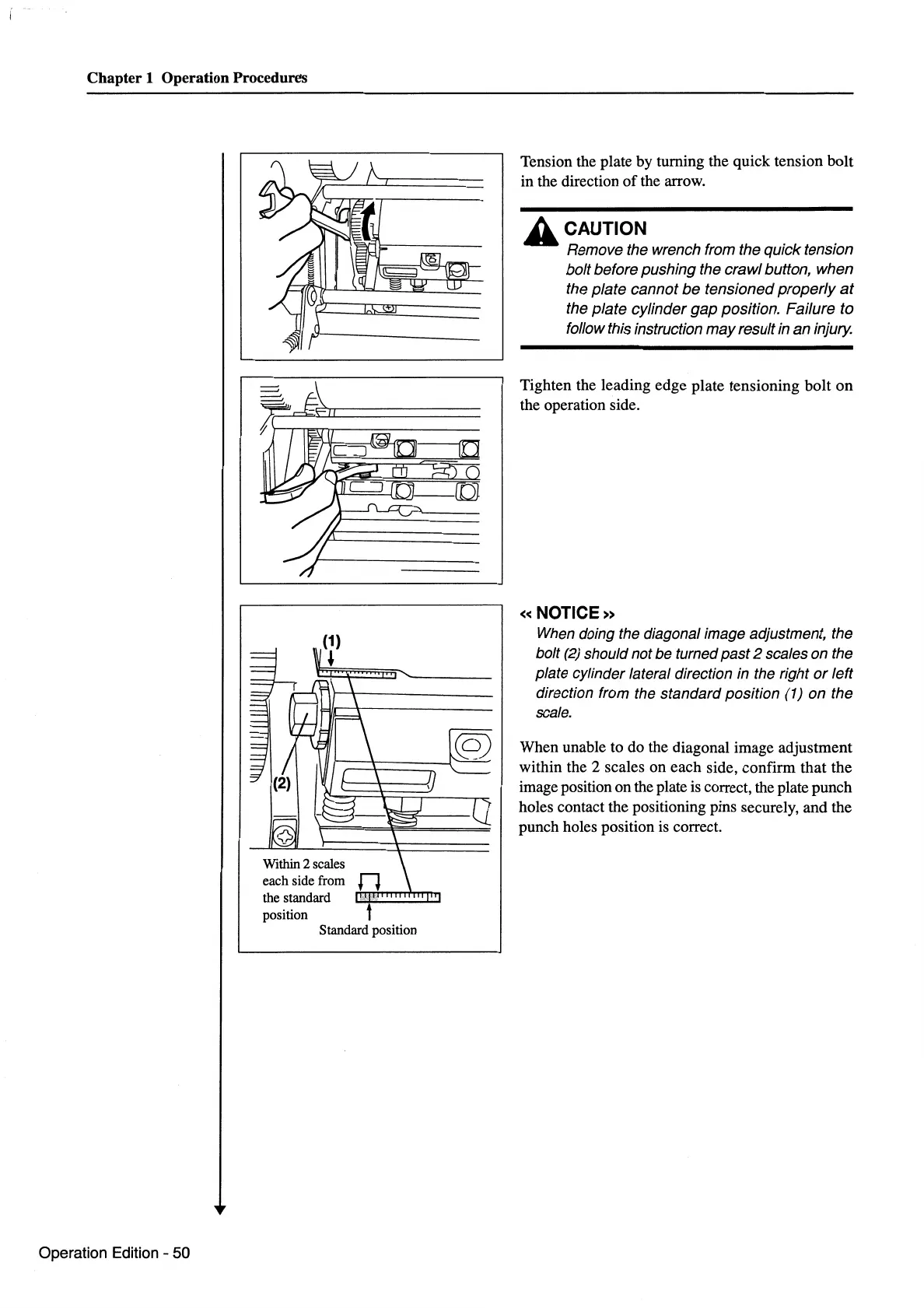
Tension the plate by turning the quick tension bolt
in the direction
of
the arrow.
A CAUTION
Remove the wrench from the quick tension
bolt before pushing the crawl button, when
the plate cannot
be
tensioned
properly
at
the plate cylinder
gap
position. Failure to
follow this instruction may result in an injury.
Tighten the leading edge plate tensioning bolt
on
the operation side.
«NOTICE»
When
doing the diagonal image adjustment, the
bolt
(2)
should not be turned past 2 scales on the
plate cylinder lateral direction in the right
or
left
direction from the standard position (1) on the
scale.
When unable to do the diagonal image adjustment
within the 2 scales on each side, confirm that the
image position on the plate
is
correct, the plate punch
holes contact the positioning pins securely, and the
punch holes position
is
correct.



 To Next Page