Chapter
1 Operation Procedures
I
Press
with•
semiautdiTlatic,.F?Iate
chaitgerl
<Diagonal image adjustment by moving the plate (Adjustment example)>
( • Operation Edition - 64)
l~
+
+.II
Leading edge
D
Q;P-
lj::J
r9f
D
GP
OPS
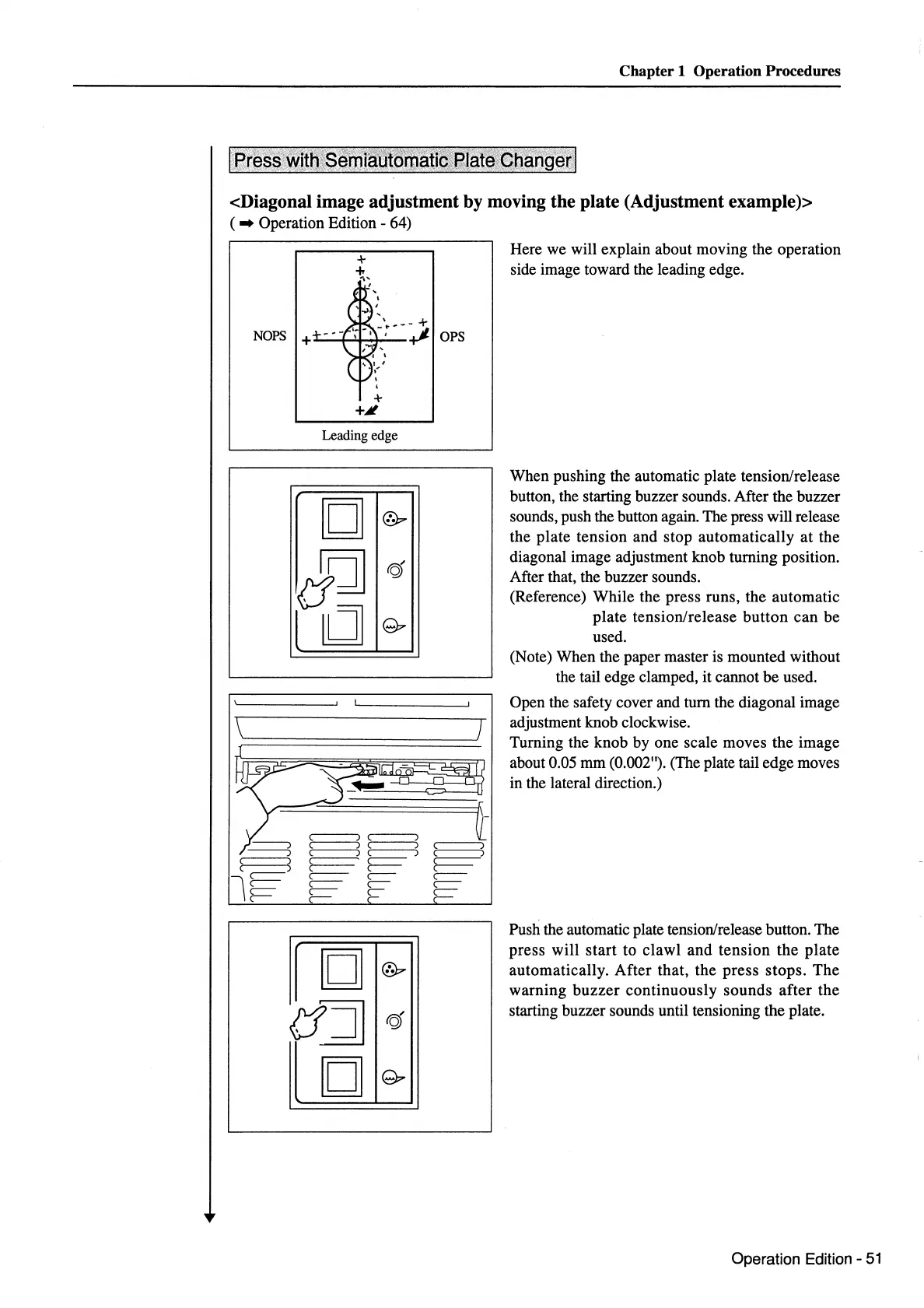
Here we will explain about moving
the
operation
side image toward the leading edge.
When
pushing the automatic plate tension/release
button, the starting buzzer sounds. After the buzzer
sounds, push the button again. The press will release
the
plate
tension
and
stop
automatically
at
the
diagonal image adjustment
knob
turning position.
After that, the buzzer sounds.
(Reference)
While
the
press
runs, the
automatic
plate
tension/release
button
can
be
used.
(Note) When the paper master is
mounted
without
the tail edge clamped, it cannot
be
used.
Open the safety cover and
tum
the diagonal image
adjustment knob clockwise.
Turning the
knob
by
one
scale
moves
the
image
about 0.05
mm
(0.002"). (The plate tail edge moves
in the lateral direction.)
Push the automatic plate tension/release button.
The
press
will
start
to
clawl
and
tension
the
plate
automatically.
After
that,
the
press
stops.
The
warning
buzzer
continuously
sounds
after
the
starting buzzer sounds until tensioning
the
plate.
Operation Edition -
51



 To Next Page