•
When
doing
the
test printing ...
Drive button ON
Set the speed indica-
tion to "70" pushing
the speed set buttons.
I<
I
>8
d-tf
Set speed drive
button ON
Printing start
button ON
• When completing
the test printing ...
Production button
OFF
c:::::::)
I.Polyesterplateprinting
I
UNIT
<
))
c=J
@Q
K~
tJ
Chapter 1 Operation Procedures
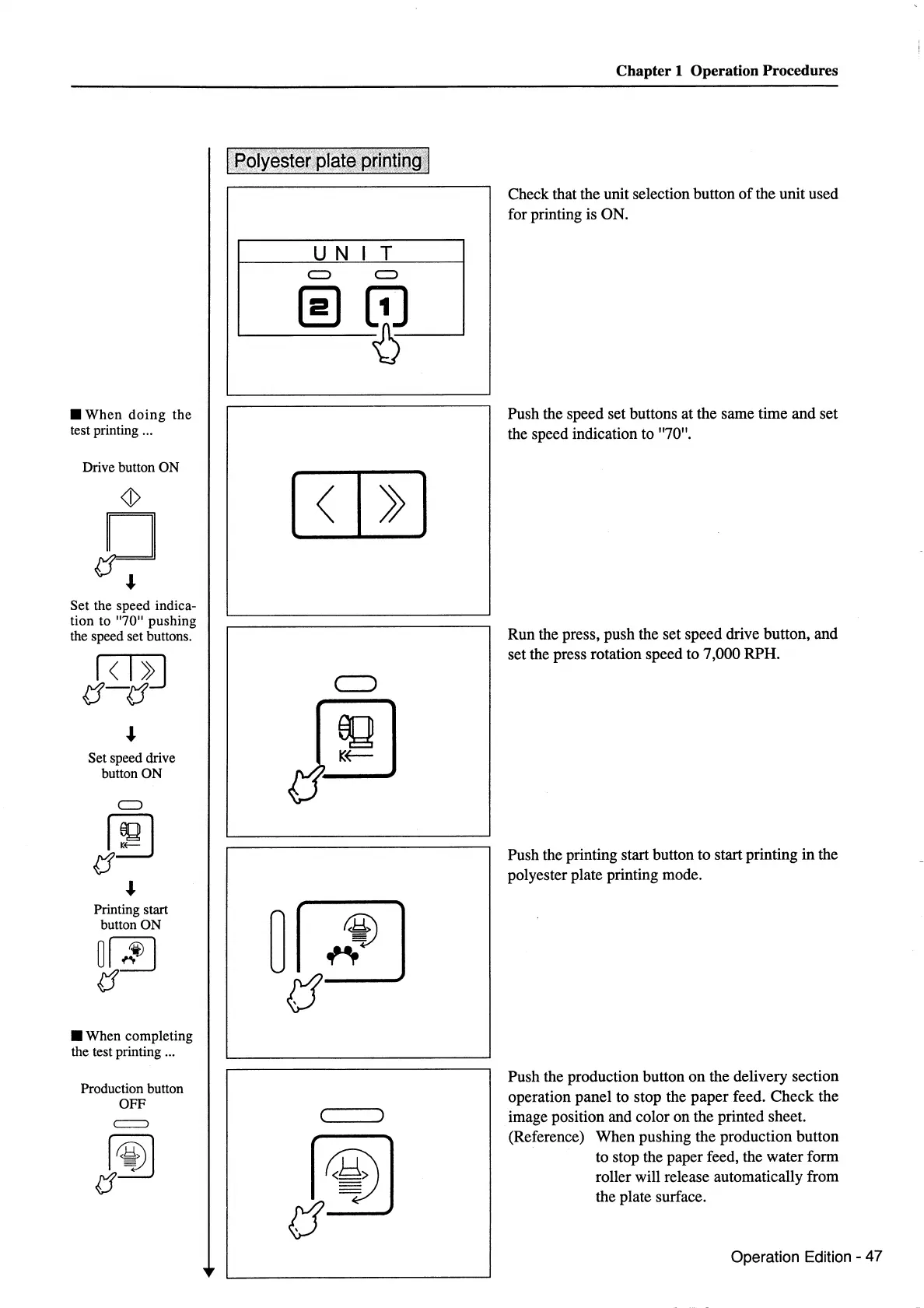
Check that the unit selection button
of
the unit used
for printing is ON.
Push the speed set buttons at the same time and set
the speed indication to "70".
Run the press, push the set speed drive button, and
set the press rotation speed to 7,000
RPH.
Push the printing start button to start printing
in
the
polyester plate printing mode.
Push the production button on the delivery section
operation panel to stop the paper feed.
Check
the
image position and color on the printed sheet.
(Reference) When pushing the production button
to stop the paper feed, the water form
roller will release automatically from
the plate surface.
Operation Edition- 47



 To Next Page