~
\
Chapter 3 Printing Practice
2) Setting the feeder board
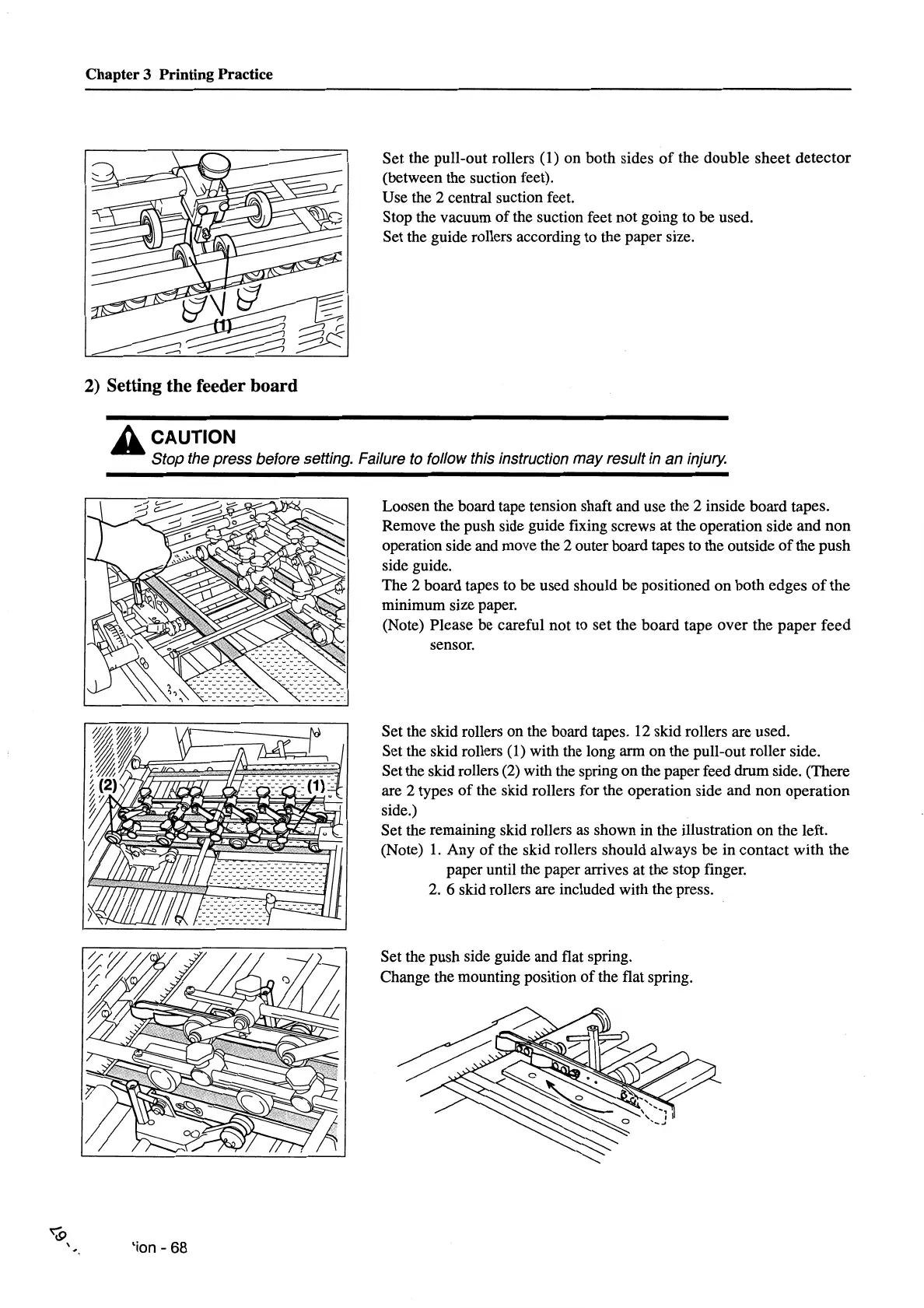
Set the pull-out rollers (1) on both sides
of
the double
sheet
detector
(between the suction feet).
Use the 2 central suction feet.
Stop the vacuum
of
the suction feet not going to be used.
Set the guide rollers according to the paper size.
A CAUTION
Stop the press before setting. Failure to follow this instruction
may
result in an injury.
'ion-
68
Loosen the board tape tension shaft and use the 2 inside board tapes.
Remove the push side guide fixing screws at the operation side and non
operation side and move the 2 outer board tapes to the outside
of
the push
side guide.
The 2 board tapes to be used should be positioned
on
both edges
of
the
minimum size paper.
(Note) Please be careful not to set the board tape over the
paper
feed
sensor.
Set the skid rollers on the board tapes. 12 skid rollers are used.
Set the skid rollers
(1) with the long arm on the pull-out roller side.
Set the skid rollers
(2)
with the spring on the paper feed drum side. (There
are 2 types
of
the skid rollers for the operation side and non operation
side.)
Set the remaining skid rollers
as
shown in the illustration on the left.
(Note)
1.
Any
of
the skid rollers should always be in contact with the
paper until the paper arrives at the stop finger.
2.
6 skid rollers are included with the press.
Set the push side guide and flat spring.
Change the mounting position
of
the flat spring.



 To Next Page