E.
~
Plate load button
When pushing this button, the starting buzzer sounds.
After the buzzer sounds, push the button again. The
press will start to crawl and stop automatically at the
plate
mounting
position.
After
that, the
buzzer
sounds. Then, insert the plate after opening the safety
cover and push this button. Close the safety cover,
and
push
this button again. The press will start to
mount the plate automatically. After that, the buzzer
sounds.
(Plate mounting • Operation
Edition-
17, 23, and
59)
F.
~
Plate mounted indication lamp
When a plate is mounted on the plate cylinder, this
lamp will light. When the automatic plate tension/
release button functions, this lamp will flicker.
(Reference)
When
the
plate
is
being
mounted
manually, this lamp will not light.
G.
~Plate
remove button
When pushing this button, the starting buzzer sounds.
After the buzzer sounds, push the button again. The
press will start to crawl and stop. When pushing the
button again, the press will stop automatically at the
plate tail edge removing position. After that, the
buzzer sounds. Then, open the safety cover, hold the
plate tail edge
by
hand, and push this button. The
press
will
crawl
in
the
reverse
direction
automatically, and you will be able to remove the
plate. After that, the buzzer sounds.
<When
the
paper
master
is mounted without the
tail edge clamped>
When pushing this button, the starting buzzer sounds.
After the buzzer sounds, push the button again. The
press will start to crawl and stop. When pushing the
button again, the press will stop automatically at the
plate leading edge removing position. After that, the
buzzer sounds. Then, open the safety cover, hold the
plate leading edge by hand, and remove the plate.
If
the
paper
master is long,
push
the forward crawl
button. The press will crawl in the forward direction,
and you will be able to remove the plate.
(Plate removing • Operation Edition - 22, 26, and
61)
Chapter 2 Names and Functions
WARNING
Never touch the rotating parts when doing the
crawl operation. Failure
to
follow this instruction
may result
in
a serious injury.
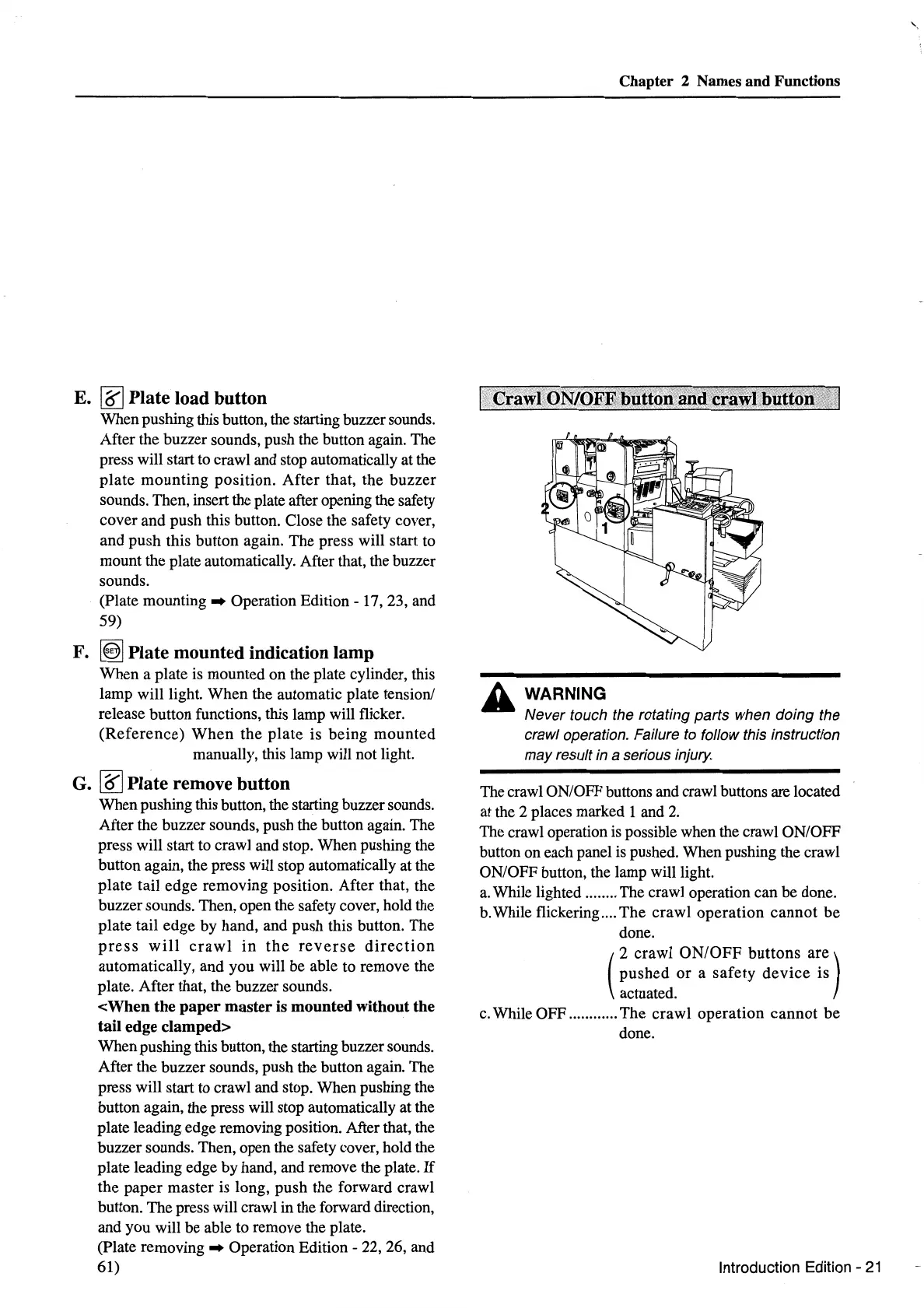
The crawl ON/OFF buttons and crawl buttons are located
at the 2 places marked 1 and 2.
The crawl operation is possible when the crawl ON/OFF
button on each panel is pushed. When pushing the crawl
ON/OFF button, the lamp will light.
a.
While lighted ........ The crawl operation can be done.
b. While flickering ....
The
crawl
operation
cannot
be
done.
(
2
crawl
ON/OFF
buttons
are)
pushed
or
a
safety
device
is
actuated.
c. While OFF ............
The
crawl
operation
cannot
be
done.
Introduction Edition -
21
'-



 To Next Page