34
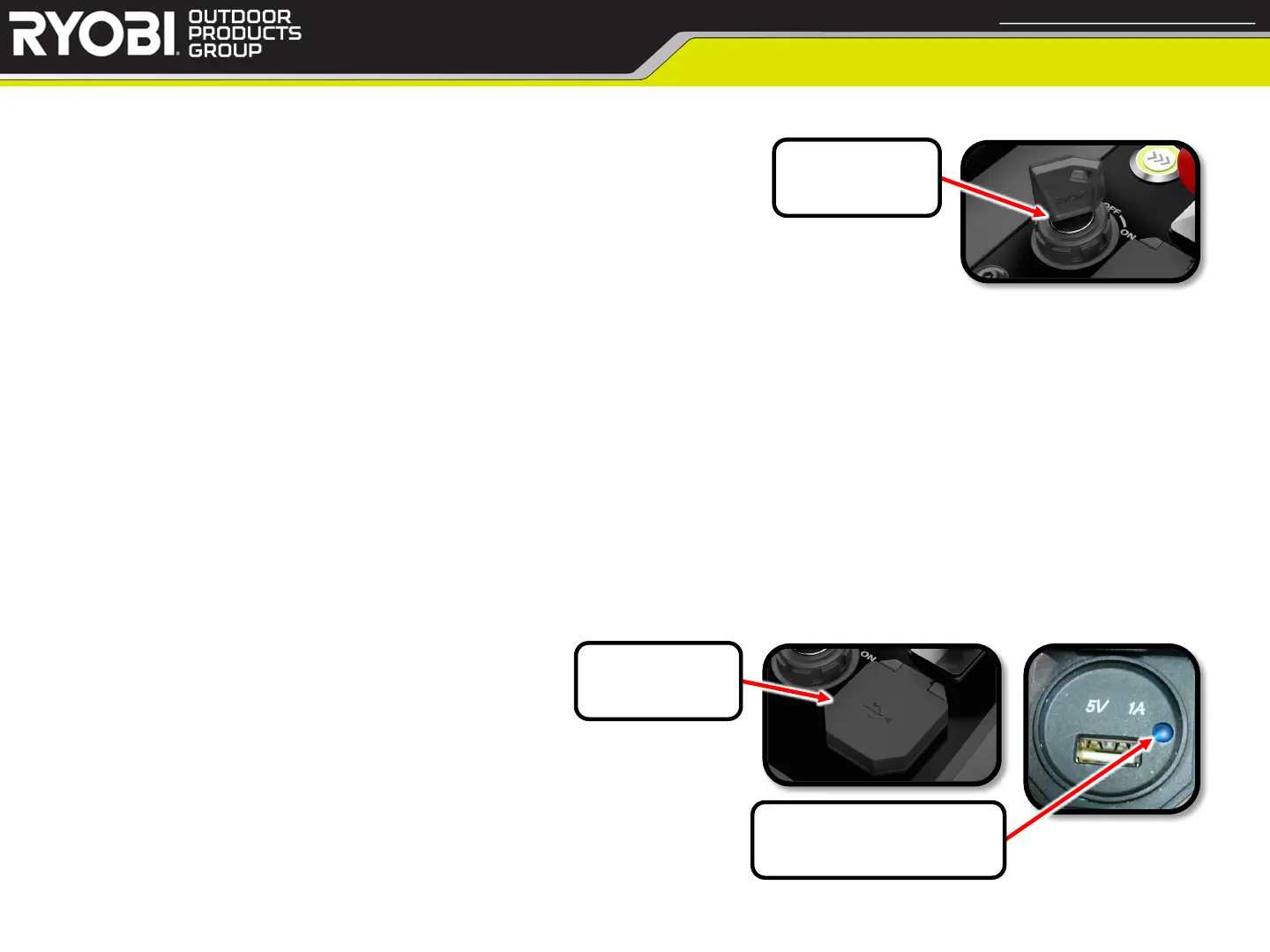
• Testing Key Switch (operates at 12v)
• Testing Steps: (Wires Connected)
1. Set DMM to DC Voltage
2. Measure Voltage between the two wires going into switch
a. With the switch set to OFF, you should get approximately 12v
b. With the switch set to ON, you should get approximately 0v
• Testing Steps: (Wires Disconnected)
1. Set DMM to Resistance
2. Test between the two wires going into switch
a. With the switch set to OFF, you should get no Continuity
b. With the switch set to ON, you should get Continuity
• Testing USB Port
• Testing Steps:
1. Power mower on
2. Check USB Port LED power indicator light
a. If light does not come on, replace USB Port
< Return to Table of Contents
Key Switch / USB Port
Confidential and Proprietary - Property of Techtronic Power Equipment - DO NOT COPY or DISCLOSE
Key Switch
USB Port
LED Power Indicator


 To Next Page