Saab TankRadar
®
Pro Pro Setup
4-27
Edition 2. Ref. No: 306010E
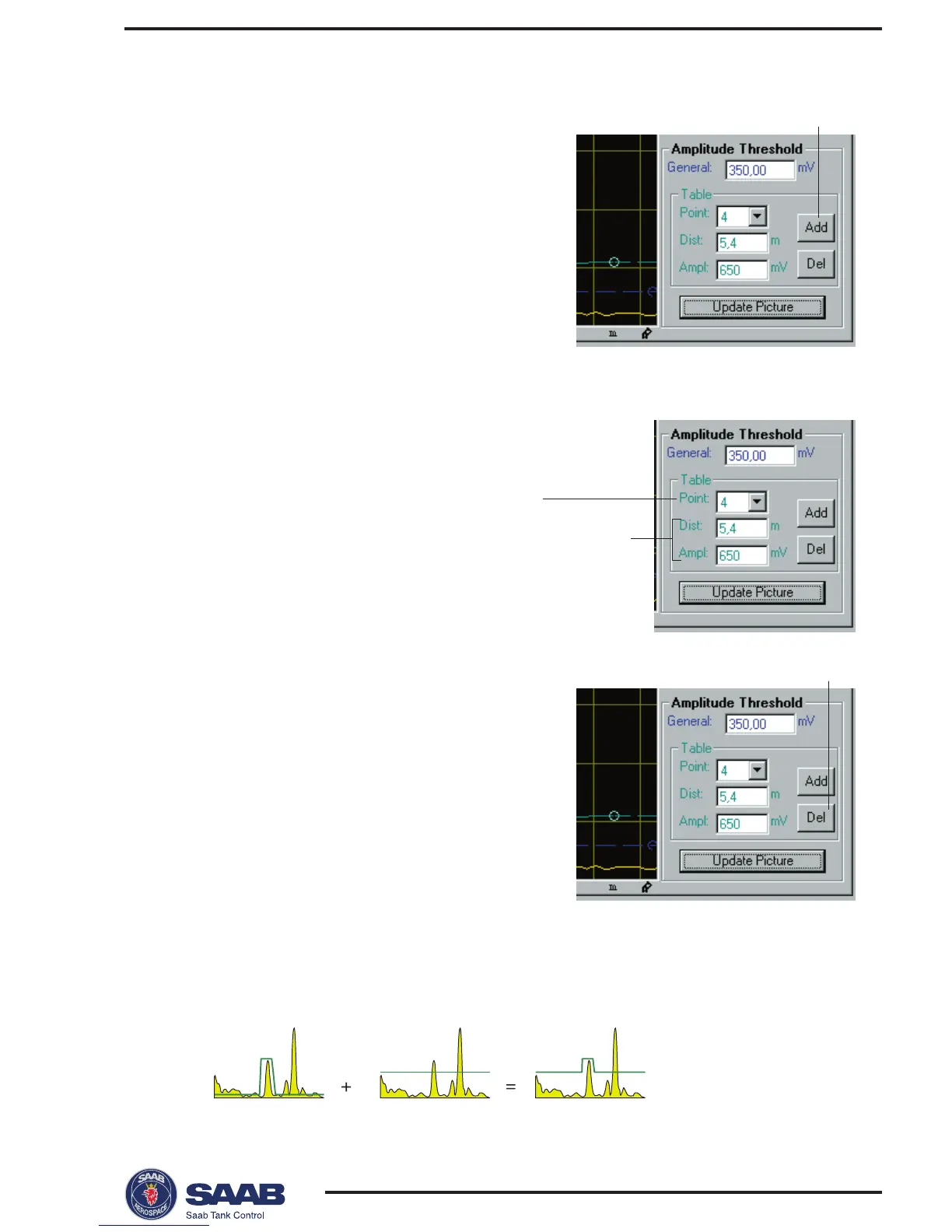
To add points to the diagram:
1 Place the mouse pointer in the diagram
at the position where you want to add a
point to the Amplitude Threshold curve.
2 Click the right-hand mouse button and
select Add point,
- or-
click the Add button in the Spectra-
Threshold window.
Note! The Amplitude Threshold Table
displays the position of the currently
selected point, not the position of the added point.
To move points:
Select the point to be moved and
drag to desired position,
- or -
select the point and specify new
position and amplitude in the Ampli-
tude threshold table.
To remove points:
1 Select the point to be removed.
2 Click the Delete button in the Spectra-
Threshold window.
Do not create noise thresholds around echoes which are already
registered as interfering echoes. The general amplitude threshold
is the lower limit of the noise threshold table:
Selected Point
Position
and
amplitude
Delete button
Add button



 To Next Page