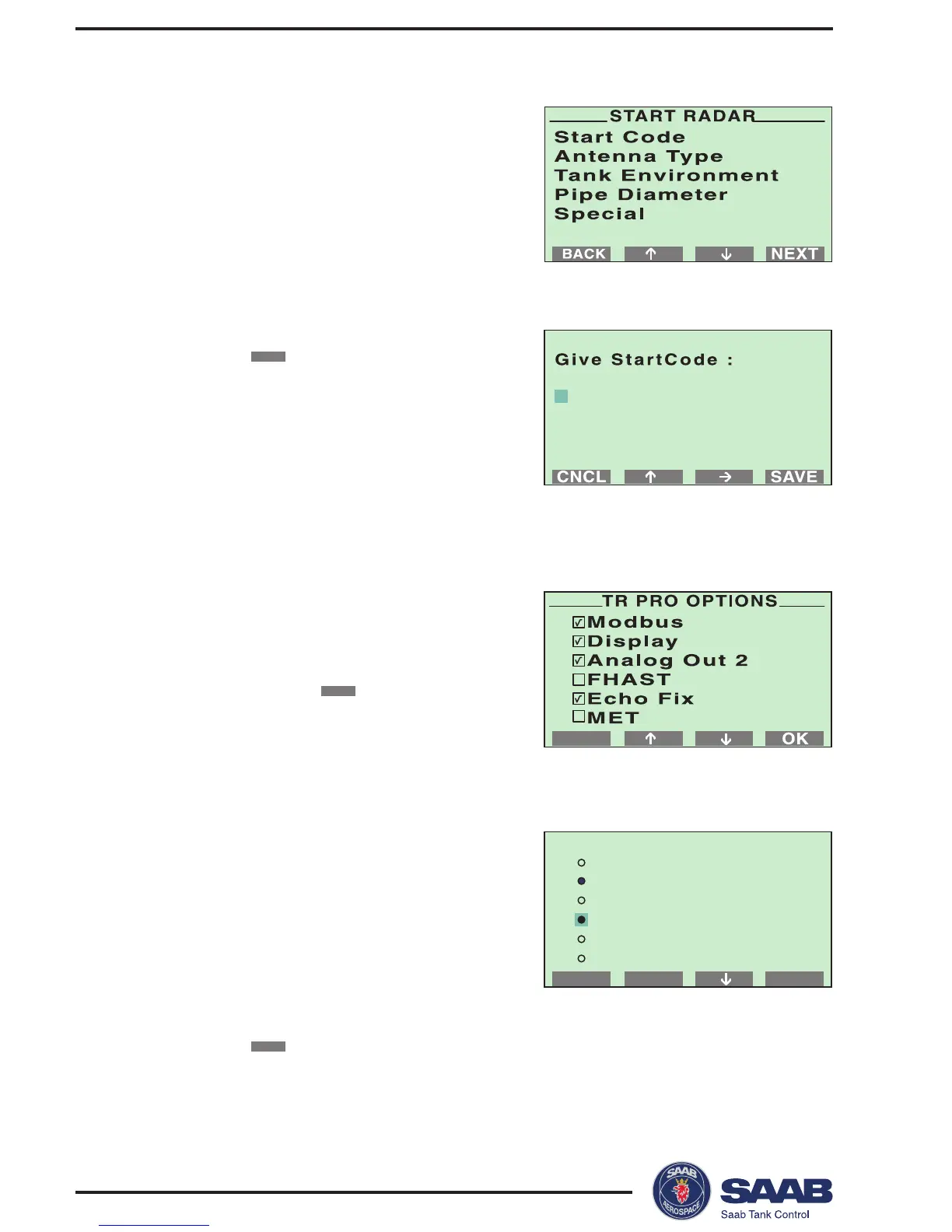
1 Choose the Start Code option.
2 Confirm your Start Code by selecting
the
SAVE
button.
The transmitter is delivered with a start
code that enables the ordered software
options. If you wish to change the set of
available options, (Saab´s echofixer,
Multiple Echo Tracking™ (MET), Fast
High Accuracy Signal Technique™
(FHAST) and strapping table volume calculation), contact your local
representative for a new start code
3 Check the list of enabled options.
Contact your local representative if you
like to add one or more software op-
tions. If the list is correct confirm by
pressing the
OK
button.
Response: the Start Radar menu is
opened.
4 Choose the Antenna Type option from
the Start Radar menu.
HP=high performance (Hastelloy,
Tantalum, Titanium, Monel),
Std=standard,
P=PTFE tank sealing,
Q=quartz sealing,
C=Ceramic.
Select the type of antenna that is mounted on the gauge and click
the
SAVE
button.
Response: the Start Radar menu is opened.



 To Next Page