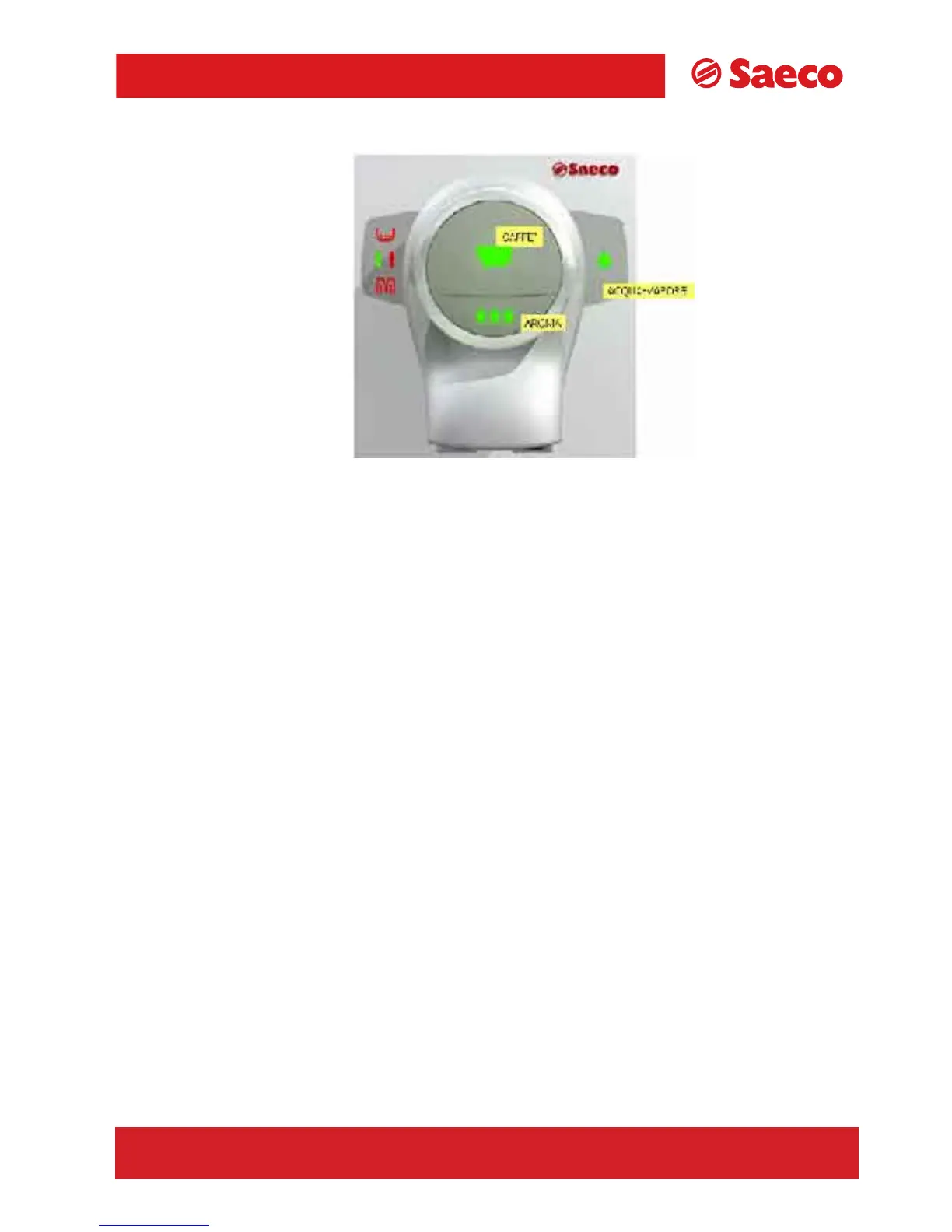
TALEA GIRO
Coffee key
Press once to select a coffee.
Press twice to select a double coffee.
Stops coffee from being dispensed when pressed during dispensing.
Water/steam key
To select either water or steam.
Press and hold for 6 seconds to “reset” descaling alarm.
When off, indicates that the machine is ready to release steam.
When on, indicates that the machine is ready to dispense water.
Aroma key
To select either a mild coffee, a medium coffee or a strong coffee.
Middle button
To select length of coffee required.
7/17
TALEA Section 05
REV00 - August 06









 To Next Page