3/6
6.4 Aqua Prima
TALEA Section 06
REV00 - August 06
Operating logic with “AQUA PRIMA” filter.
When use of the “aqua prima” filter is selected on the user menu or via the control panel, the
system water count logic is as follows:
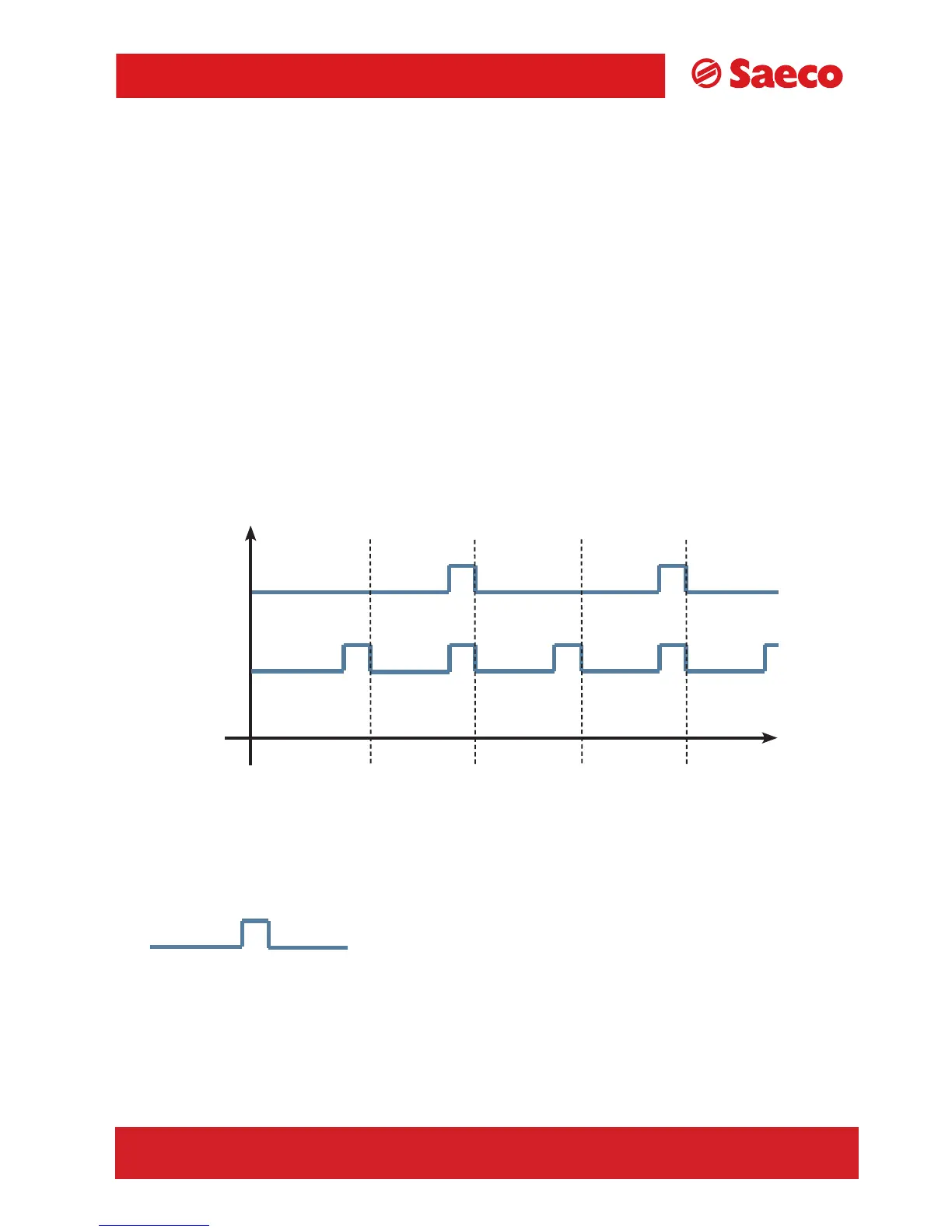
If the “aqua prima” function is
enabled the electronics perform a pulse count of the turbine,
recording one pulse every 2 revolutions.
If the “aqua prima” function is
disabled, the electronics perform a pulse count of the turbine,
recording one pulse every revolution.
The graph in the figure below illustrates this function:
360°
1 rev
360°
1 rev
360°
1 rev
360°
1 rev
Turbine revs
= 1 pulse
Aqua Prima
on
Aqua Prima
off









 To Next Page