2. Installation
47
2.2.4 Setting the Display Language
Select the language you want to use for the information displayed on the
instrument.
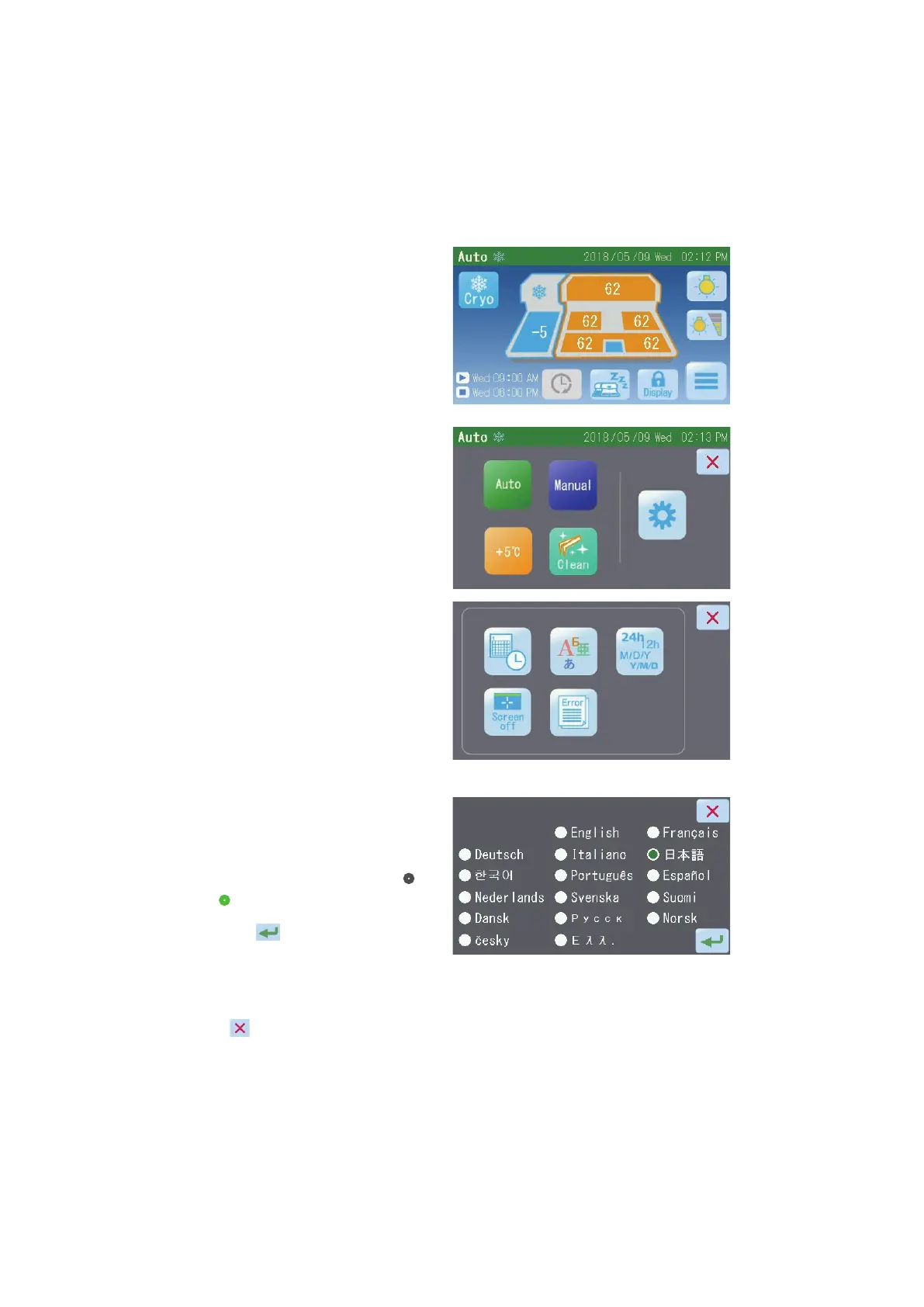
1. Touch the “Main Menu” button [1] on
the Operation screen.
2. Touch the “Maintenance” button [2]
on the Main Menu screen.
3. Touch the “Language Settings”
button [3] on the Maintenance Menu
screen.
4. Touch and select the language to be
displayed on the Language Settings
screen.
When a language is selected, “
•“
changes to “
•”.
Touching the "
" button saves
the setting, after which the display
returns to the Maintenance Menu
screen.
Touch the "
" button, and the
display will return to the Maintenance
Menu screen without the setting
being saved.
[1]
[2]
[3]


 To Next Page