50
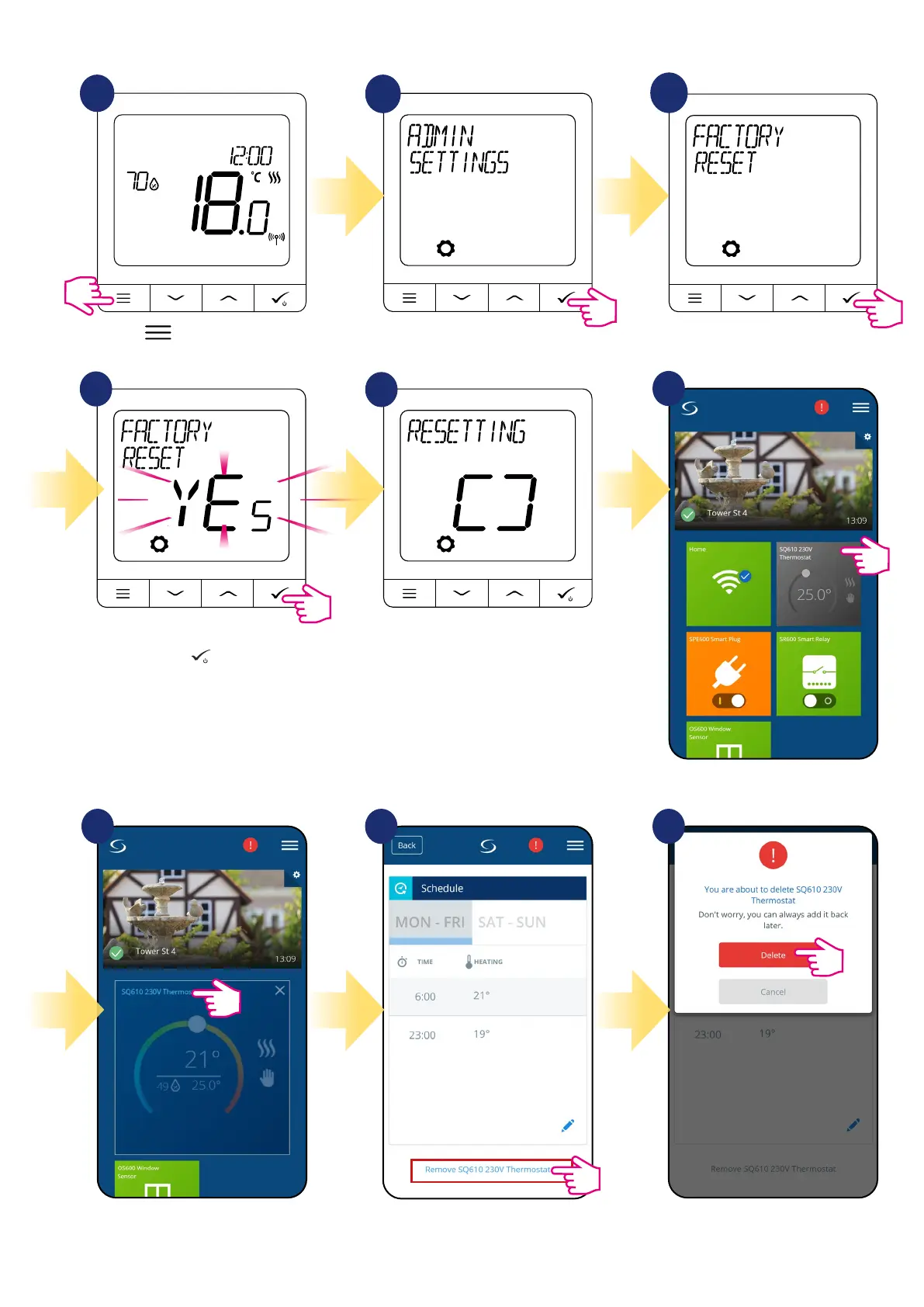
At the very bottom of thermostat’s
menu choose „Remove” option.
Press „Delete” button to remove your
thermostat from the app and con-
rm factory reset.
Select the thermostat in
the main app menu.
You can also do factory reset from the thermostat directly. It will also remove your thermostat from the Zigbee network but you still will be able to see
thermostat’s tile. After factory reset thermostat tile will change to dark grey colour.
1
2
3
4
5
Wait few moments to nish factory
reset procedure. Now you can
remove thermostat from the app.
Go to the Admin Settings.
Press
button to enter the
main menu.
Choose „Factory Reset” option.
Select YES and conrm choice by
pressing
button
.
6
7 8 9
Press thermostat’s name.



 To Next Page