73
Using MDC
3
3 Using MDC
z Changes will only be applied to displays that are powered on.
z HDMI1, HDMI2, DP, BNC, or S-Video mode may not be available depending on the product.
z Magicinfo only functions on products that have the MagicInfo function.
z TV is only enabled on products that have the TV function.
Channel adjustment is only available in TV mode.
Image Size
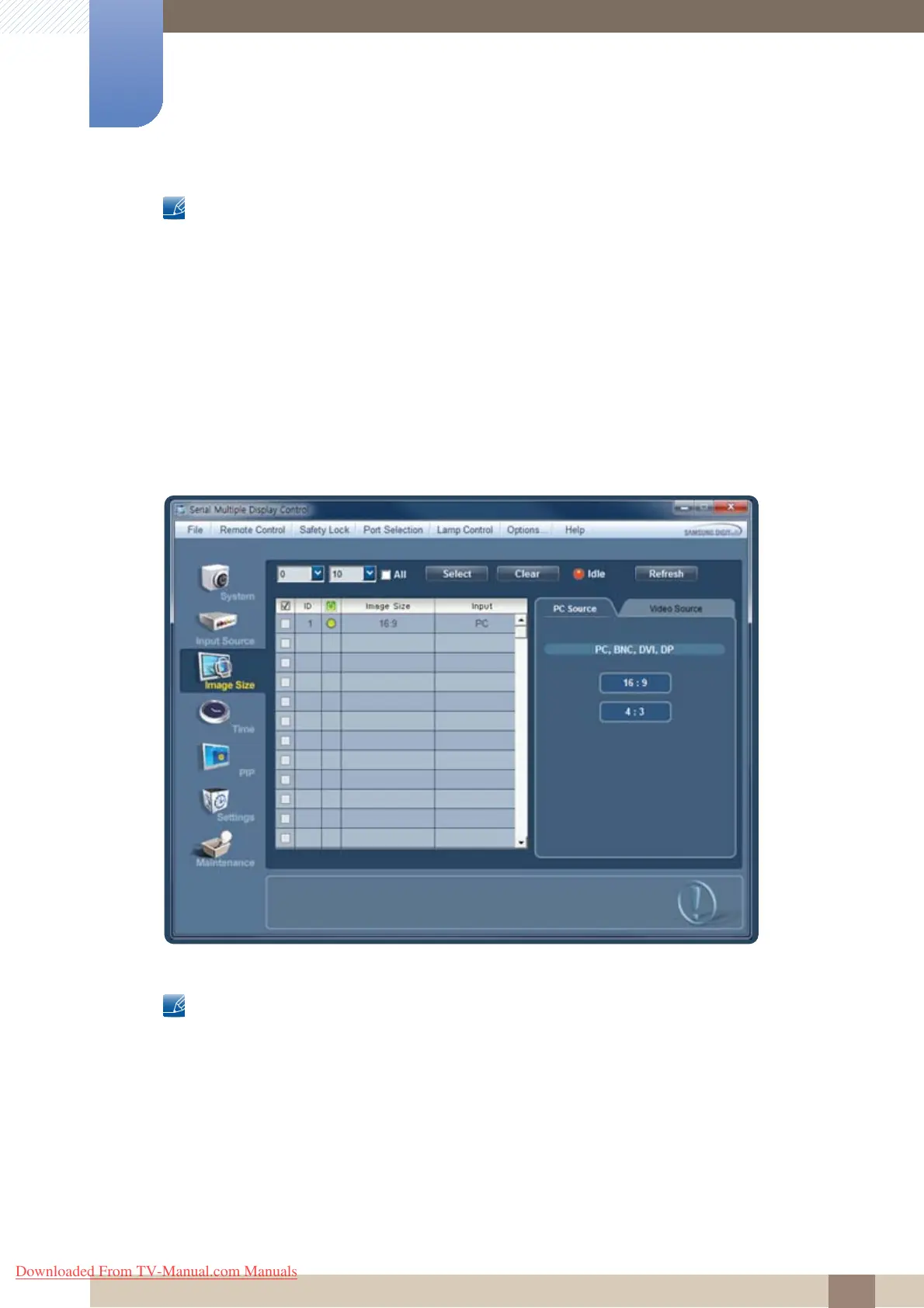
Click "Image Size" to configure preferences.
When connected in PC, DVI mode:
Click PC Source and change the aspect ratio.
The image size can be changed to 16 : 9 or 4 : 3.
z Changes will only be applied to displays that are powered on.
z Select the displays you want to apply the changes to using the select window above.
z Only displays connected in PC, DVI mode will be displayed on the left.
z Some products may not support DP mode.
z Magicinfo only functions on products that have the MagicInfo function.
z TV is only enabled on products that have the TV function.
Downloaded From TV-Manual.com Manuals







 To Next Page