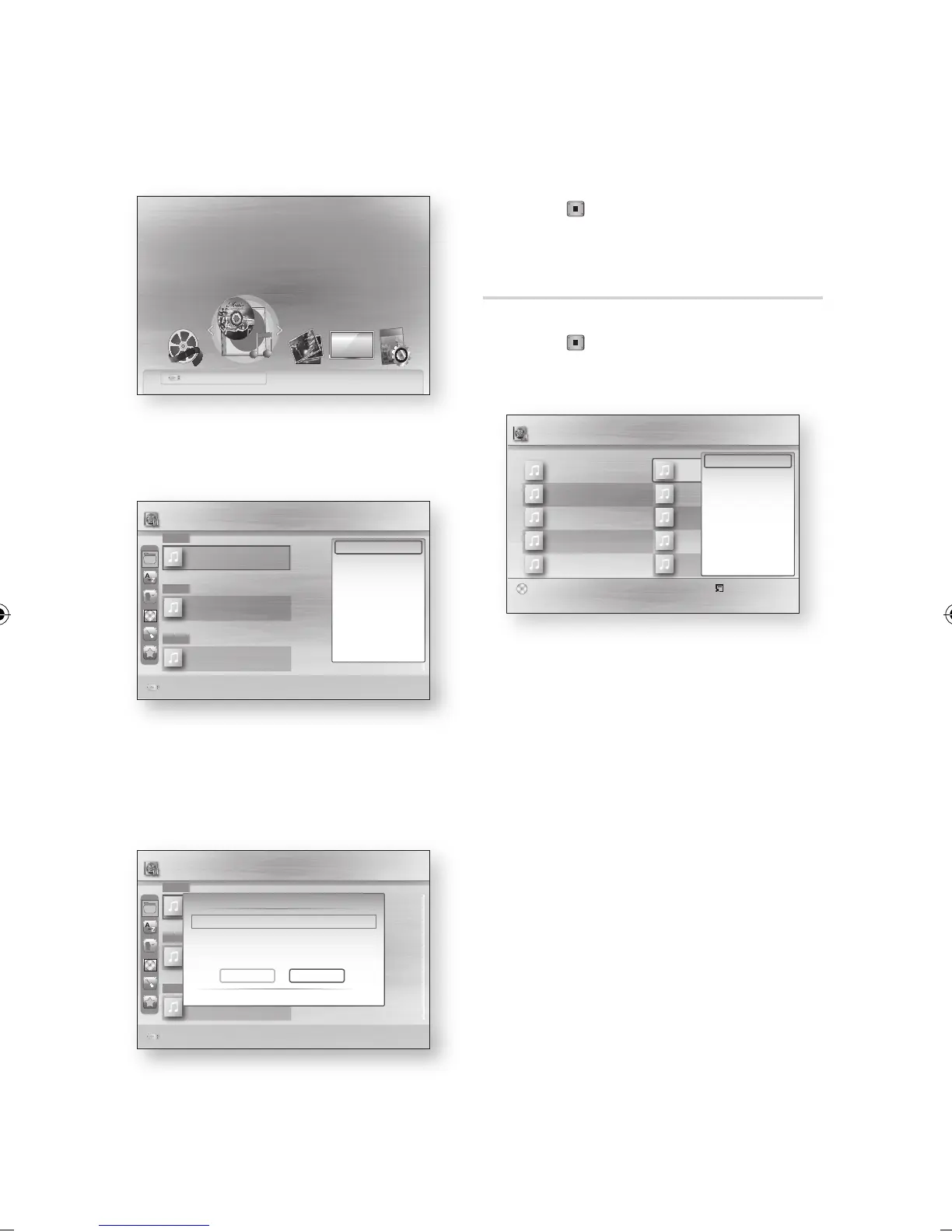
Advanced Functions
Press the ◄► buttons to select Music, then
press the ENTER button.
Press the ▲▼◄► buttons to select the
desired music file, then press the TOOLS
button.
Press the ▲▼ buttons to select the Copy,
then press the ENTER button.
If you want to copy current group, select the
Copy current group.
Press the ENTER button again.
4.
5.
6.
7.
Press the ◄► buttons to select Yes, then
press the ENTER button.
To cancel the copying in progress, press the
STOP ( ) button.
Press the OK button.
Ripping from a Audio CD (CD-DA)
Insert an Audio CD (CD-DA), then press the
STOP ( ) or RETURN button to move to
the Music List.
Press the TOOLS button.
Press the ▲▼ buttons to select the Ripping,
then press the ENTER button.
Press the ◄► buttons to select the Yes, then
press the ENTER button.
8.
9.
1.
2.
3.
4.
a
Change Device
Safely Remove USB
d
View Devices
" Enter
Please activate Internet@TV service
to enjoy a variety of Internet Services.
USB
b Preference Select d Sorting / Tools
1xxxx (Feat. xxxx)...
(K Will)
2009
Ballad
2xxx (In xxxxx)...
00:03:17
2009
R&B
TRACK 009
00:03:53
2009
xxxx
1/1 Page
H (1)
Music k.will - 1xxxx (Feat. xxxx).mp3
a Change Device
B (1)
L (1)
Copy
< Move " Select ' Return
Selected file(s) : 05 B...lud.mp3 1 File(s) 3.5MB
Copy Selected Files?
m80 > HDD
Yes No
USB
b Preference Select d Sorting / Tools
1xxxx (Feat. xxxx)...
(K Will)
2009
Ballad
2xxx (In xxxxx)...
00:03:17
2009
R&B
TRACK 009
00:03:53
2009
xxxx
1/1 Page
H (1)
Music k.will - 1xxxx (Feat. xxxx).mp3
a Change Device
B (1)
L (1)
USB
Play Current Group
Select Group
Copy
Copy Current Group
Detailed Information
Device Information
Select
()
Jump page Tools ' Return
TRACK 001
00:05:57
TRACK 003
00:04:07
TRACK 005
00:03:17
TRACK 007
00:03:47
TRACK 009
00:03:53
Music Yo!
1/1 Page
TRACK 002
00:04:27
TRACK 004
00:03:41
TRACK 006
00:03:35
TRACK 008
00:03:49
TRACK 010
00:03:45
Ripping
Ripping All
Detailed Information
CD



 To Next Page