Unpacking
Accessories
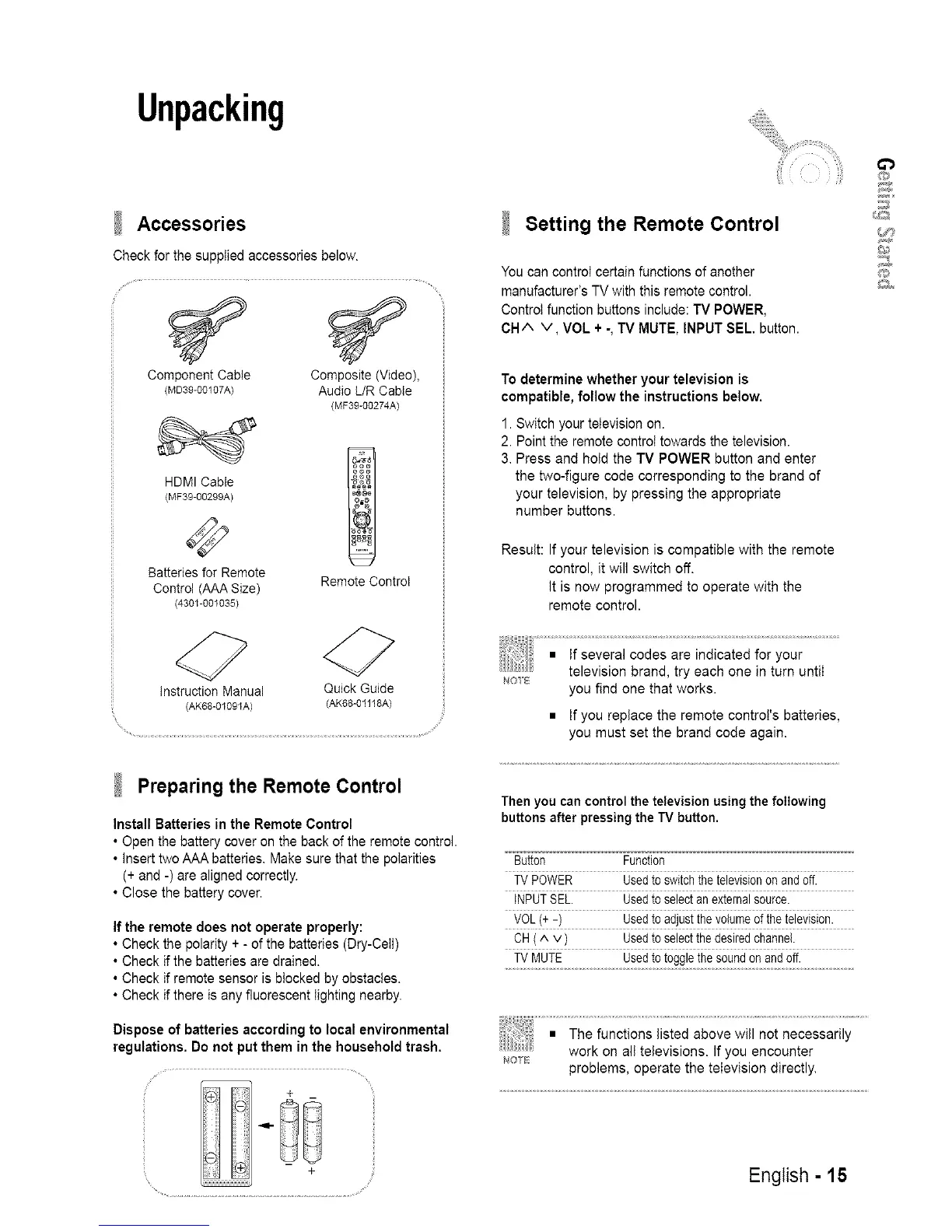
Check for the supplied accessories belovv.
Component Cable Composite (Video),
(MD39-00107A) Audio L/R Cable
(MF39-00274A)
HDMI Cable
(MF39-00299A)
Batteries for Remote
Control (AAA Size)
(4301-001035)
Remote Control
Instruction Manual Quick Guide
(AK68-01091A) (AK68-01118A)
9
Preparing the Remote Control
Install Batteries in the Remote Control
• Open the battery cover on the back of the remote control.
• insert two AAA batteries. Make sure that the polarities
(+ and -) are aligned correctly.
• Close the battery cover.
If the remote does not operate properly:
• Check the polarity + - of the batteries (Dry-Ceil)
• Check if the batteries are drained.
• Check if remote sensor is btocked by obstacles.
• Check if there is any fluorescent lighting nearby.
Disposeof batteriesaccordingto local environmental
regulations.Do not put them inthe householdtrash.
_1- iI
il
il
/
,Setting the Remote Control
You can control certain functions of another
manufacturer's TV with this remote control.
Control function buttons include: TV POWER,
CH/X v, VOL + -, TV MUTE, INPUT SEL button.
To determine whether your television is
compatible, follow the instructions below.
1. Switch your teIevision on.
2. Point the remote control towards the television.
3. Press and hold the TV POWER button and enter
the two-figure code corresponding to the brand of
your television, by pressing the appropriate
number buttons.
Result: If your television is compatible with the remote
control, it will switch off.
it is now programmed to operate with the
remote control.
NOIB
you find one that works.
• If you replace the remote contro{'s batteries,
you must set the brand code again.
Then you can control the television using the following
buttons after pressing the TV button.
Button Function
TV POWER Usedto switchthe televisionon and off.
INPUTSEL. Usedto selectan externalsource.
VOL(+ -) Usedtoadjustthe volumeofthe television.
CH (^ v ) Usedto selectthe desiredchannel.
TV MUTE Usedto togglethesoundonandoff.
Nor
problems, operate the television directly.
English - 15
@
_2
1,15]}_














 To Next Page