@
E
@
Settingupthe Parental
Lock
The Parental Lock function works in conjunction with
BD/DVDs that have been assigned a rating which helps
you control the types of BD/DVDs that your family
watches. There are up to 8 rating levels on a disc.
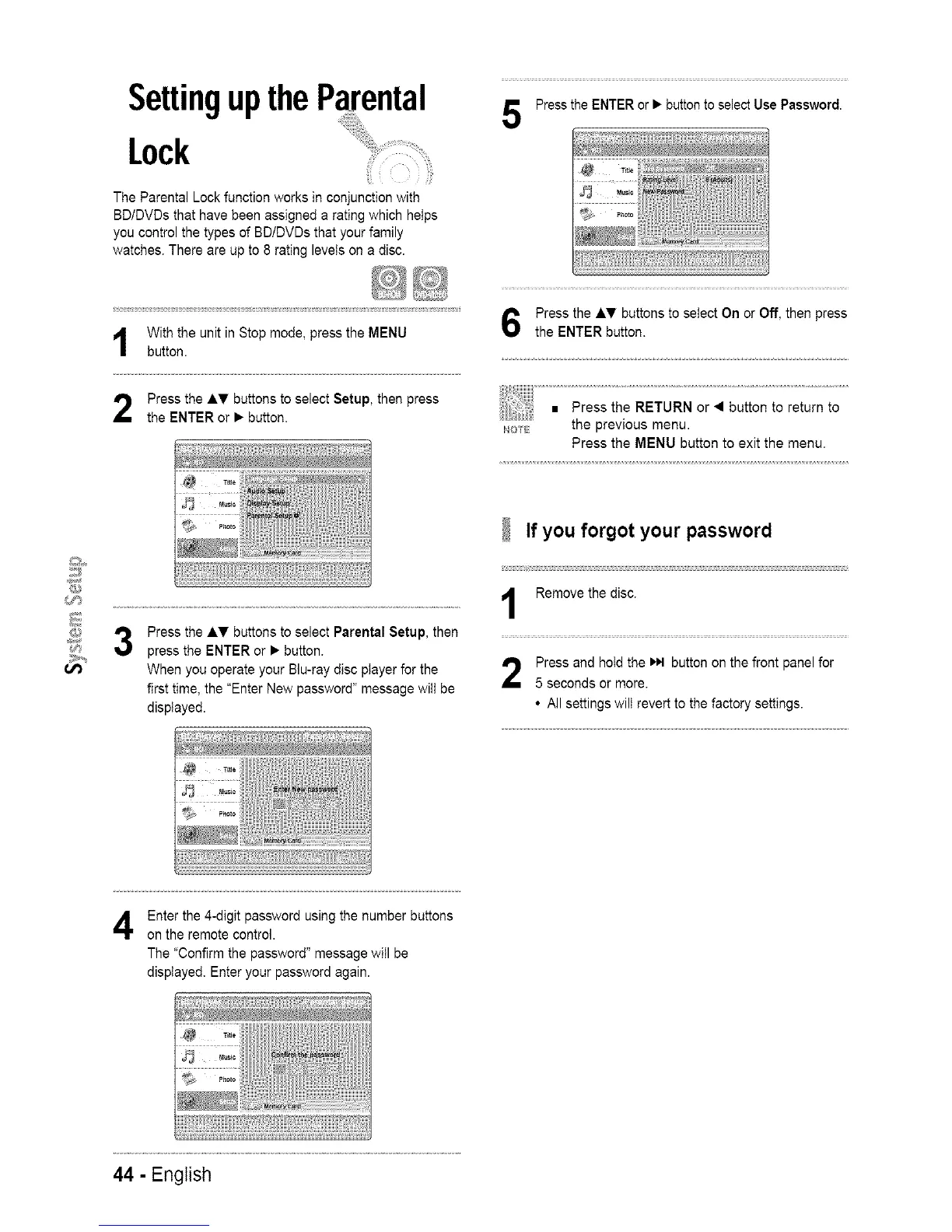
With the unit in Stop mode, press the MENU
button.
Press the AT buttons to select Setup, then press
the ENTER or • button.
3
Press the AT buttons to select Parental Setup, then
press the ENTER or • button.
When you operate your Blu-ray disc player for the
first time, the "Enter New password" message will be
displayed.
Press the ENTER or • button to select Use Password.
Press the AT buttons to select On or Off, then press
the ENTER button.
_,_o_ the prewous menu.
Press the MENU button to exit the menu.
If you forgot your password
Remove the disc.
Press and hold the _,t button on the front panel for
5 seconds or more.
• All settings wilt revert to the factory settings.
Enter the 4-digit password using the number buttons
on the remote control.
The "Confirm the password" message will be
displayed. Enter your password again.
44 - English














 To Next Page