03233A(E)-CHAPTER 2 10/30/03 4:00 PH Page 6
Connecting an Audio System (When praying a DVD)
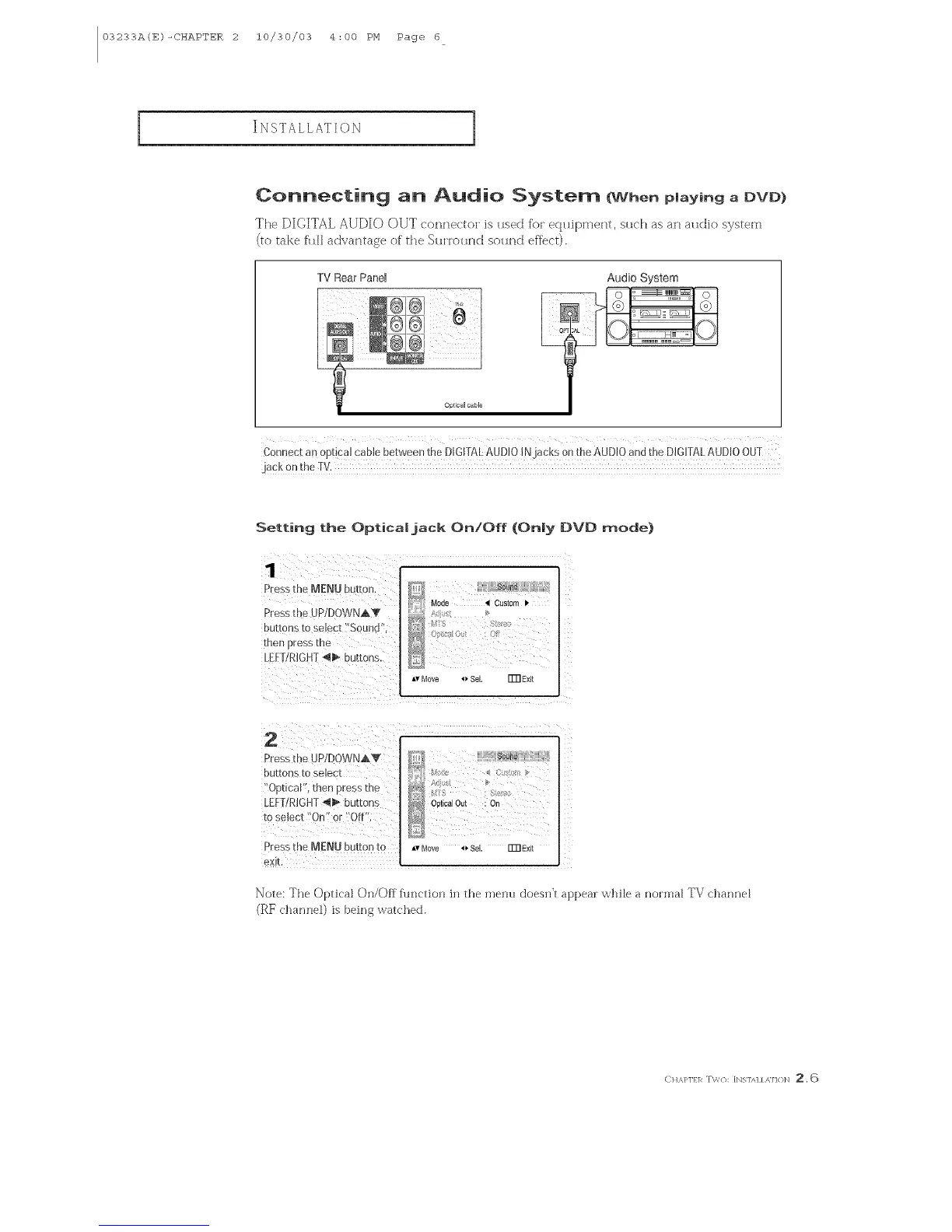
The DIGITAL AUDIO OUT E'onne<to_ is used for ectuipment, such as an audio system
(to take fhl] aEtvantase of the SuHound sourld effect).
TV Rear Panel
Optical cable
Audio System
Connect an optical cane between the DiGF[ALAUMO INjacks onthe AUDIO and the DIGITALAUDIOOUT
jack 0n the Tv.
Setting the Opticaljack On!Off (Only I)VD mode)
Pressthe MENU butto_
Presst[ e dP/DOWNAV
DUf[0ns _[O se_ec[ bOU]]Cl
nee _]ress [ne
_EFTRIGHT_1_ buttons
Mode 41Custom
Av Move _ Sol. FFRExit
2
Sress[r,_ JP/DOWNAV
DU[[OnS[0selec[
"O[]nca_ ,][nen Dress [he
_EFTRIGHT_ buttons
ro select "On" or "Off
Pre__s r _e MENU button to
eXIL
0#I sa Out : On
iv Move 4_ S_l. ITfl Exit
Note: The Optical On/Off fllnctkln in the menu doesn't appeal: while a normal TV channel
(}_F clmnneO is being watched.
E)H,_,}'lf 1_ T\'/{X [bIS1A1 / ,M H}N _. 6



 To Next Page