03233A(E)-CHAPTER 2 10/30/03 4:00 PH Page 5
Connecting a Camcorder
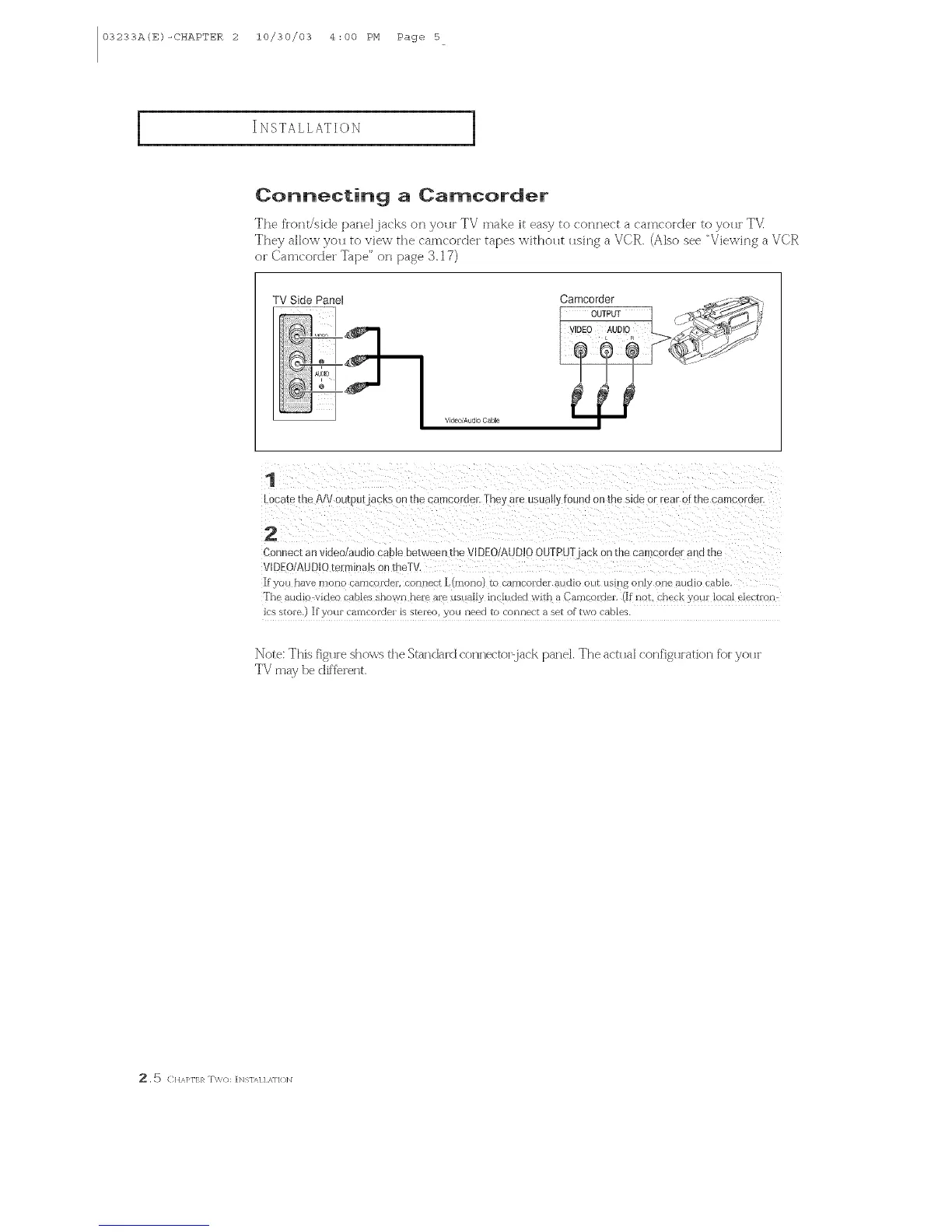
The flongside panel jacks on youl TV make it easy to connect a camcoidei to yo_I TV
They allo\_ you to vie\_ the camcordei tapes \_ithout using a VCR. (Also see "Vie\&ing a VCR
or Camcoictei Tape" on page S. 17)
TV Side Panel Camoorder
OUTPUT
V_deo/Audi0 Cable
1
Locale me A/V 0utpurjacKs on me camcorner Theyare usually {0el n oil the sine or rear or/:r e camcorner.
2
C )nnec[ an vlneo/aun_o caa[e between r le V[DEO/AUD!O OUTPUT acK on me cal corner ar s me
VIDEO/A JDIO tel mnms on _ e]
If } ou flare rlloylo caml'oi'delt i ollllect L [non ro camcorder a_ldio oHr us_ -1£only one audio cable
The audio v_aeo r _o_es shown ne e are ust _112inlhded with a Camcolxie_ If riot. check am local electron
JcS StOFe if yOt[F CeltFICOIXleI [S S'[eIeo, }/aLl need to COKIKIeI't 8 set of two cables.
Note: This fi£u_e shows the Standard (onne_ toidack panel, The act_lal (orlfi£_l_atiorl fbi yo_l_
TV may be dlf'fe_'erlt
. _ CHAI>I'I:R T\%(): [NS1/q / ,_,11()]N



 To Next Page