03233A(E)-CHAPTER 3 10/30/03 4:04 PM Page 15
TV OPERATION
Customizing the Sound
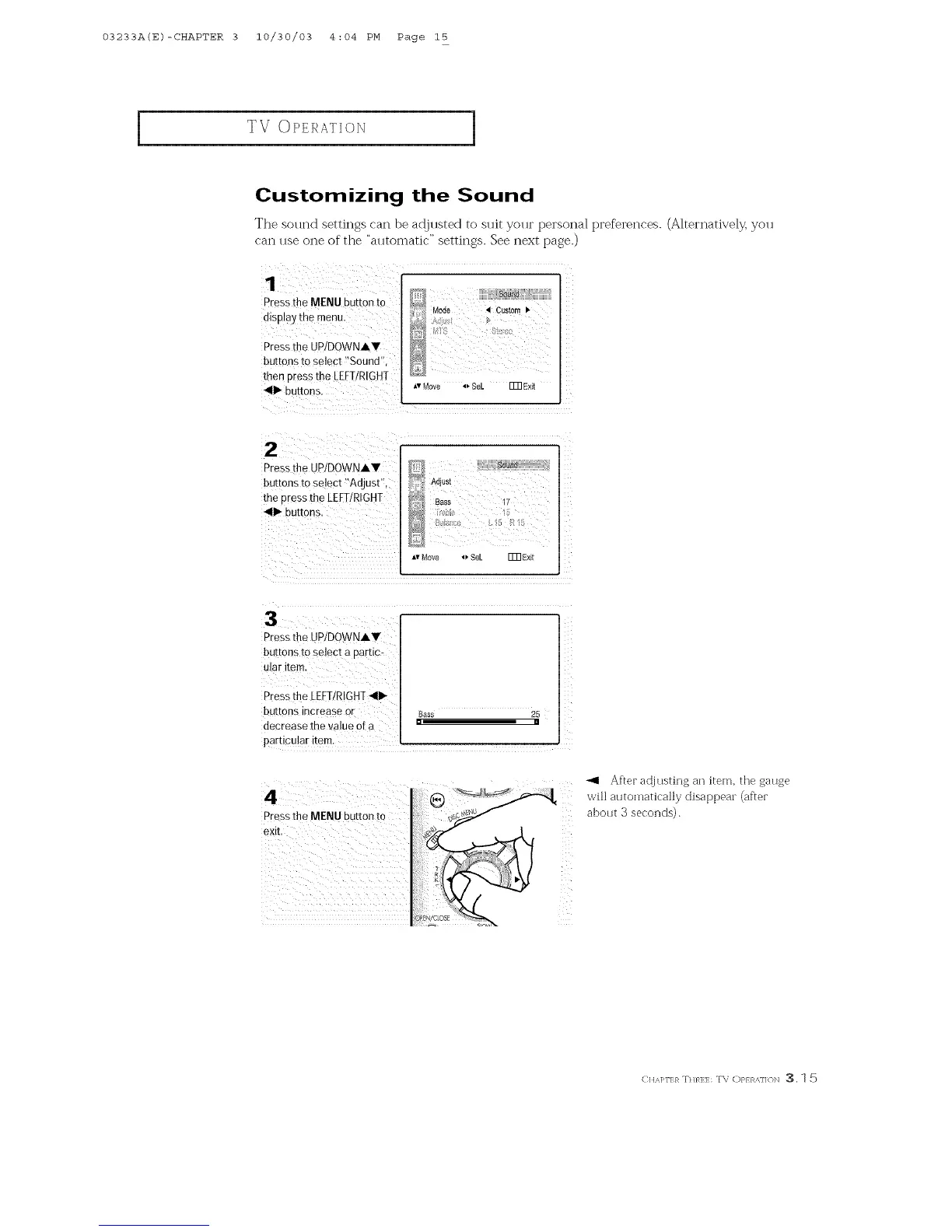
The sound settings can be ar!justed to suit your personal preferences. (Alternatively, you
can use one of" the "automatic" settings. See next page.)
Pressthe MENU button to
oBDa:, me menu
Pressthe UP/DOWNAV
buttons ro select "Sound".
then press the LEFT/R/GH]
411_buttons.
Mode _1 Custom •
,v Move oSel Fm Exit
2
Pressthe dPIDOWNAW
buttons to select "Adjust",
the 3ress the [EFTIRIGH7
_111_buttons.
Adjust
Bass
*_' Move _I,%[ ITN Exit
Press the UWDOWNAY
buttons to select a partic-
ular item.
Press the LEFT/RIGHT_111_
buttons increase or
decrease the value Of a
particu!ar item.
Bass 25
[] []
4
Pressthe MENU button to
exit.
_1 Aftec adjusting an item. the gauge
will automatically disappeac (aftec
about 3 seconds).
Z
C HA]q'I:}_ :DU,q:I:: T\ C)P} R,_.]]t)]'_ :3.1 5



 To Next Page