03233A(E)-CHAPTER 3 10/30/03 4:04 PM Page 16
TV OPERATION
Using Automatic Sound Settings
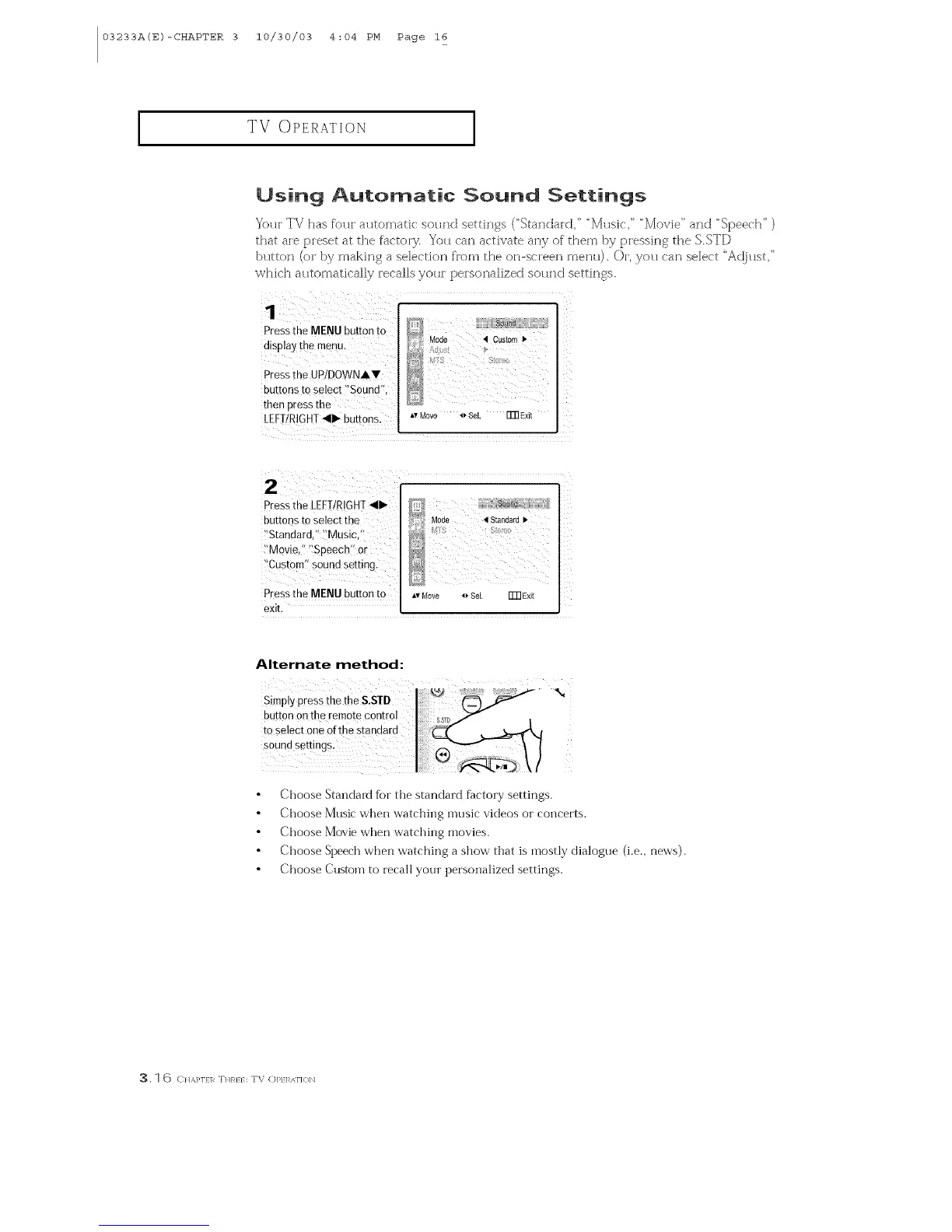
Yotn TV has f'o_n a_ltomatic sotlnd settings ("Standard," "Mtlsic," "Movie" and "Speech" )
that are preset at the factory. You can activate any of them by pressing the SSTD
btltton (o_ by making a selection flora the on-screen mentl). Or, you can select "Adjtlst,"
which automatically recalls your peisonalized sound settings.
1
Press the MENU button to
display tbe rnenu.
Pressthe UP!DOWNA.
buttons to Select "Sound'!,
then press the
LEFTIRIGHT_llll_ buttons.
[]:] Mode 4 Custom I_
Av Move _ Sel. FFRExit
!
Z
press the LEFT/R!GH!_111_
buttoos to Select the
_'Standard,'!]_Musici!
_'Mqviei! _Speech'i or
i'Custom_ sound ,setting.
press the MENU button to
exit.
ikl
_,vMow *_ Sel. Fm Exit
Alternate method:
SimplypressthetheS.STD
button onther,
teselecterieofthestandard
soundsettings:
Choose Standmd for the standard factory settings.
Choose Music when watching music videos or concerts.
Choose Movie when watching movies.
Choose Speech when watching a show that is mostly dialogue (i.e., news).
Choose Custom to recall your persoimlized settings.
3. 1 6 CI/A.}'I}]_ THRI} : TV (])]_1 ]_AI'](}]X]



 To Next Page