03233A(E)-CHAPTER 3 10/30/03 4:04 PM Page 17
TV OPERATION
Choosing a Multi-Channel Soundtrack (MTS)
Depending on the pa_ti(Hlai program being b_'oadcast, yoH (an listen to stereo, mono, o[
a Separate Audio Pi'ogram. (SAP aHdio is HsHally a fb_eign-language t_anslatiorl.
Sometimes SAP has umelated infonTmtion like ne_s o_ weather.)
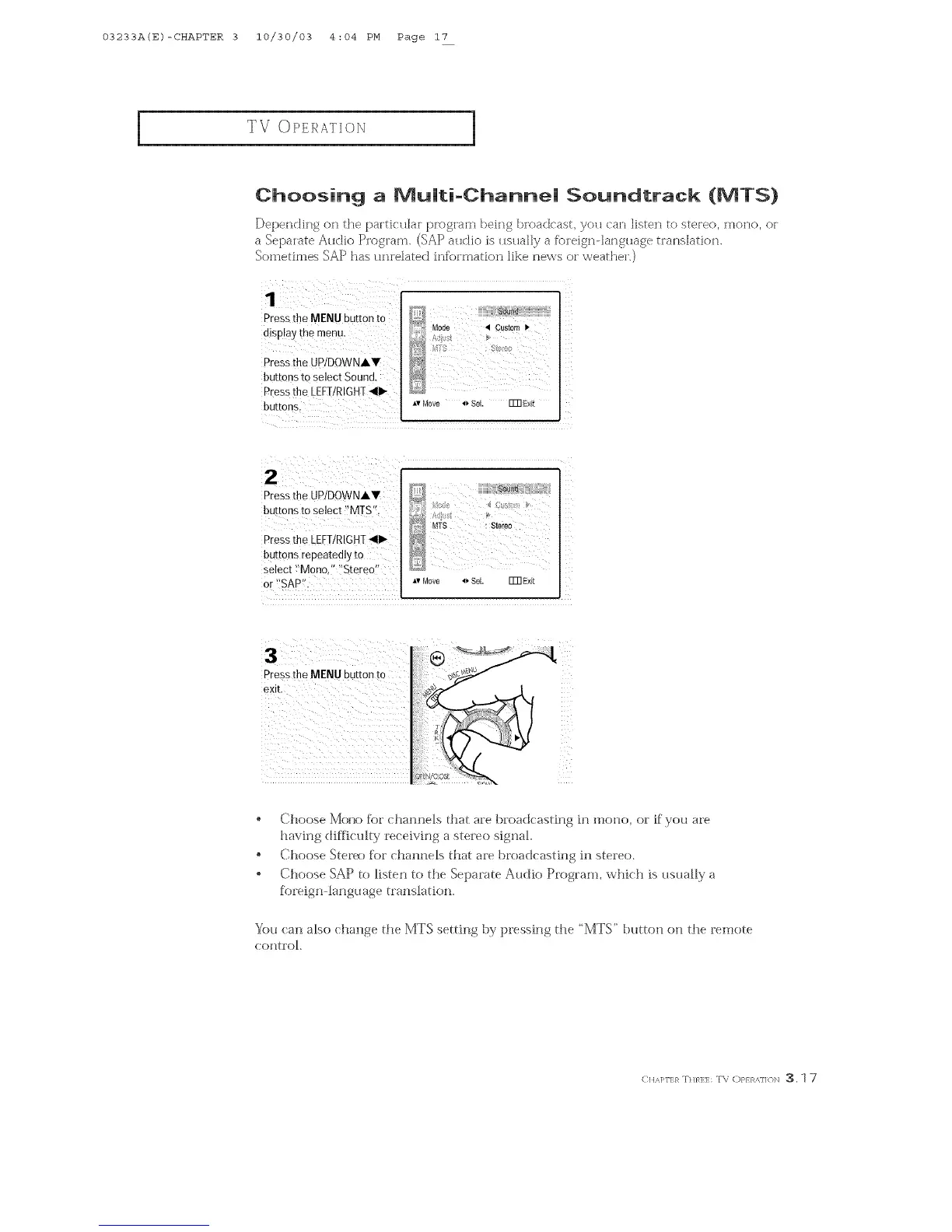
Pressthe MENU button to
disp!ay the menu.
Press[he UP/DOWNAV
buttons to select Sound.
Press the LEFI/RIGHI _11_
buttons.
Press the UP/DOWNAY
buttons to select '!MTS't
Pressthe [[FI!RIGHI <11_
buttons repeatedly to
select _'Mono," "Stereo"
or _'SAP%
Pressthe MENU button to
exit.
Choose Moxx) for channels {hat are broadcastfng fn mono, or if you are
having difficulty receiving a stereo signal.
Choose S[er_) for _hannels [hat are broaclcastfng fn stereo.
o Choose SAP to listen to the Separa[e Audio Program, which is usually a
f()lefgn language {lansladon.
You can also change d_e MTS se_tfng by ]pressfng the ' MTS" t:)_mo_ o_ the remote
eOllt_OL
(:,A].-,}_T.},_H::T\ o},}}_,,,]]_)N3.1 7



 To Next Page