03233A(E)-CHAPTER 4 10/30/03 4:07 PM Page 21
[
DVD OPERATION
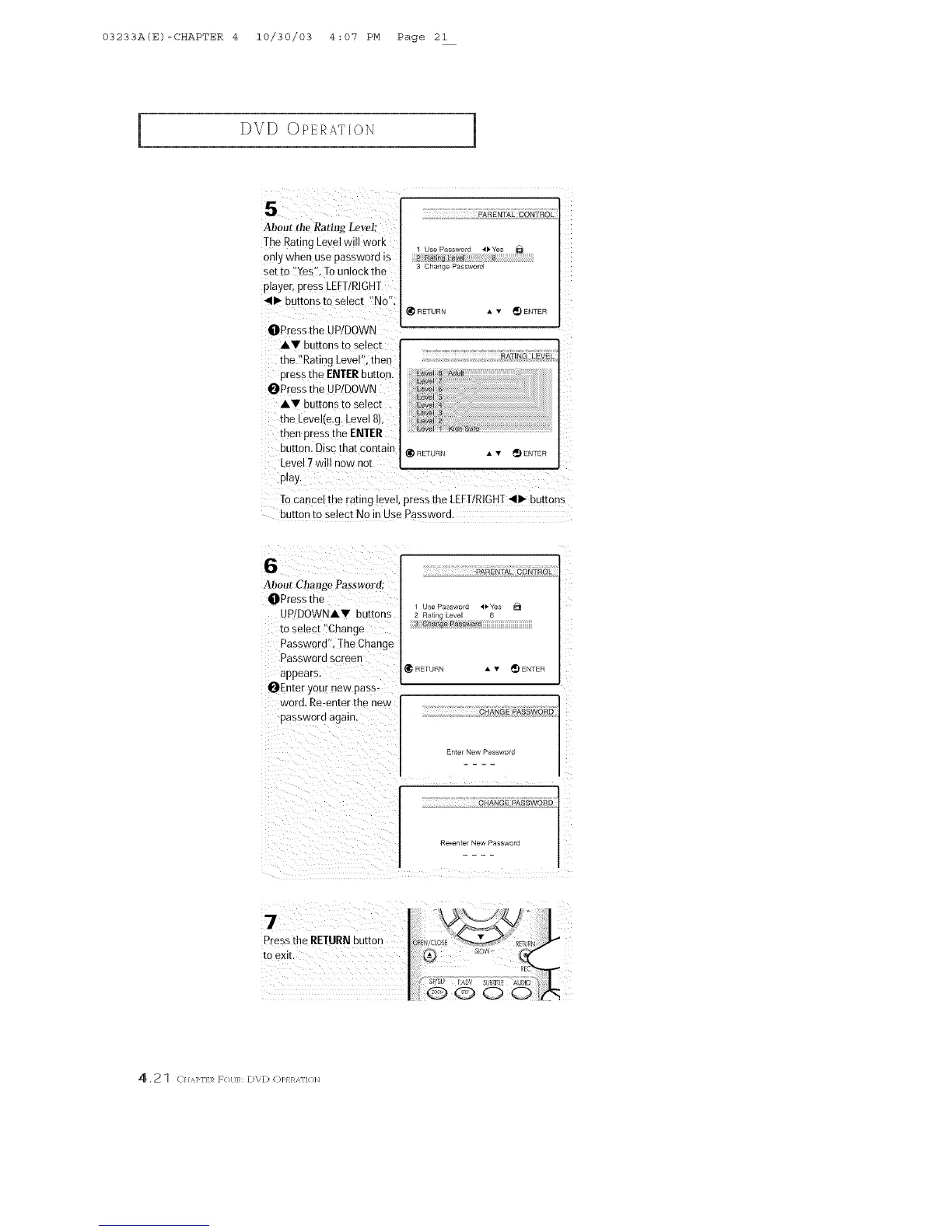
5
About tile Rating Level;
The Rating Level will work
only when use Dasawora is
set to Yes'. To unlock the
player, press LEFT/RIGHT
4111_buttons to select "No '
3AREN]IAL CONTROL
[Js_ Password 41, Yes
2 Ratln£_ Le_J S
3 Change Passwnr_
4ETURN A v _) ENTER
OPress the UP/DOWN
AV buttons to select
the "Rating Level". then RATINGLEV_zL
Dressthe ENTERbutton.
OPress the UP/DOWN
AV buttons to select
the Levehe,g Level 8/
then press me ENTER
ou[ton, Disc that contain @{E]URN • • _ ENTER
Leve 7will now not
play.
Tocancer me ranng revel,press the LEFT/RIGHT_11_buttons
button to select No in Use Password,
6
About Change Password:
OPress the
UP/DOWNAY buttons
ro select "Change
Password". The Change
Password screen
appears
OEnter your new pass-
word. Re-enter the new
password again.
PARENTAL CONTROL
]se Password ,11,Ye_ D
2 Rating Leve 6
3 rd
RETURn • • _) ENTER
CHANGE PASSWORD
Fntm New P_ssword
CHANGE PASSWORD
9e_enter New Password
7
Press the RETURN out[on
to exE
4,21 (11Uqqq:R F{}[;R: [:)V[) C)]>} R,_\FI{ }N



 To Next Page