03233A(E)-CHAPTER 5 10/30/03 4:10 PM Page 3
VCR OPERAT]t)N
Using Picture Search
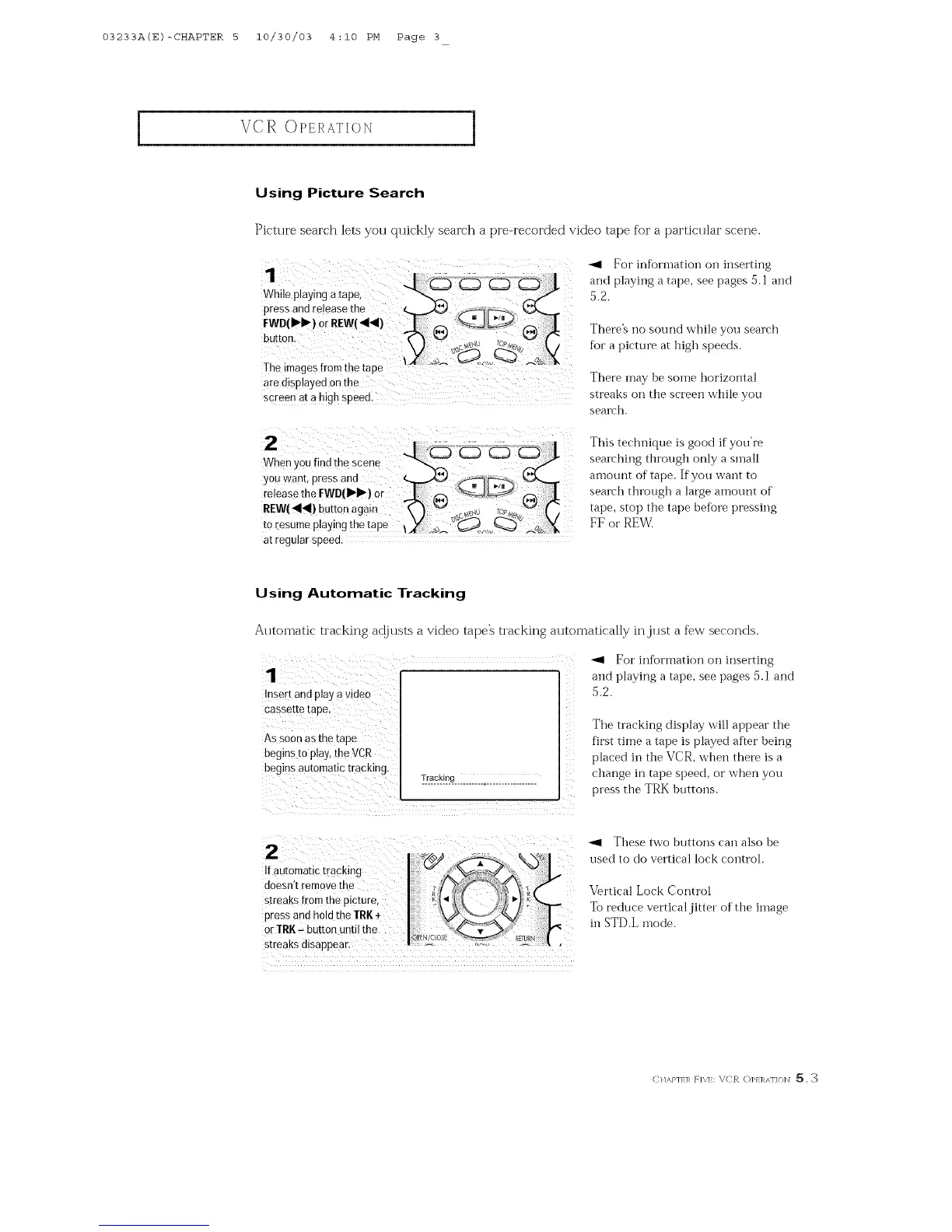
Picture search lets yott quickly search a pre-recorded video tape for a particillar scene.
1
While playing a[ape,
press and release the
FWD(!_1_) or REW(_I_I)
button
Ihe imagesfrom the fade
are msplayed on the
screen at a high sueea
For inforn]atioi_ on inserting
and playing a tape, see pages 5. l and
5.2.
There% i]o sound while you search
fkJr a picture at high speeds.
There may be soine horizontal
streaks on the screen while you
search.
W_hen, ou find the scene < _ #
you want, press and _ _I[_X_
release the FWD(II_I_) or
REW(411_!)button again _ ] _ sc_._,_u 7o,_E,v,'_'-4 ( ]
tOresume playing the tape lY .,_'s__J_,, (_ __.4/s_X
at regular speea
This technique is good if you're
sear_'hing through only a small
amount of tape. If you want to
search through a large amount of
tape, stop the tape before pressing
FF or REW.
Using Automatic Tracking
Automatic tracking a@tlsts a video tape's tracking automatically in,jtlst a f_w seconds.
_1 For information on inserting
and playing a tape, see pages 5.1 and
Insert and play a video
As SOOnas the tape
begins t0 play, the VCR
begins automatic tracking.
Tracking
.......................................
45.2.
The tracking display will appear the
first time a tape is played after heing
placed in the VCR, when there is a
change in tape speed, or when yon
press the TRK htlttOilS.
Ifautomatictraeking2doesn,tremovethe I .................
and hold the IRK 4-
press
0r IRK-button until the'
_1 These two buttons can also be
used to do vertical lock control.
Vertical Lock Control
To reduce vertical jitter of the image
iI]STD.LInode.
CI/,_,}']/]_ RX]:: _iC_ t:)PI]_AI']{}]\I 5. 3



 To Next Page