03233A(E)-CHAPTER 5 10/30/03 4:10 PM Page 4
VCR OPERATION
Using the Time Counter
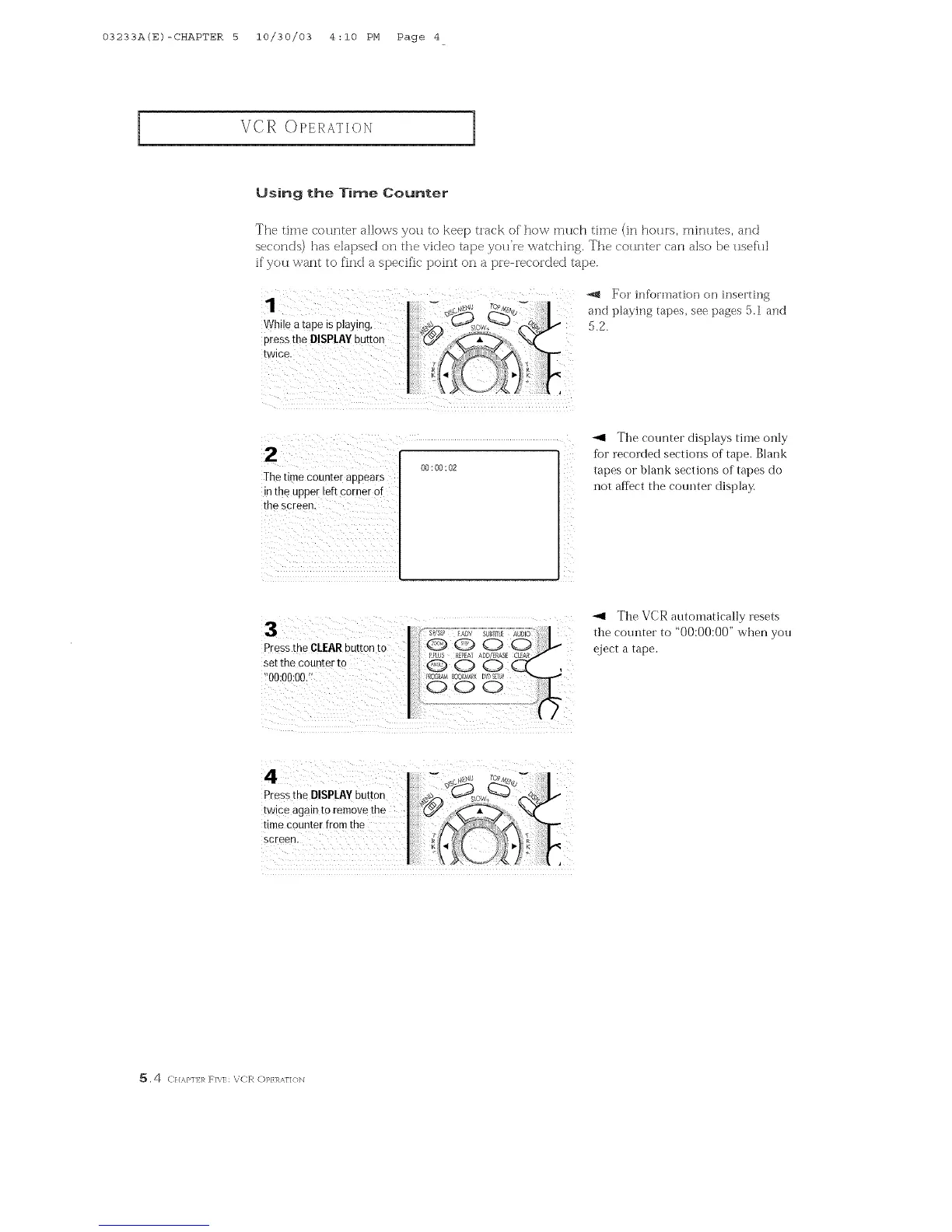
The time countei allo\_s you to keep track of' how much time (in houls, minutes, and
se(onds) has elapsed on the video tape you're _atching, The countei can also be usefh]
if' you want to find a specific point on a pie-recoi'ded tape.
For informa{ion on inserting
and playing [apes, see pages 5,1 and
5,2,
00:00:02
]he time counter appears
in the uppe[ left comer Of
the screen,
_1 The counter displays time only
fbr recorded sections of tape. Blank
tapes or blank sections of tapes do
not affect the counter display.
Press the CLEARbutton to
Set the counter to
!'00:00:00/_
_1 The VCR automatically resets
the counter to "00:00:00" when you
eject a tape.
5,4 ( H,_,P]] 1,_RN]; V([R (])]_}]_AF]<}b]



 To Next Page