ŝ112Ş
Setting up the application software
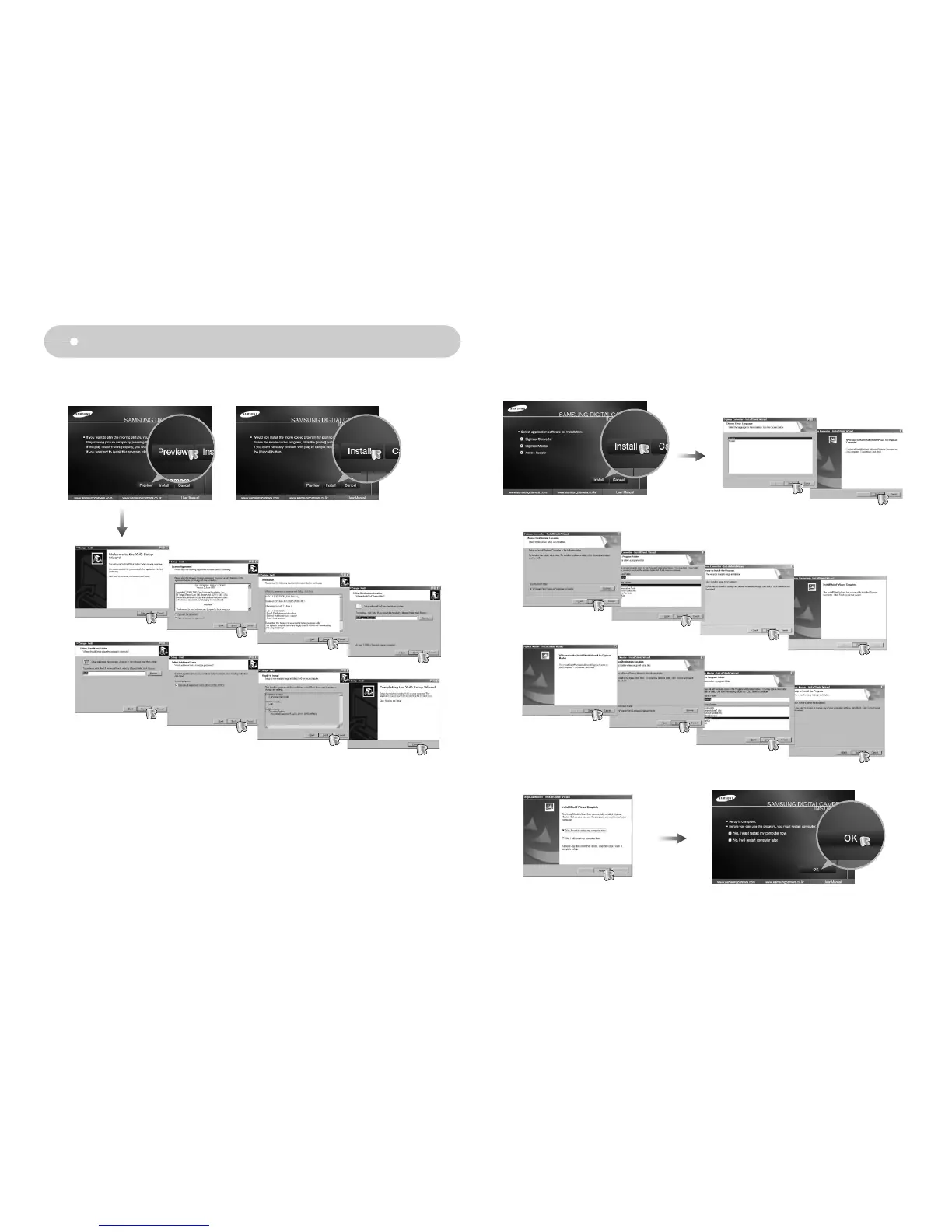
3. To play back the movie clip recorded with this camera on the computer, install
the XviD codec.
4. Install the software following instructions on the monitor.
ſ
The XviD codec is distributed according to and under the terms and conditions of
the GNU General Public License and everyone can copy, modifiy and distribute
this codec freely, but WITHOUT ANY WARRANTY, IMPLIED OR EXPRESSED,
OF MERCHANTABILITY OR FITNESS FOR A PARTICULAR PURPOSE;
provided, however, that you have to follow the GNU General Public License
whenever you are distributing this codec or modification thereof.
For more information see the GNU General Public License documents
(http://www.gnu.org/copyleft/gpl.html).



 To Next Page