ŝ51Ş
Starting play mode
ƃ When a voice is playing back, you can use the earphones.
ƃ If you want to extract the movie clip at the beginning of the frame, press the
Zoom T button before starting the movie clip.
ƃ If the time line bar passes by the start point by pressing the REW (ȜȜ )
icon, the first frame of the movie clip will display.
ƃ If you don't specify the ending point of the movie clip, the trimming
confirmation window will be displayed at the point of the last frame.
INFORMATION
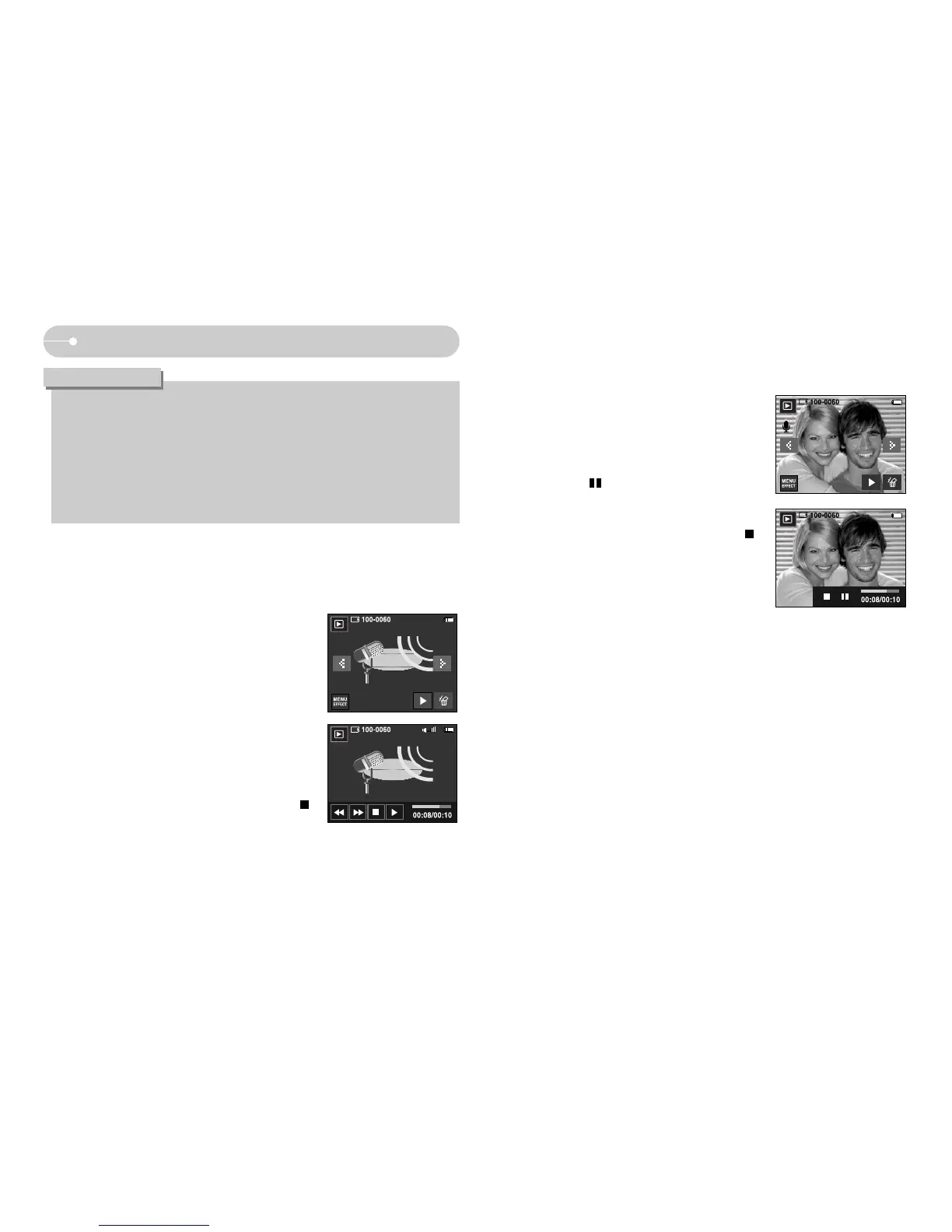
ƃ Playing back a recorded voice
1. Select the recorded voice that you want to play
back by using the Ȝ / Ȟ icon.
2. Press the Ȟ icon to play back a recorded voice
file.
- To pause a recorded voice file, while playing it
back, press the pause icon again.
- To resume playback of the voice file, press the
play icon.
- To rewind the voice file while it is playing, press
the ȜȜ icon. To fast forward the voice file,
press the ȞȞicon.
- To stop playback of the voice file, press the
icon.
- When a voice is playing back, you can use the earphones.
ƃ Playing back a voice memo
1. Select the recorded voice that you want to play
back.
2. Press the Ȟ icon to play back a recorded voice
file.
- To pause a recorded voice file, while playing it
back, press icon.
- To resume playback of the voice file, press
the Ȟ icon.
- To stop playback of the voice file, press the
icon.



 To Next Page