ŝ83Ş
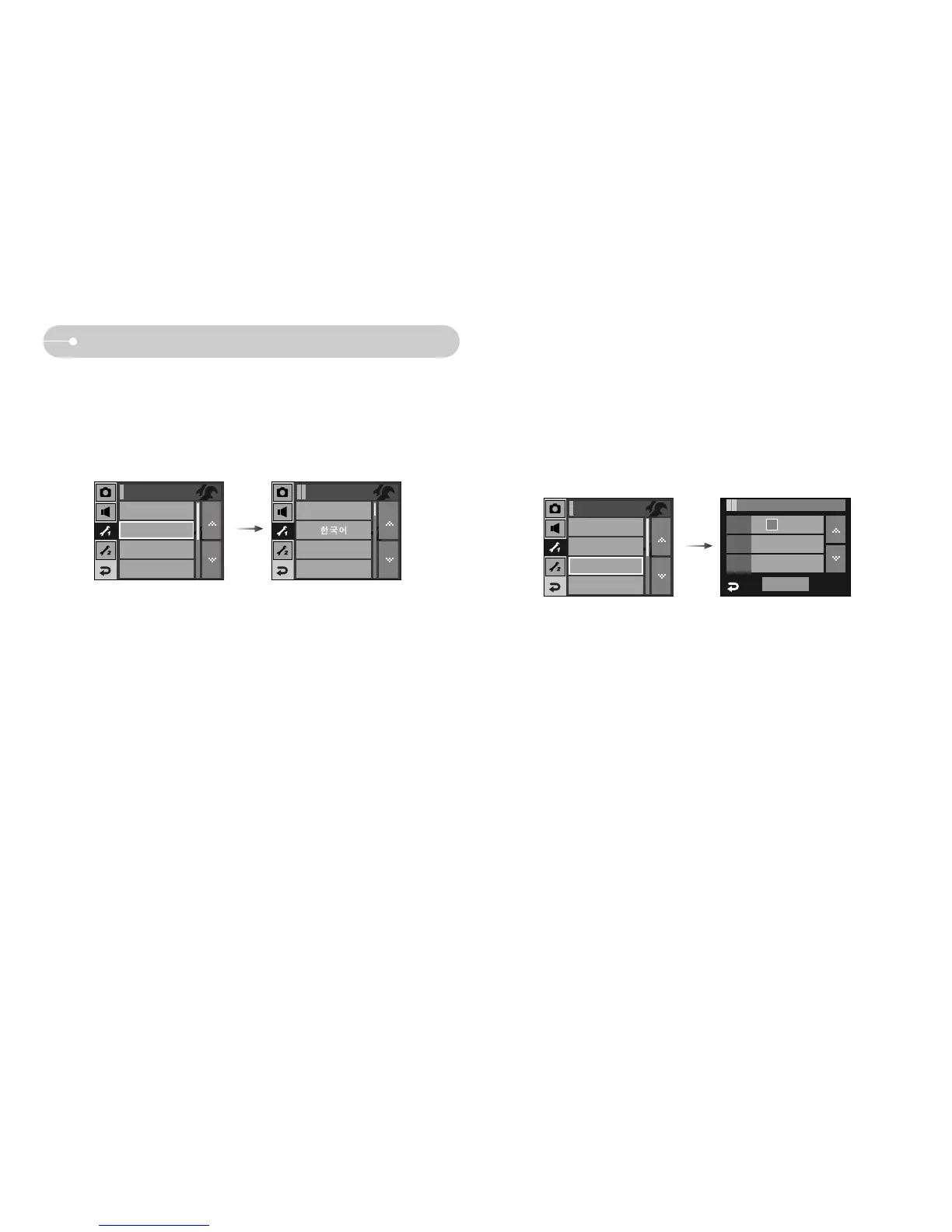
[ Setting up the Date / Time / Date type ]
ƈ You can change the date and time that will be displayed on the captured images
and set up the date type.
- Date type : [yy/mm/dd], [mm/dd/yy], [dd/mm/yy], [Off]
Setup1 / Date&Time
OK
Date 07 / 02 / 01
Time 12 : 00
Type yy / mm / dd
Setup menu 1
[ LANGUAGE ]
ƈ There is a choice of languages that can be displayed on the LCD monitor.Even if
the battery is removed and inserted again, the language setting will be
preserved.
- LANGUAGE sub menu
: English, Korean, French, German, Spanish, Italian, S.Chinese, T.Chinese,
Japanese, Russian, Portuguese, Dutch, Danish, Swedish, Finnish, Thai,
Bahasa (Malay / Indonesian), Arabic, Czech, Polish, Hungarian and Turkish.
ENGLISH
FRANÇAIS
DEUTSCH
Language
File
Series
Date&Time
Imprint
Off
Setup1
File
Series
LANGUAGE
English
Imprint
Off
Setup1
Date&Time
LANGUAGE
English



 To Next Page