ŝ73Ş
Protecting images
Voice Memo
Delete
DPOF
Playback
Select
All
Protect
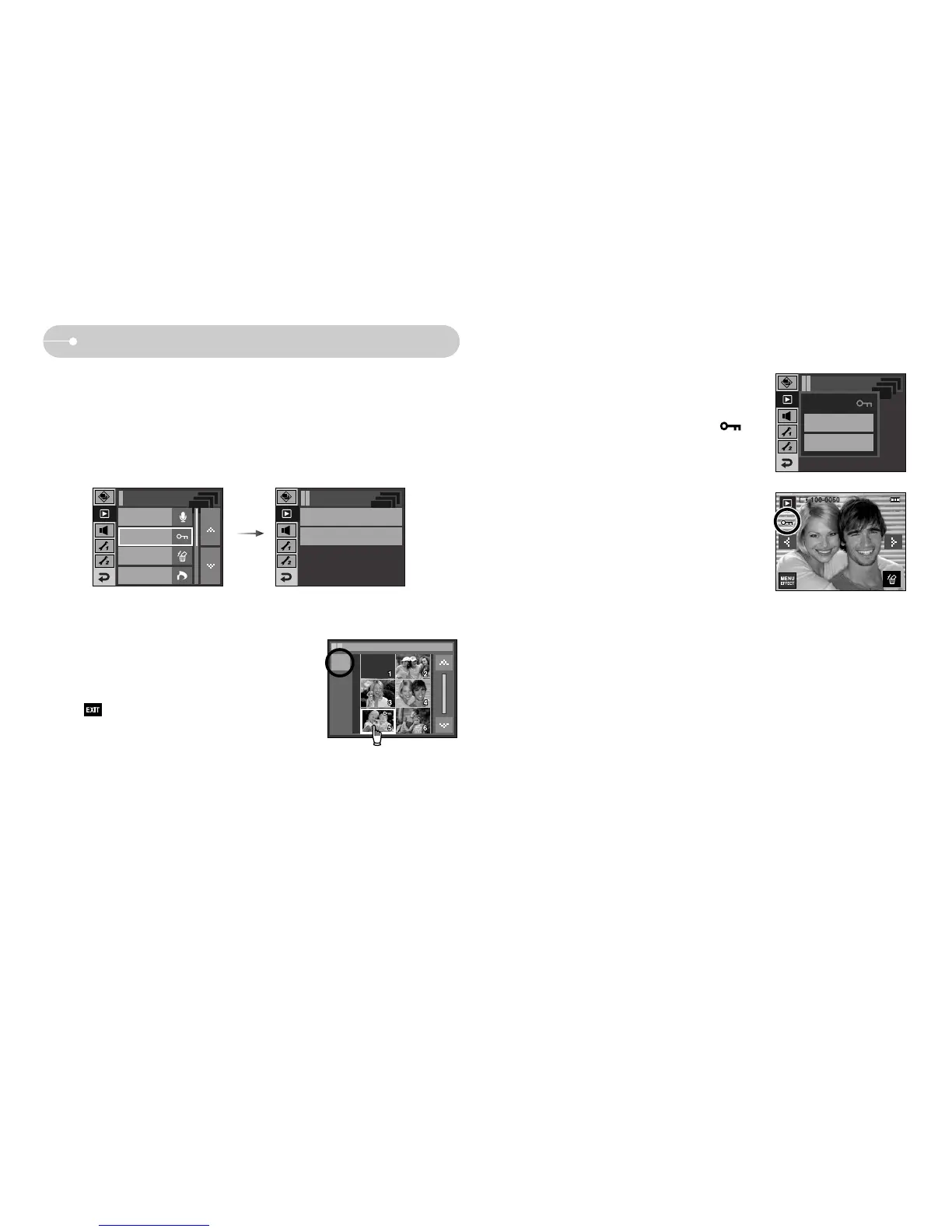
ƈ This is used to protect specific shots from being accidentally erased (Lock).
It also unprotects images that have been previously protected (Unlock).
1. Select a desired sub menu.
[Select] : Selection window for an image to be
protected / released is displayed.
- Select a protected image on the LCD monitor.
- : Your changes will be saved and the
menu will disappear.
ƃ Protecting Images
Playback / Protect
Exit
[All] : Protect / release all saved images
- Select a desired sub menu. The menu will
disappear after setting up the menu.
- If you protect an image, the protect icon ( ) will
be displayed on the LCD monitor.
(An unprotected image has no indicator)
- An image in LOCK mode will be protected from the
delete function, but will NOT be protected from the
format function.
Lock
Unlock
Protect
Protect All?
Protect



 To Next Page