ƈ You can use the menu on the LCD monitor to set up recording functions.
ƈ The items indicated by are default settings.
ſ Menus are subject to change without prior notice.
Contrast
Voice Mute
Sharpness
Available modeSub menuMenu Page
Voice Record
Off On
--
Voice Memo
Auto Focus Center AF Multi AF
p.35
p.36
p.37
p.38
p.38
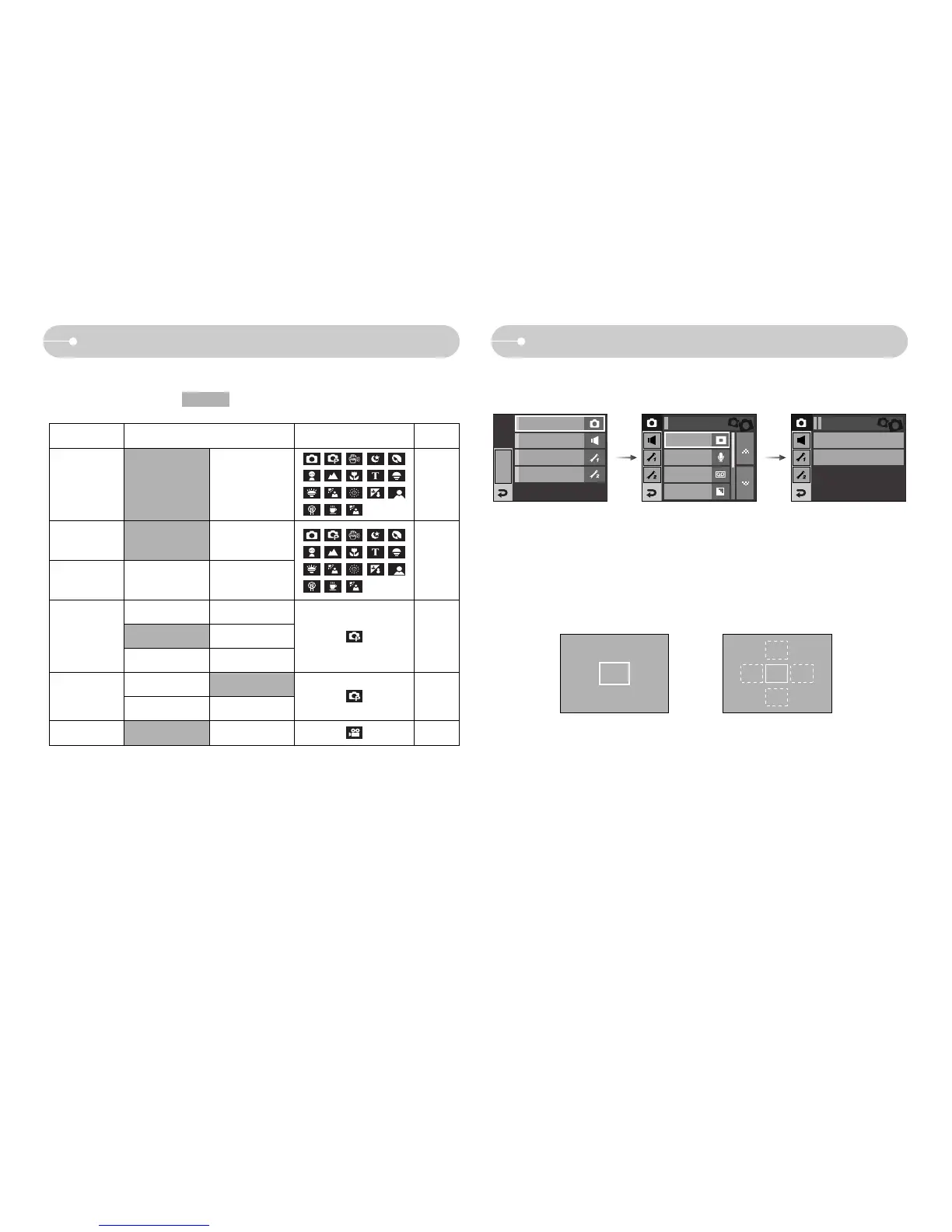
ƈ You can select your preferred Auto Focus type according to the shooting condition.
- [Center AF] : The rectangular area in the center of the LCD monitor will be
focused
- [Multi AF] : This camera selects an AF point from the 5 AF points.
ſ When the camera focuses on the subject, the auto focus frame turns to green.
When the camera doesn't focus on the subject, the auto focus frame turns to red.
[Center AF] [Multi AF]
Center AF
Multi AF
Auto Focus
Voice Memo
Voice Record
Sharpness
Normal
Recording
EFFECT
MENU
Sound
Setup 1
Setup 2
Recording
Auto Focus
Center AF
Using the LCD monitor to adjust the camera settings
Auto Focus type
ŝ35Ş
Soft+ Soft
Normal Vivid
Vivid+ -
High Normal
Low -
Off On



 To Next Page