ŝ40Ş
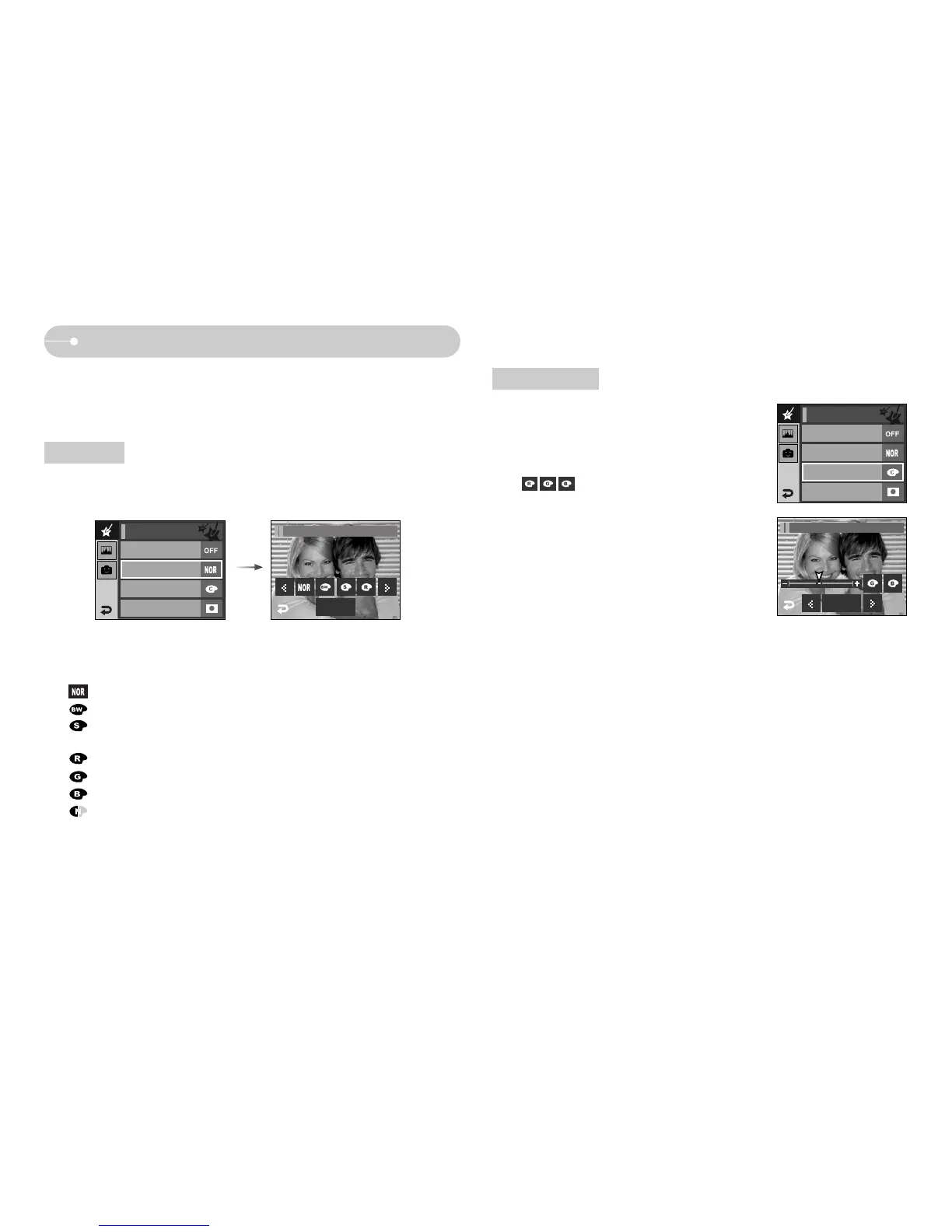
Effect : Colour Effect
Colour
Select a desired sub menu by pressing the ȜȞ icon and press the OK icon.
: No effect is added to the image.
: Captured images will be stored in black and white.
: Captured images will be stored in a sepia tone
(a gradient of yellowish brown colours).
: Captured images will be stored in a red tone.
: Captured images will be stored in a green tone.
: Captured images will be stored in a blue tone.
: Save the image in negative mode.
ƈ By using the camera's digital processor, it is possible to add special effects to
your images
ƃ Press the Effect menu in an available recording mode (p.39)
Off
Custom Color
Color Mask
Color Effect
OK
Color Effect/Color
Custom colour
ƈ You can change the R (Red), G (Green) and B
(Blue) values of the image.
-: Selects R, G, B
- ȜȞ : Changes the values
Off
Color
Normal
Color Mask
Color Effect
OK
Color Effect/Custom Color
Color
Normal
Custom Color



 To Next Page