ŝ114Ş
Starting PC mode
ƈ Disconnecting the camera and PC : Refer to "Removing the Removable Disk"
(p.115)
ƃ Before inserting any cables or AC adapter, check the directions and do not
insert by force. It may cause breakage of cable or camera.
INFORMATION
Removable Disk
ƈ Downloading stored images
You can download the still images stored on the camera to your PC's hard disk
and print them or use a photo editing software to edit them.
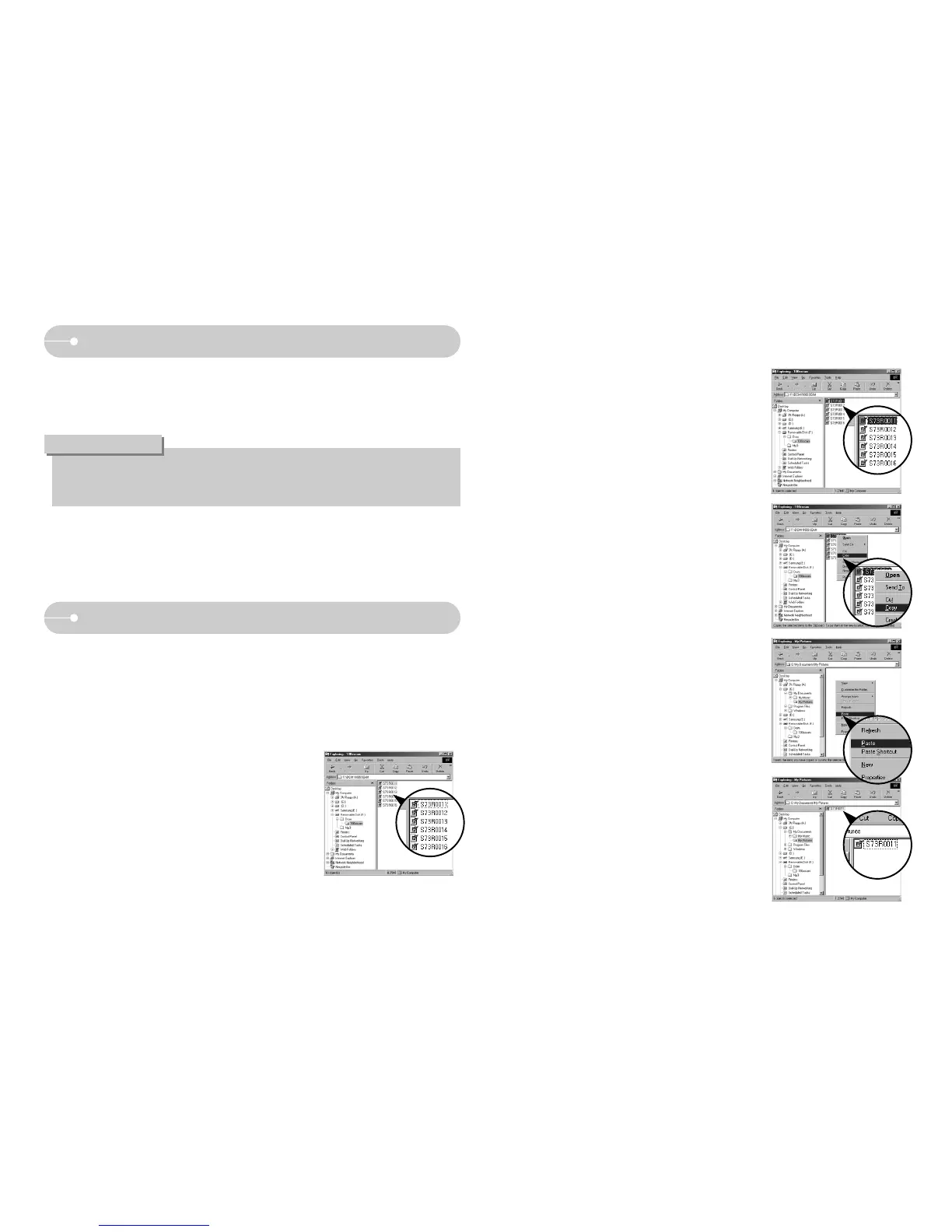
1. Connect the camera to your PC with the USB cable.
2. On your computer's desktop display, select
[My Computer] and double click [Removable
Disk ƍ DCIM ƍ 100SSCAM].
3. Select an image and press the right mouse
button.
4. A pop-up menu will open.
Click the [Cut] or [Copy] menu.
- [Cut] : cuts a selected file.
- [Copy] : copies files.
5. Click a folder where you want to paste the file.
7. An image file is transferred from the camera to
your PC.
6. Press the right mouse button and a pop-up
menu will open. Click [Paste].



 To Next Page