ŝ13Ş
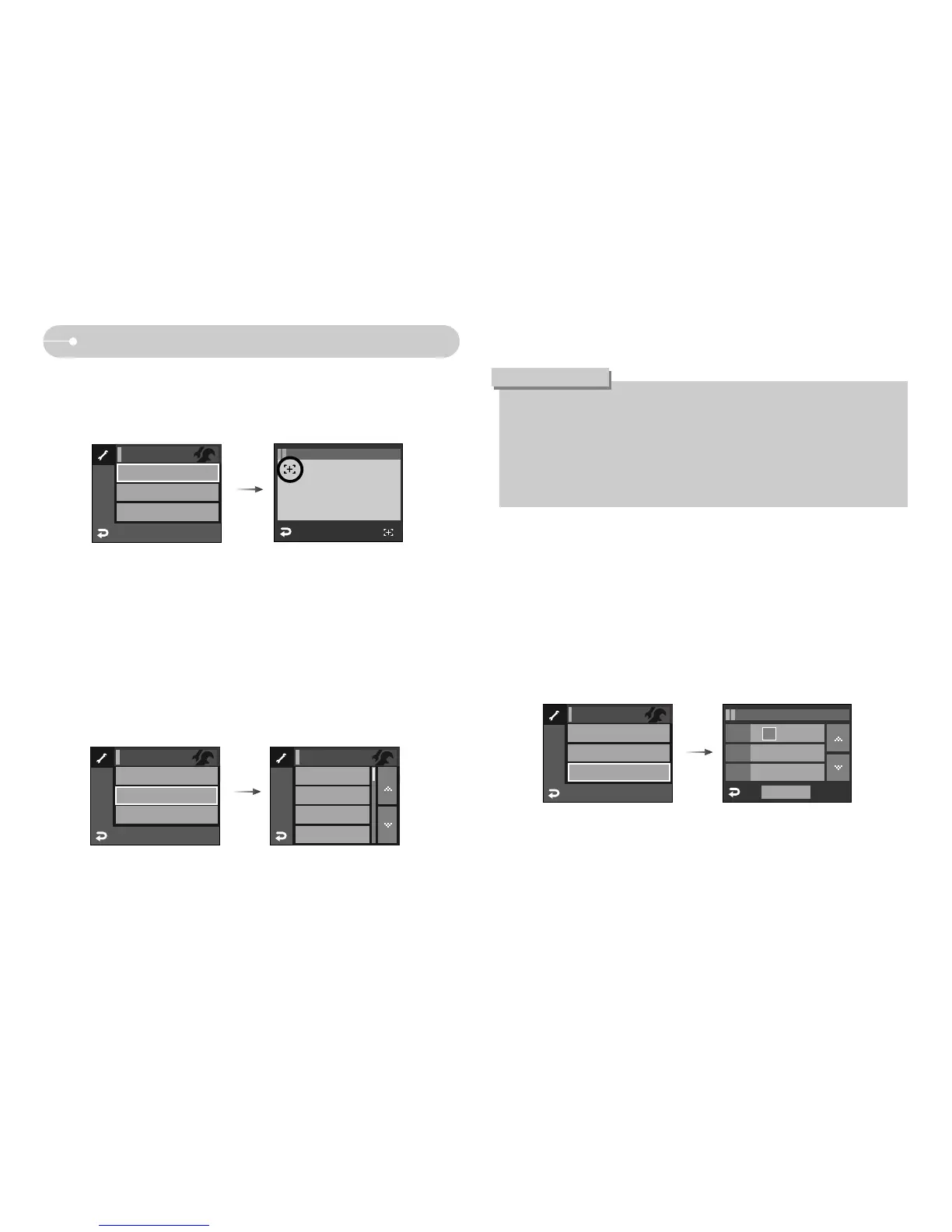
When Using the Camera for the First Time
ƃ Setting up the Date & Time
1. Select the [DATE&TIME] menu
2. Select the desired sub menu by pressing the Ɗƌ icon
Date
12 : 00Time
yy / mm / ddType
OK
SETUP / DATE&TIME
07 / 02 / 01
ƃ Setting up the language
1. Select the [LANGUAGE] menu
2. Select the desired sub menu by pressing the Ɗƌ icon
ƃ Touch Screen Adjustment
1. Select the [CALIBRATION] menu.
2. Press the point with the supplied Touch Pen.
ſ When you calibrate the LCD monitor, press the Calibration point exactly or
menus on the LCD monitor won't be selected or set.
CALIBRATION
DATE&TIME
07/02/01
SETUP
ENGLISH
ጥૹ
FRANÇAIS
DEUTSCH
SETUP
CALIBRATION
LANGUAGE
ENGLISH
SETUP
DATE&TIME
07/02/01
LANGUAGE
ENGLISH
ƃ You can select one of the following 22 languages. :
- English, Korean, French, German, Spanish, Italian, S.Chinese, T.Chinese,
Japanese, Russian, Portuguese, Dutch, Danish, Swedish, Finnish, Thai,
Bahasa (Malay / Indonesian), Arabic, Czech, Polish, Hungarian and
Turkish.
ƃ Even if the camera is restarted, the language setting will be maintained.
INFORMATION
SETUP / CALIBRATION
CALIBRATION
DATE&TIME
07/02/01
SETUP
LANGUAGE
ENGLISH
Touch



 To Next Page