ŝ44Ş
Effect : FUN
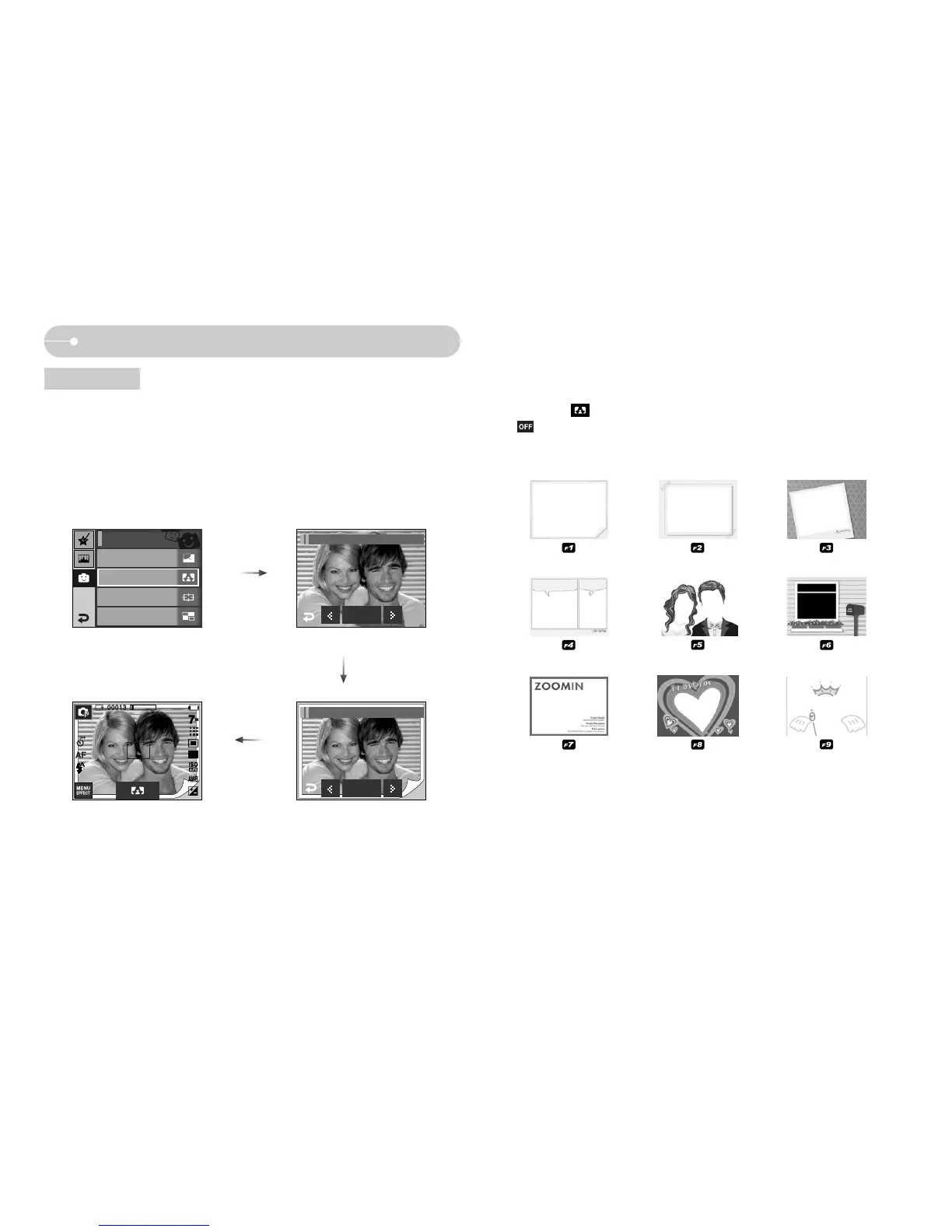
Photo Frame
ƈ You can add 9 types of frame-like borders to a still image you want to capture.
ƈ Date & Time information will not be printed on the stored image taken with Photo
Frame menu.
ƃ Press the Effect menu in an available recording mode (p.39).
- The selected photo frame will display. Press the shutter button to take a
picture.
- Press the icon when you want to change the frame.
- : Cancels the frame effect
Pressing the
OK icon
ȜȞ : Selecting a frame
Off
FUN / Photo Frame
OK
FUN / Photo Frame 1
Cartoon
Off
High Light
Off
Composite
Off
FUN
Photo Frame
Off



 To Next Page