OfficeServ 7200-S INSTALLATION
TECHNICAL MANUAL PART 7 MAY 2010
7.47
7.2.7 SYSTEM DATA/ACTIVITY REPORTS
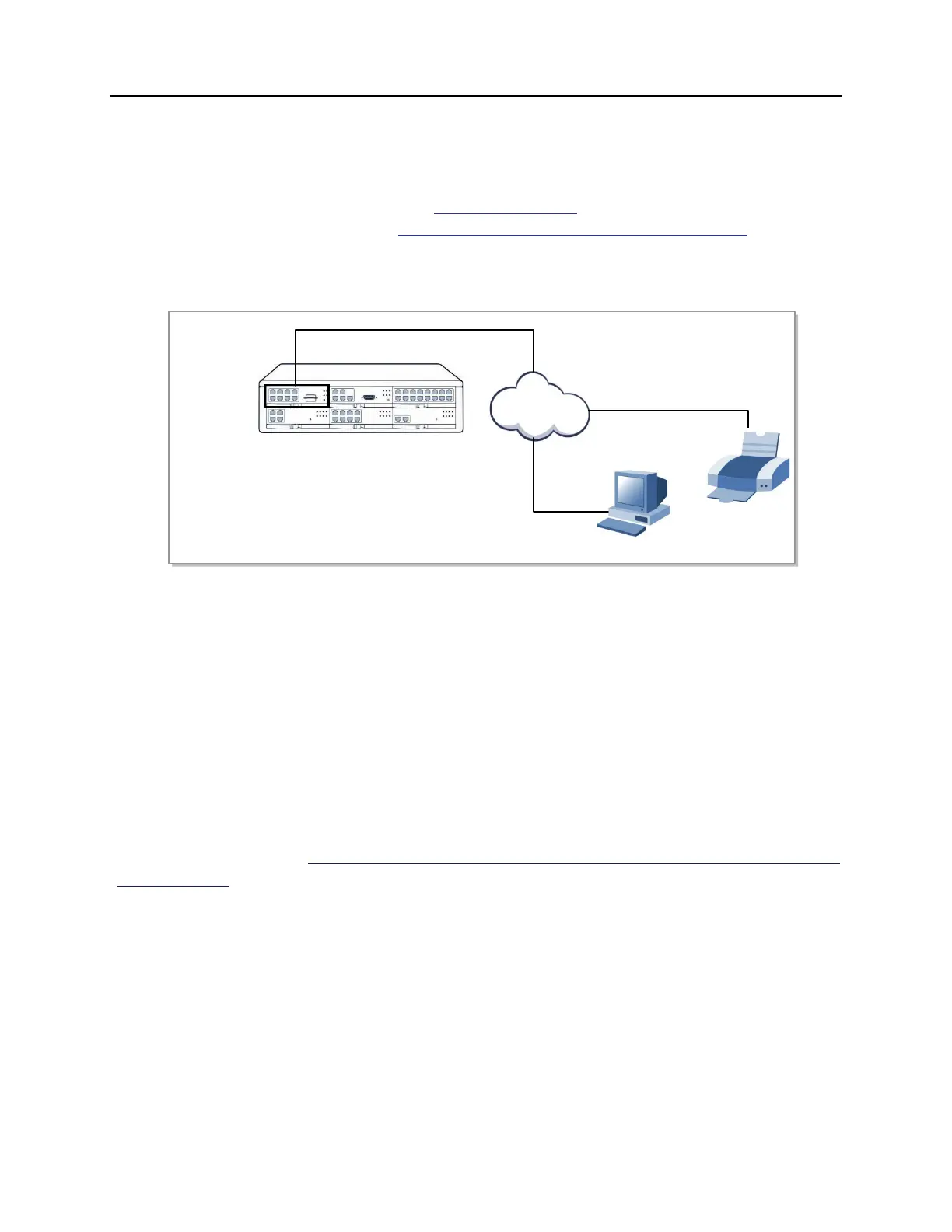
The following type of reports can be output to a PC or LAN printer that is connected to the
same network as the MP20S: SMDR (Station Message Detail Records), UCD Reports, Traffic
Reports, Alarm Reports and much more. Refer to MMC 829 to configure the report type and
data output network configuration (See OfficeServ 7200-S Programming Manual). This MMC
can also configure the reports to be sent to PCs running 3
rd
party applications (i.e. SMDR
Reporting Packages, etc.).
Figure 7.45 Connecting SMDR and Printer
7.2.8 OfficeServ 7200-S and ANALOG TERMINAL ADAPTERS (ATAs)
The OfficeServ 7200-S can be SIP enabled (SIP licenses required) to interface with other 3
rd
party analog terminal adapters (ATA) devices, to provide voice connectivity to a VoIP network.
The SIP enabled adapters can be used to support specialized voice applications such as:
• VoIP connectivity to remote analog stations.
• VoIP connectivity to remote Fax Machines.
• 911 routing to remote SIP-PSTN Gateway.
These 3
rd
party analog terminal adapters (ATA) are not available through Samsung, and must
be purchase separately. For more details, please refer to the special application section 2.15
of the manual.
OfficeServ 7200
LAN
SMDR
MP20S
LAN
PRINTER









 To Next Page