OfficeServ 7200-S INSTALLATION
TECHNICAL MANUAL PART 3 MAY 2010
3.29
3.3.13 PLIM2 (PoE LAN INTERFACE MODULE)
PoE LAN Interface Module (PLIM2) can use Power Supply Unit (PSU) or an external rectifier
and selects the power supply source by using shunt pins.
FRONT VIEW OF PLIM2 BOARD
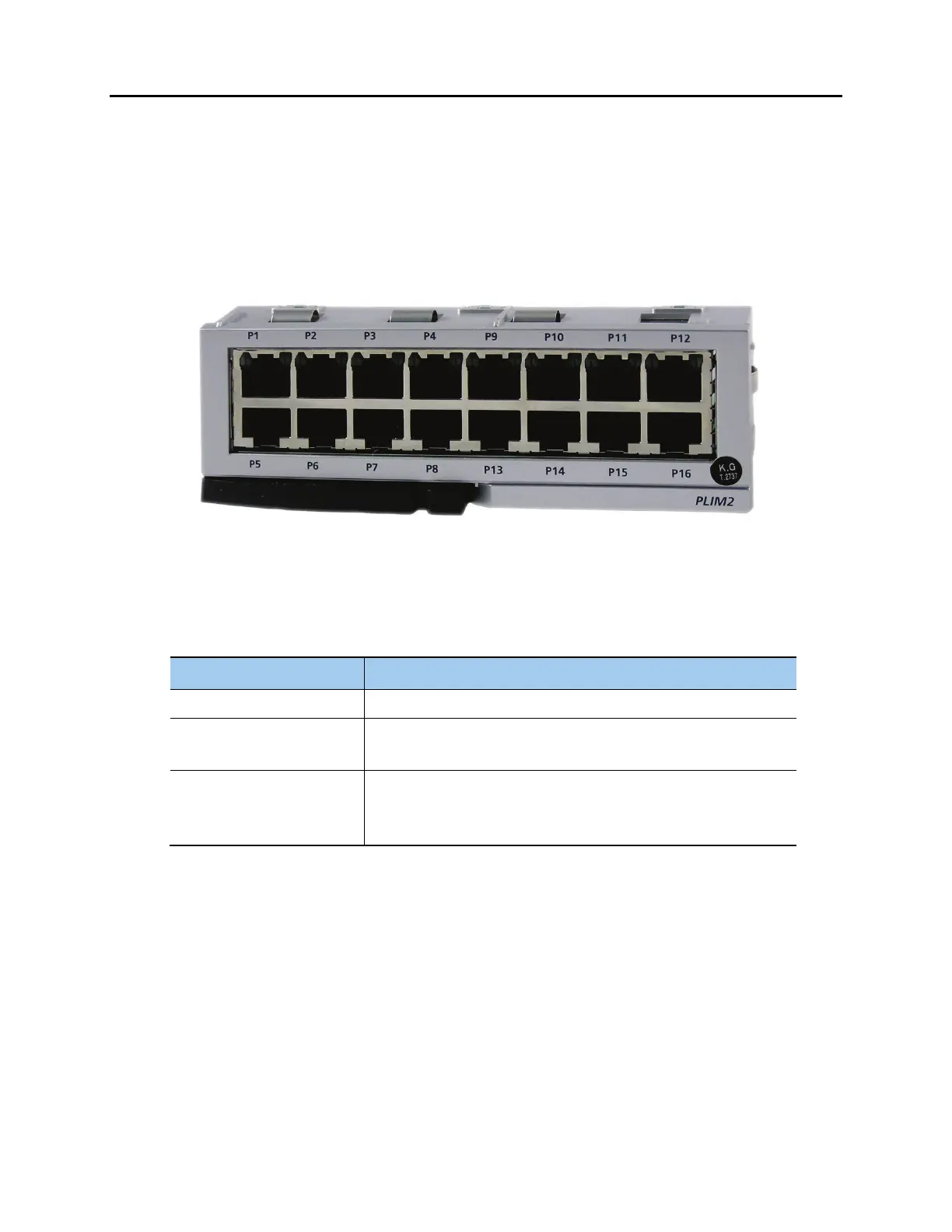
The front view of the PLIM2 data module is shown in the picture below.
Figure 3.32 Front View of the PLIM2 Board
The front panel components of the PLIM2 have the functions below:
Table 3.15 Ports and LEDs of the PLIM2
Ports & LEDs Function Description
P1~P16 RJ-45 (10/100 Base-T) LAN ports (Full Duplex).
Left LED of each port The LED ON indicates if the link is operating.
- Blink: The link is transmitting/receiving data packets.
Right LED of each port The LED indicates if the port of 10 Base-T/100 Base-Tx is operating.
- Off: The port is operating as 10 Base-T port.
- On: The port is operating as 100 Base-T port.
JUMPER SETTINGS
• When using the internal rectifier the shunt pins (J2, J3 and J4) are connected between pin
1 and pin 2. Since the available capacity is limited to PSU, the use of ports is limited to 16
ports and the use of digital phones is, also, limited. (For more information on the limitation
about the use of digital phone phones in accordance with the use of PLIM2 port, contact
your dealer.)












 To Next Page