OfficeServ 7200-S INSTALLATION
TECHNICAL MANUAL PART 5 MAY 2010
5.2
CABINET CONFIGURATION
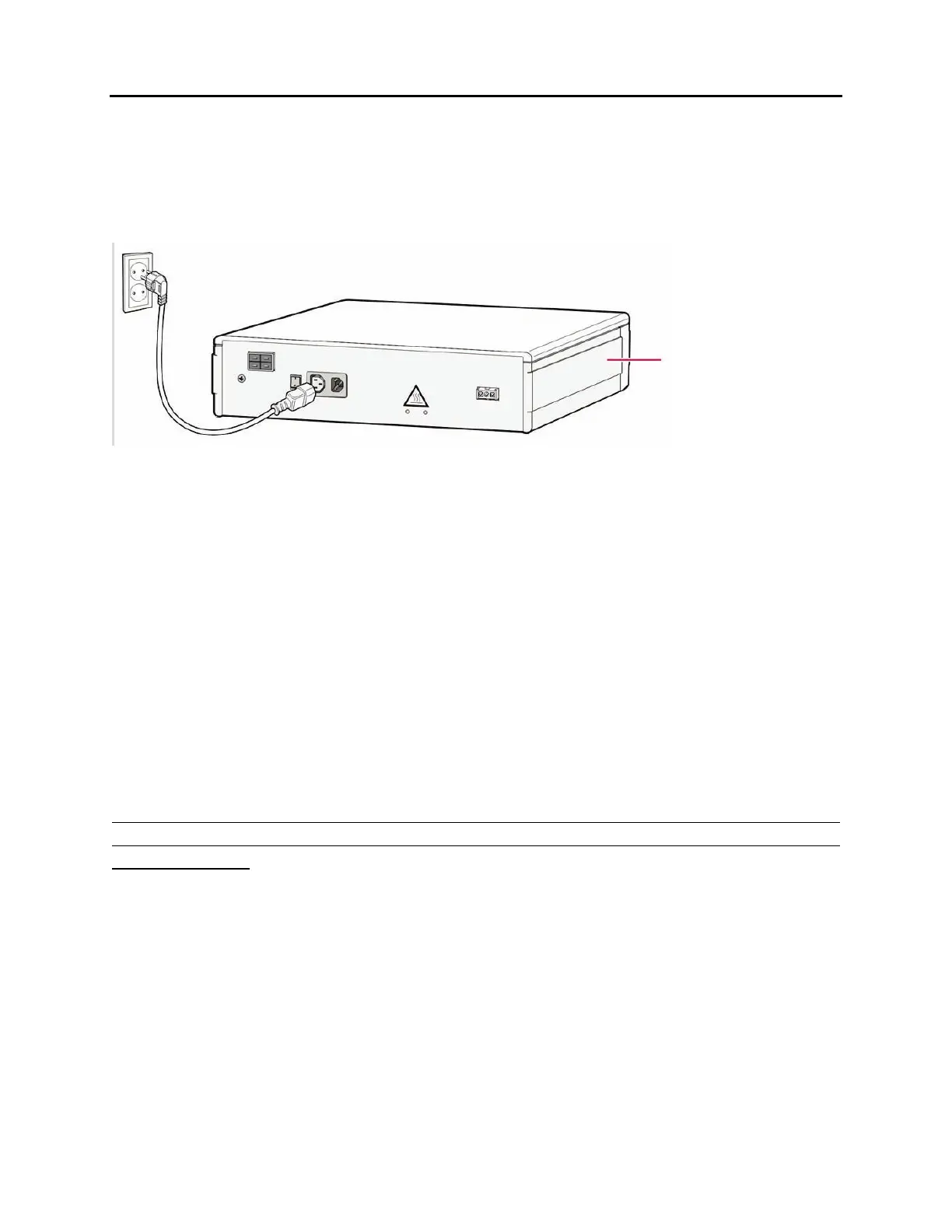
The connection procedure depends on the environment of the installation area as shown
below. Select a procedure according to your environment.
• Connect each input power cable of the cabinets to a grounded outlet.
Figure 5.2 Connecting Power (using Power Cable)
5.3 CONNECTING THE OFFICESERV 7150 EXTERNAL PoE
PSU SUPPLEMENTAL POWER SUPPLY
The OfficeServ 7150 PoE PSU provides additional power to your OfficeServ 7200-S cabinets
when the internal OfficeServ 7200-S PSU limits have been exceeded. It is composed of a
cabinet which can accomodate up to two POE-M Power supply modules. Each module
provides -54V, 7.5A. Depending on your power requirements, you can add either one or two
modules. A two-module system (7150 with 2 PoE-M PSU module) provides -54V, 15A.
The GPLIMT/PLIM/PLIM2 module uses the -48V rail from the OfficeServ 7200-S power supply
to provide power to the connected devices over ethernet. The OfficeServ 7200-S power
supply provides up to 2200mA of output current.
The SUM of all current drawn from 1) devices powered by PLIM/PLIM2 cards, 2) digital
keysets connected to DLI ports and 3) analog devices connected to SLI ports cannot
exceed 2200mA.
Cabinet











 To Next Page