OfficeServ 7200-S INSTALLATION
TECHNICAL MANUAL PART 5 MAY 2010
5.8
Do not remove a blanking plate from unused slots.
3) Insert the PoE-M module into the slot.
4) Connect an external battery with proper capacity if required.
5) Connect AC input voltage.
INSTALLATION IN A RACK
• Install in a standard 19”data rack.
• If an enclosed rack is used, check if proper ventilation system has been installed in the
rack.
• If an open rack is used, do not to block the front of the OfficeServ 7150 fan.
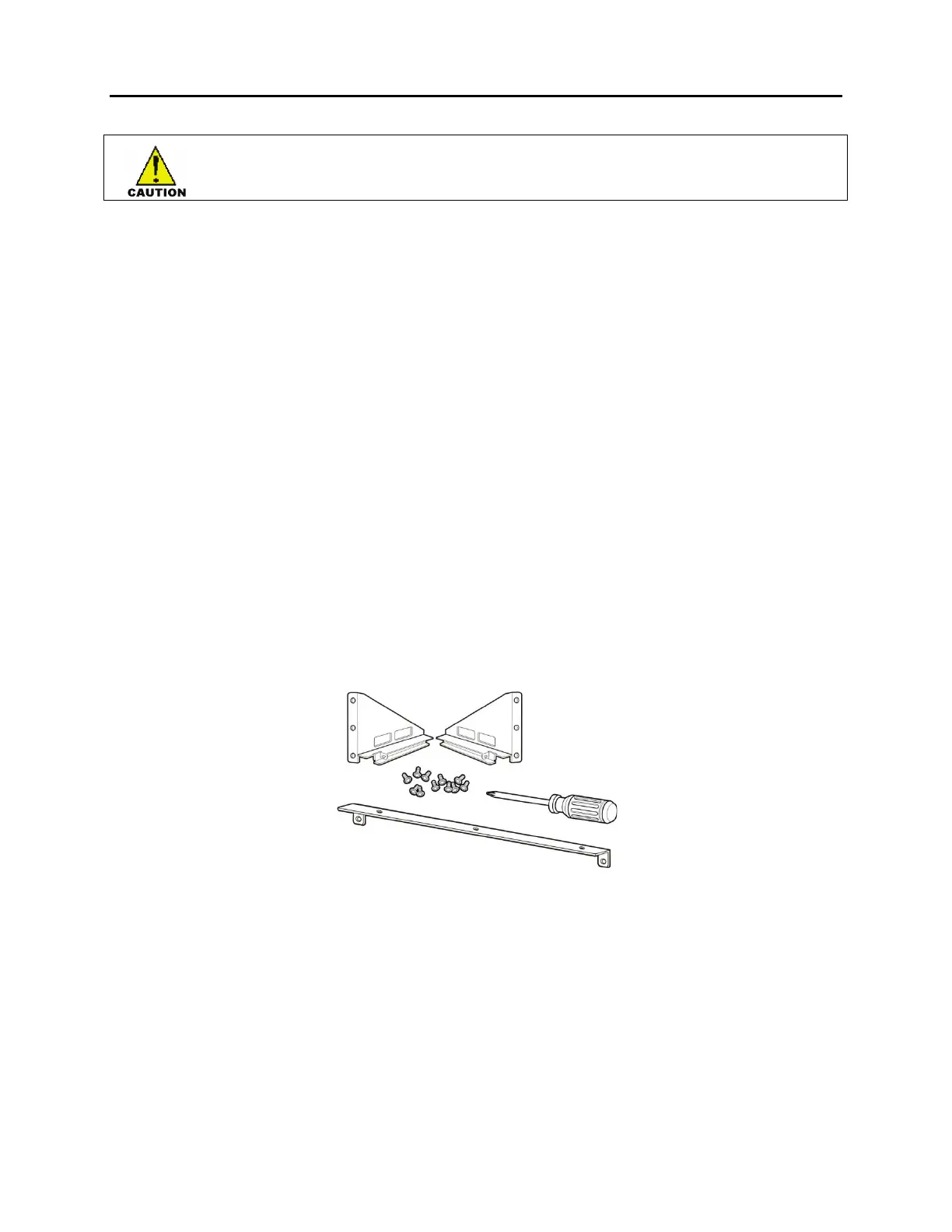
Tools Required
• One medium size Phillips screw driver
• One cross bar bracket and three screws
• Two rack mount brackets and six screws
• Two fixing screws
Figure 5.5 Tools Needed for Installation in a Rack











 To Next Page