OfficeServ 7200-S INSTALLATION
TECHNICAL MANUAL PART 5 MAY 2010
5.5
FOLLOW ALL SAFETY AND GROUNDING GUIDELINES MENTIONED IN
SECTIONS 1.1.1 and 1.2.
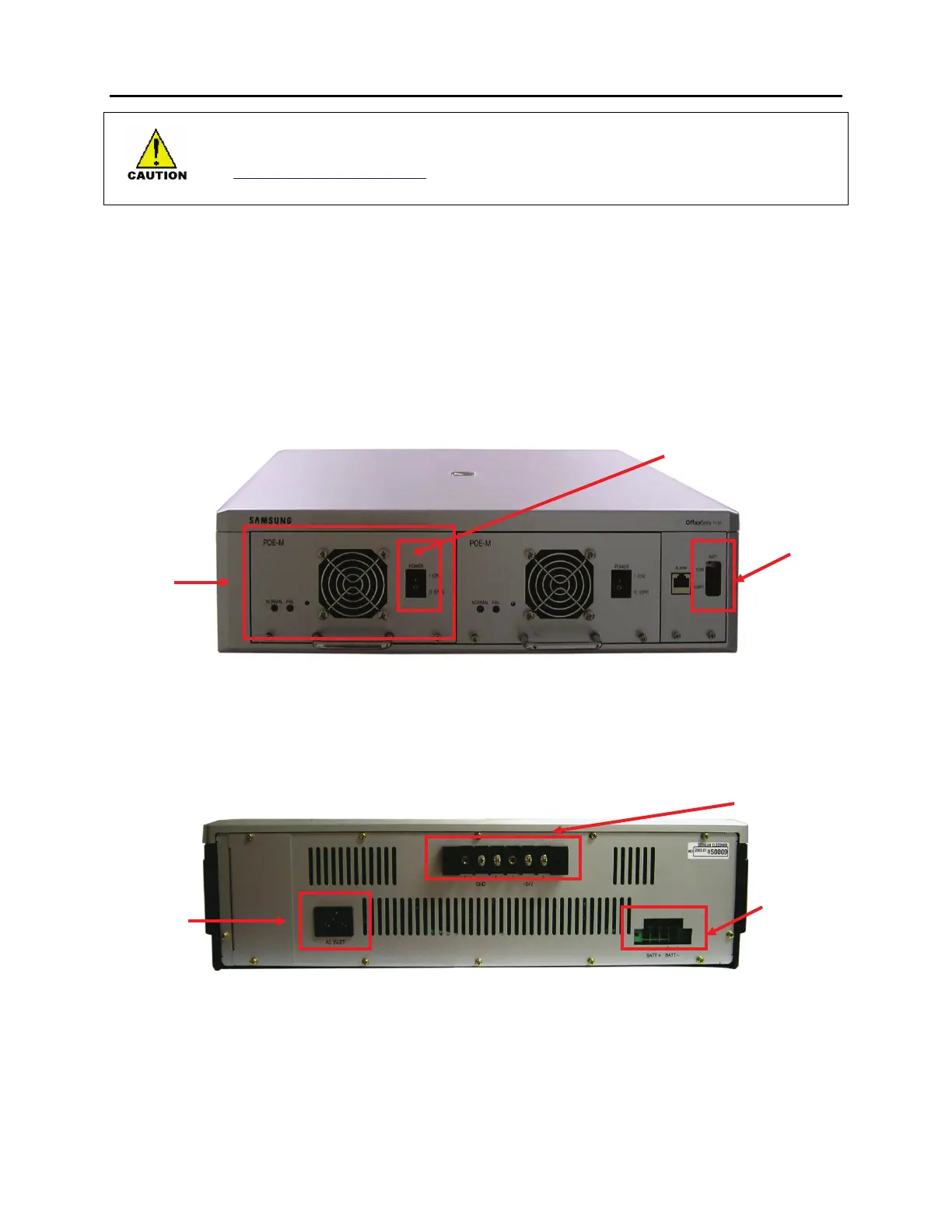
OFFICESERV 7150 FRONT VIEW
Front view of the OfficeServ 7150 cabinet is as shown in the following illustration. The cabinet
consists of two slots and one distributor. A PoE-M PSU module is inserted to each slot.
Each PoE-M module contains an AC power switch and a module LED. The distributor consists
of an external battery power switch and a modular alarm jack (alarm jack is not used. Reserved
for future use).
Figure 5.3 Front View of OS 7150 Cabinet
OFFICESERV 7150 REAR VIEW
Rear view of the cabinet contains an external battery connection port, a power connector, a
DC output connection port and a grounding port.
Figure 5.4 Rear View of OS 7150 Cabinet
Battery Switch
PoE-M PSU
Module
Connection to
the 7200
External
Battery
Connection
AC Power
Connection







 To Next Page