Installation and Operation Manual
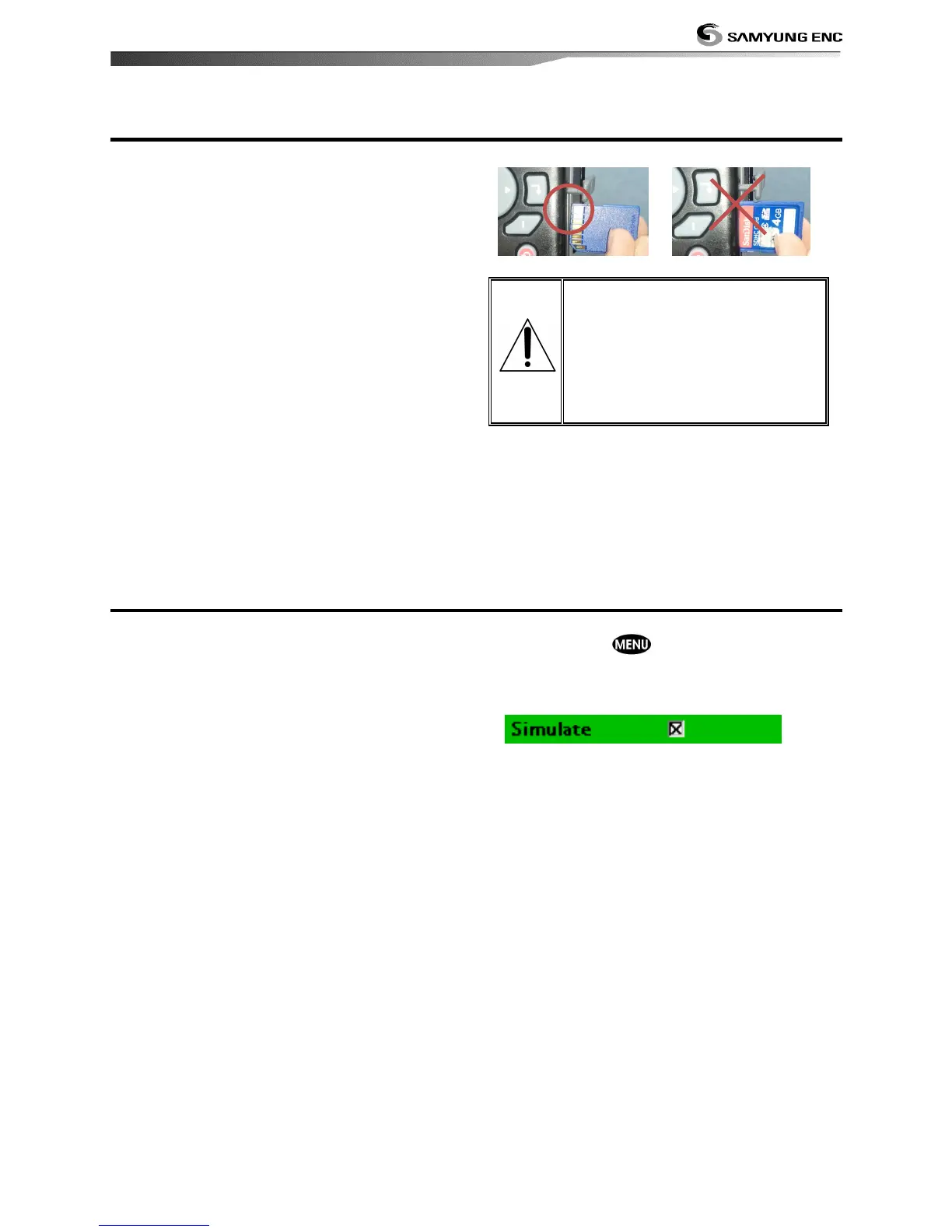
How to insert and remove SD card is as
below.
.
Inserting the SD Card
1 Hold a SD card so that label is NOT
visible.
2 Open the door, gently push the SD card
into the slot; push the SD card in as far as
you hear click sound, then close door.
Removing the SD Card
1 Turn off the unit.
2 Open the door and push in on the SD card
until it is released.
3 Close the door.
Insert NAVIONICS SD card
correctly.
(DO NOT FORCE)
Close SD card door firmly all
the times.
Do not remove SD card
during reading and writing.
Simulation mode is for practicing use of
product, and when sensors and internal
alarm are not available.
In the simulate mode, the unit turns the GPS
receiver off and ignores data from all optional
devices.
Simulation can be done by following steps.
1 Press and hold .
2 Select Advanced settings.
3 Check at Simulation.


 To Next Page