Sonar frequencies
This unit has single frequency of 200kHz to
check the status of under the sea.
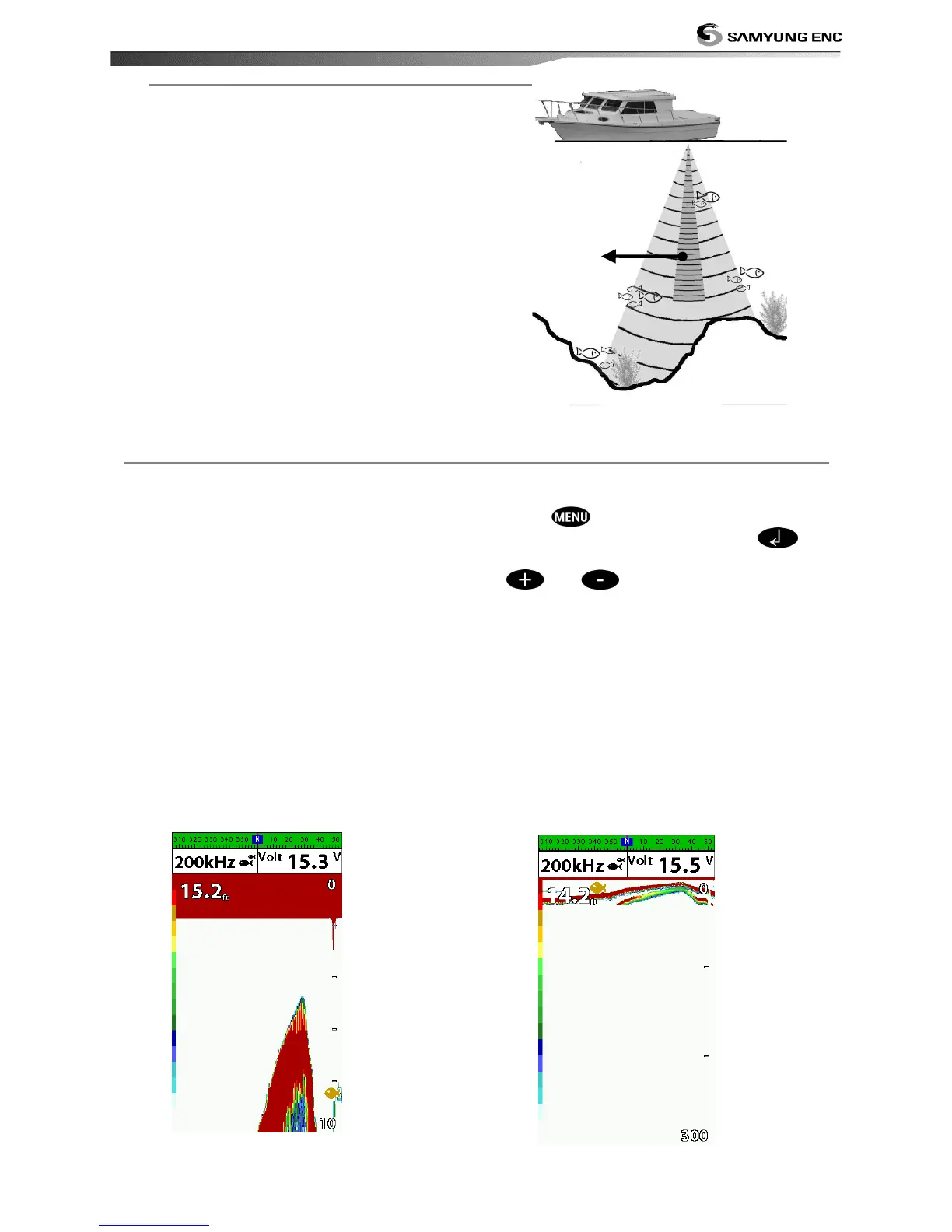
High frequency (200kHz )
The higher ultrasonic signal, the better is the
resolution. For this reason the 200 kHz
frequency is ideal for detailed observation of
fish schools.
Range is the depth of water displayed on the
sonar window. The basic range may be
chosen in Auto or manual mode.
Auto: When the mode is set to Auto, the
unit adjusts the depth automatically for the
best performance. This option is
recommended for normal operation.
Manual: When the mode is set to
Manual, the unit only displays the depth
of water at a given range. That means the
sea bottom might not be displayed in the
sonar window or it might display half of
display in white because range is more
important than sea bottom depth. As
shown in below images.
To set the manual mode in the sonar
window:
1 Press , select Range.
2 Select a mode you want and press .
3 If you select the manual mode, press
or to change value of max
displayed depth.


 To Next Page